
Home · Steam games · Cozy Caravan
Cozy Caravan
How to receive the gift
- Pay for the order and enter a link to your Steam profile on the delivery page (steamcommunity.com/id/… or steamcommunity.com/profiles/…).
- The bot will send the gift to this account.
- Accept the gift in Steam (a notification arrives in the client and by e-mail) — the game will appear in your library.
The gift region must match your Steam account region — otherwise the gift cannot be accepted.
- Developer
- 5 Lives Studios
- Publisher
- 5 Lives Studios
- Release date
- 7 Jan, 2026
- Genres
- Adventure, Casual, Indie
- Russian language
- Yes, interface and subtitles
- Steam App ID
- 2788520
Game languages
- Russian
- English
- Spanish
- French
- German
- Italian
- Turkish
- Japanese
- Korean
- Китайский (упр.)
- Arabic
- Китайский (трад.)
- Dutch
- Portuguese (Brazil)
Languages are listed according to Steam data. Check them before buying: no refund is possible once the game has been sent.
About the game
Grab your backpack and climb on in, it’s time to hit the road! We’ve got cakes to bake, clothes to make, as folks prepare for the Whizz Bang Fair!
As fresh-faced Guild Rookies, you and your best friend Bubba will travel through picturesque landscapes in your reliable old caravan, helping communities along the way. Craft a variety of handmade items—from hearty meals to stylish outfits—then set up your market stall and share goodies with the local townsfolk.
Meet an eclectic mix of characters, each with their own stories and needs. Cultivate connections across Harvestvale and uphold the mission of the Guild—help those in need and spread kindness!
Express Yourself
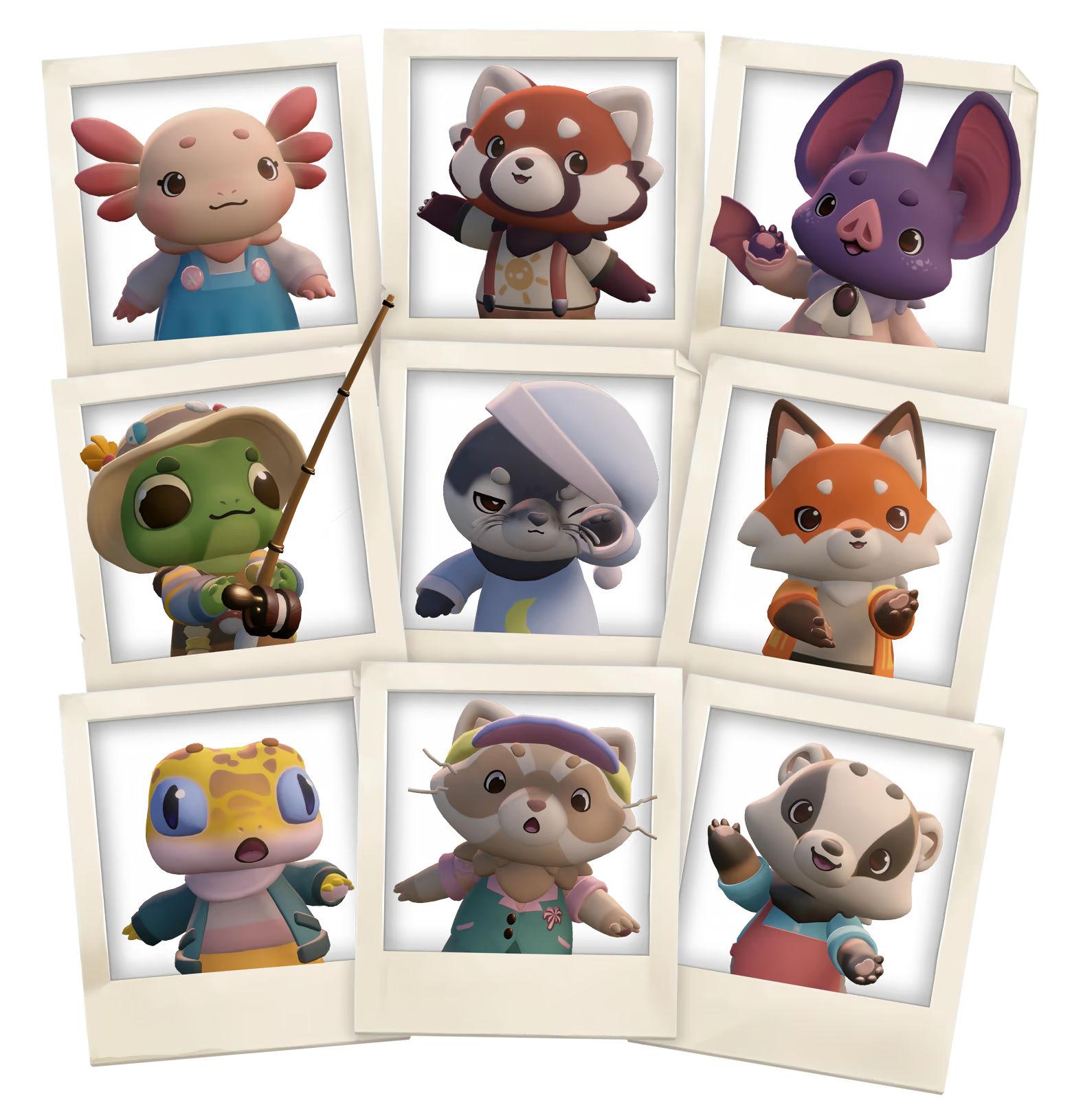
In Cozy Caravan, you can be whoever you want to be. Create your own adorable character from dozens of animal species and even more colour variations.
Curate countless outfit combinations, making your character feel like the coziest version of you.
Life on the Road
Your caravan is your home, transportation, kitchen, and more. Customise your ride and journey how you like—help hitchhikers, collect crafting resources, and explore the nooks and crannies of Harvestvale and beyond. Keep an eye out, you never know where you might find someone who could use a lift!
Spread Happiness
In Harvestvale, happiness grows from even the smallest interaction.
Spreading happiness is the goal of every Guild Rookie. Happiness brings growth, enabling you to upgrade your caravan, learn new crafting recipes, and more! If you’re looking for ways to help, there’s always someone in need.
Share The Fun
Take a break and say “hoyo!” to the local townsfolk and join in on fun activities! Test your stone-skipping skills by the water, or drop a fishing line in a nearby pond. Build connections with local townsfolk by joining games of Hide & Seek or Hopscotch. You can even help cafes with their lunchtime rush!
Fair Game!
The annual Whizz Bang Fair is just around the corner, but it’s all gone awry! Help folks along the way as they try to get things ready for the big day!
System requirements
WindowsRequires a 64-bit processor and operating system
Common questions
Does Cozy Caravan have Russian language support?
Interface and subtitles: Russian, English, Spanish, French, German, Italian, Turkish, Japanese, Korean, Китайский (упр.), Arabic, Китайский (трад.), Dutch, Portuguese (Brazil).
What is a Steam gift and how is it different from a key?
A gift is a present our bot sends straight to your Steam account via your profile link: no code to enter, the game appears in your library once you accept the gift. A key is an activation code you enter yourself in the Steam client.
Which gift region should I choose?
The one your Steam account is registered in: Steam will not accept a gift from another region. The region is shown in your Steam account settings under "Store country". "CIS countries" means Belarus, Armenia, Georgia and other CIS countries.
How will I receive the gift?
After payment you enter a link to your Steam profile and the bot sends the gift straight to the account — you only need to accept it in Steam. It usually takes 2–5 minutes, around the clock.
What if the account already has this game?
Steam will not let you accept a gift of a game already in your library — check the library before buying. If it happens, write in the order chat: we will refund you.
Countries where the key activates
Key region: —
Similar items
 RU
RU
 −50%
RU
−50%
RU
 RU
RU
 RU
RU
 RU
RU
 RU
RU
 RU
RU
 −16%
RU
−16%
RU
 RU
RU
 RU
RU
 −50%
RU
−50%
RU
 −50%
RURU
−50%
RURU