
Home · Steam games · Dome Keeper
Dome Keeper
How to receive the gift
- Pay for the order and enter a link to your Steam profile on the delivery page (steamcommunity.com/id/… or steamcommunity.com/profiles/…).
- The bot will send the gift to this account.
- Accept the gift in Steam (a notification arrives in the client and by e-mail) — the game will appear in your library.
The gift region must match your Steam account region — otherwise the gift cannot be accepted.
- Developer
- Bippinbits
- Publisher
- Raw Fury
- Release date
- 27 Sep, 2022
- Genres
- Action, Adventure, Indie, Simulation
- Russian language
- Yes, interface and subtitles
- Steam App ID
- 1637320
Game languages
- Russian
- English
- Spanish
- French
- German
- Portuguese
- Italian
- Polish
- Turkish
- Japanese
- Korean
- Китайский (упр.)
- Баскский
- Болгарский
- Hungarian
- Вьетнамский
- Danish
- Испанский (Латинская Америка)
- Каталанский
- Китайский (трад.)
- Dutch
- Norwegian
- Portuguese (Brazil)
- Румынский
- Тайский
- Украинский
- Finnish
- Czech
- Шведский
Languages are listed according to Steam data. Check them before buying: no refund is possible once the game has been sent.
About the game
Defend against waves of alien monsters in this unique roguelike action mining game. Use the time between attacks to dig beneath the surface in search of valuable resources and relics – deliver them back to your dome to unlock powerful upgrades and useful new gadgets.
But it won’t be long until the relentless monsters return - do you risk delving deeper into the mine? Or return to base and prepare for imminent attack? The choice is yours, but make it quickly!

Use your drill and keeper equipment to quickly dig out tunnels and explore the depths beneath your dome. Each run has its own unique, procedurally generated map filled with resources and caves to discover, along with additional gadgets to obtain.

Protect your dome by operating its powerful weaponry to defend against waves of monster attacks. Upgrade, repair and repel a variety of enemy types that approach across air and ground, each with their own unique attack methods and movement patterns.

Spend resources to unlock useful upgrades. Improve dome defences, enhance the impact of your drill, or increase movement speed – choose carefully and strategize to increase odds of survival.

Customise your setup and find a playstyle that works for you by choosing from two unique keeper types, four different domes, and four primary gadgets. Pick a run modifier, adjust difficulty settings and discover dozens of secondary gadgets while you dig through the earth.

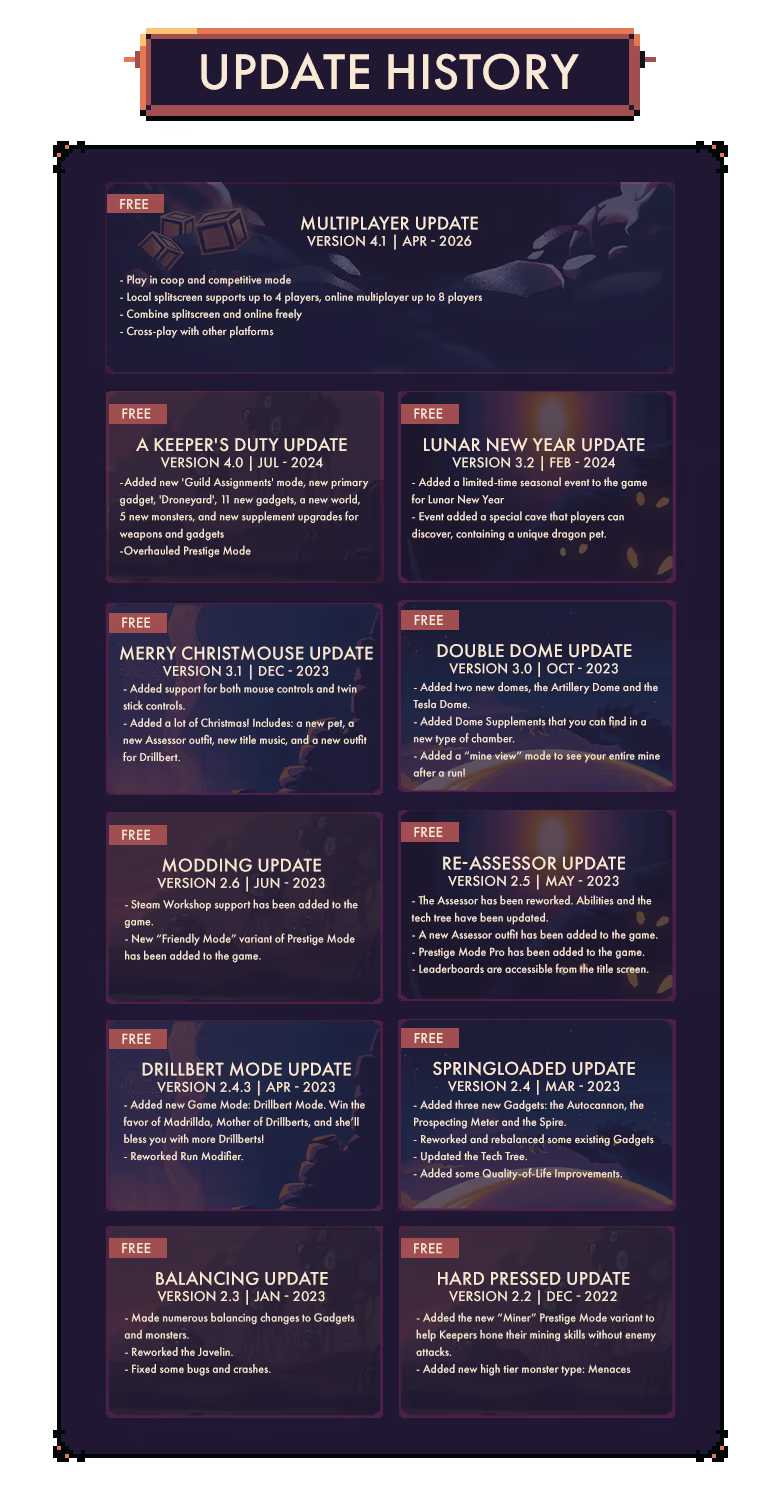
Explore the world of Dome Keeper with friends! Defend your dome together in four player co-op, or go versus in a battle to survive the longest or deliver the most resources.
System requirements
WindowsRequires a 64-bit processor and operating system
Common questions
Does Dome Keeper have Russian language support?
Interface and subtitles: Russian, English, Spanish, French, German, Portuguese, Italian, Polish, Turkish, Japanese, Korean, Китайский (упр.), Баскский, Болгарский, Hungarian, Вьетнамский, Danish, Испанский (Латинская Америка), Каталанский, Китайский (трад.), Dutch, Norwegian, Portuguese (Brazil), Румынский, Тайский, Украинский, Finnish, Czech, Шведский.
What is a Steam gift and how is it different from a key?
A gift is a present our bot sends straight to your Steam account via your profile link: no code to enter, the game appears in your library once you accept the gift. A key is an activation code you enter yourself in the Steam client.
Which gift region should I choose?
The one your Steam account is registered in: Steam will not accept a gift from another region. The region is shown in your Steam account settings under "Store country". "CIS countries" means Belarus, Armenia, Georgia and other CIS countries.
How will I receive the gift?
After payment you enter a link to your Steam profile and the bot sends the gift straight to the account — you only need to accept it in Steam. It usually takes 2–5 minutes, around the clock.
What if the account already has this game?
Steam will not let you accept a gift of a game already in your library — check the library before buying. If it happens, write in the order chat: we will refund you.
Countries where the key activates
Key region: —
Similar items
 −29%
RU
−29%
RU
 RU
RU
 RURU
RURU
 RU
RU
 RU
RU
 RU
RU
 RU
RU
 RURU
RURU

 −74%
RU
−74%
RU
 RURU
RURU
 RU
RU
 RU
RU
 −68%
−68%
 RU
RU
 RURU
RURU