
Home · Steam games · MX Bikes
MX Bikes
How to receive the gift
- Pay for the order and enter a link to your Steam profile on the delivery page (steamcommunity.com/id/… or steamcommunity.com/profiles/…).
- The bot will send the gift to this account.
- Accept the gift in Steam (a notification arrives in the client and by e-mail) — the game will appear in your library.
The gift region must match your Steam account region — otherwise the gift cannot be accepted.
- Developer
- PiBoSo
- Publisher
- PiBoSo
- Release date
- 7 Oct, 2019
- Genres
- Racing, Simulation, Sports, Early Access
- Russian language
- No
- Steam App ID
- 655500
Game languages
- English
Languages are listed according to Steam data. Check them before buying: no refund is possible once the game has been sent.
About the game
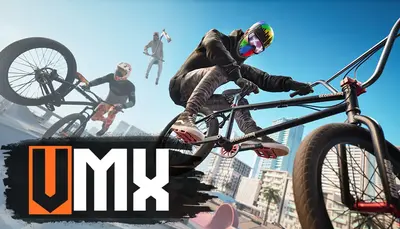
MX Bikes is a realistic motocross simulator, based on a scratch built physics engine that accurately simulates motorcycle dynamics and setup options.
MX Bikes also allows to host and join online races. During events data is collected, to provide statistics for riders' comparison.
Please note that there are neither AI nor a career mode.
More features:
- automotive industry-standard tyre model
- chassis flex simulation
- dynamic terrain deformation
- wet terrain simulation and wet weather
- user-selectable rider gestures
- a plugins interface allows external programs to receive realtime data from the simulated bike
- LAN and online racing. Dedicated server available
- possibility to paint bike, helmet, kit, boots and gloves
- tools and documentation are provided to allow advanced users to build and integrate new tracks, bikes, helmets, protections and more
- Native Oculus Rift and SteamVR ( HTC Vive, Valve Index ) support
- FreeTrack support
- EDTracker support
System requirements
WindowsRequires a 64-bit processor and operating system
Common questions
Does MX Bikes have Russian language support?
Interface and subtitles: English.
What is a Steam gift and how is it different from a key?
A gift is a present our bot sends straight to your Steam account via your profile link: no code to enter, the game appears in your library once you accept the gift. A key is an activation code you enter yourself in the Steam client.
Which gift region should I choose?
The one your Steam account is registered in: Steam will not accept a gift from another region. The region is shown in your Steam account settings under "Store country". "CIS countries" means Belarus, Armenia, Georgia and other CIS countries.
How will I receive the gift?
After payment you enter a link to your Steam profile and the bot sends the gift straight to the account — you only need to accept it in Steam. It usually takes 2–5 minutes, around the clock.
What if the account already has this game?
Steam will not let you accept a gift of a game already in your library — check the library before buying. If it happens, write in the order chat: we will refund you.
Countries where the key activates
Key region: —
Similar items
 RU
RU
 −79%
RU
−79%
RU
 −20%
−20%
 −74%
RU
−74%
RU
 −30%
−30%
 −19%
−19%
 RU
RU
 RU
RU
 RU
RU
 RU
RU
 RU
RU
 RU
RU