
Home · Steam games · Responding
Responding
How to receive the gift
- Pay for the order and enter a link to your Steam profile on the delivery page (steamcommunity.com/id/… or steamcommunity.com/profiles/…).
- The bot will send the gift to this account.
- Accept the gift in Steam (a notification arrives in the client and by e-mail) — the game will appear in your library.
The gift region must match your Steam account region — otherwise the gift cannot be accepted.
- Developer
- Visionary Studios
- Publisher
- Visionary Studios
- Release date
- 31 Mar, 2026
- Genres
- Action, Adventure, Casual, Indie, Simulation, Early Access
- Russian language
- Yes, interface and subtitles
- Steam App ID
- 2658040
Game languages
- English
- Russian
- English
- Spanish
- French
- German
- Portuguese
- Italian
- Polish
- Turkish
- Japanese
- Китайский (упр.)
- Китайский (трад.)
- Dutch
- Украинский
- Czech
Languages are listed according to Steam data. Check them before buying: no refund is possible once the game has been sent.
About the game

What is Responding?
Responding is an upcoming open-world Emergency Services simulator sandbox that offers a realistic and in-depth Police, Fire, and EMS experience that is set in a fictional version of New York State.
In the world of Responding, you, as the player, have complete freedom to engage in pursuits, traffic stops, shootouts, 4th alarm box fires, and much more. Work together with friends or intelligent AI to keep the city and upstate suburbs safe and peaceful.
Features
Realistic and progressive scene's
Scene management plays a big role with any incident, and it's not just up to you to manage the scene, AI will take on any roles to resolve the situation, keep the scene safe or to collect evidence and witnesses statements.
Action
Besides regular traffic stops and wellness checks Responding offers unprecedented action within emergency services simulators, with mechanics seen in your favourite tactical shooters such as tactical reloads, holding your breath, ammo management and much more.
Customization
We like customization and we know you do, we desire to bring this to various aspects of Responding, beginning with the vehicles. From the equipment you store in your trunks to the placement of antennas on the roof. And it doesn't stop there!
Pull Over Vehicles
Seamlessly pull over any vehicle that you've seen breaking the law, or even when none is broken at all. Question the driver for his behavior and decide if the driver deserves a ticket, warning or a pass, but do not be surprised if the vehicle or the driver suddenly attempt to evade you and the law.
Emergency Lighting
Bringing the most in depth and realistic emergency lighting system, with customization that allows you to create unique lighting patterns by setting the on and off time for each lighting module. And it doesn't stop there, create 3 presets to switch between in real-time and set the desired text to display on your message board!
Discord
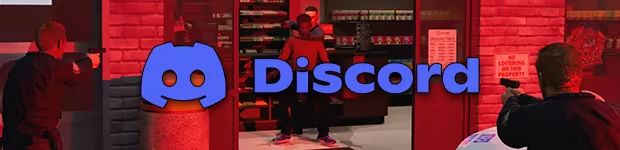
Become part of our active community on discord, this is the place to discuss the future of Responding and to voice your opinion on the desires for the ultimate emergency simulator!
System requirements
WindowsRequires a 64-bit processor and operating system
Common questions
Does Responding have Russian language support?
Voice-over: English. Interface and subtitles: Russian, English, Spanish, French, German, Portuguese, Italian, Polish, Turkish, Japanese, Китайский (упр.), Китайский (трад.), Dutch, Украинский, Czech.
What is a Steam gift and how is it different from a key?
A gift is a present our bot sends straight to your Steam account via your profile link: no code to enter, the game appears in your library once you accept the gift. A key is an activation code you enter yourself in the Steam client.
Which gift region should I choose?
The one your Steam account is registered in: Steam will not accept a gift from another region. The region is shown in your Steam account settings under "Store country". "CIS countries" means Belarus, Armenia, Georgia and other CIS countries.
How will I receive the gift?
After payment you enter a link to your Steam profile and the bot sends the gift straight to the account — you only need to accept it in Steam. It usually takes 2–5 minutes, around the clock.
What if the account already has this game?
Steam will not let you accept a gift of a game already in your library — check the library before buying. If it happens, write in the order chat: we will refund you.
Countries where the key activates
Key region: —
Similar items
 RU
RU
 RU
RU
 RU
RU
 −15%
−15%
 −50%
RU
−50%
RU
 RU
RU
 −20%
RU
−20%
RU
 −50%
RU
−50%
RU
 RU
RU

 RU
RU

 RU
RU
 −48%
RU
−48%
RU