
Home · Steam games · BONELAB
BONELAB
How to receive the gift
- Pay for the order and enter a link to your Steam profile on the delivery page (steamcommunity.com/id/… or steamcommunity.com/profiles/…).
- The bot will send the gift to this account.
- Accept the gift in Steam (a notification arrives in the client and by e-mail) — the game will appear in your library.
The gift region must match your Steam account region — otherwise the gift cannot be accepted.
- Developer
- Stress Level Zero
- Publisher
- Stress Level Zero
- Release date
- 29 Sep, 2022
- Genres
- Action, Adventure, Simulation
- Russian language
- No
- Steam App ID
- 1592190
Game languages
- English
- English
Languages are listed according to Steam data. Check them before buying: no refund is possible once the game has been sent.
About the game
BONELAB
Sentenced to death, you embody an outcast escaping fate. Discover a pathway to a hidden underground research facility. A series of challenging experiments and discoveries await. A road to the truth calls from the void.
Physics to the core
Boneworks' realistic physics systems fully improved and polished. Interact with the game world with consistent confidence.
Visceral VR combat
Using a variety of ranged, melee, and exotic physics weapons, engage enemy encounters with an entire armory at your disposal.
Be anyone you want
Custom avatar importing enables you to play through the game looking however you want, with physical stats to match.
Layered Narrative
After discovering an underground lab in MythOS city, you will have access to a variety of game locations including arenas, obstacle courses, tactical trials, sandboxes, experimental modes, and user generated levels. Collecting items, avatars, and clues from these locations enable you to progress through the mysterious story.
System requirements
WindowsRequires a 64-bit processor and operating system
Common questions
Does BONELAB have Russian language support?
Voice-over: English. Interface and subtitles: English.
What is a Steam gift and how is it different from a key?
A gift is a present our bot sends straight to your Steam account via your profile link: no code to enter, the game appears in your library once you accept the gift. A key is an activation code you enter yourself in the Steam client.
Which gift region should I choose?
The one your Steam account is registered in: Steam will not accept a gift from another region. The region is shown in your Steam account settings under "Store country". "CIS countries" means Belarus, Armenia, Georgia and other CIS countries.
How will I receive the gift?
After payment you enter a link to your Steam profile and the bot sends the gift straight to the account — you only need to accept it in Steam. It usually takes 2–5 minutes, around the clock.
What if the account already has this game?
Steam will not let you accept a gift of a game already in your library — check the library before buying. If it happens, write in the order chat: we will refund you.
Countries where the key activates
Key region: —
Similar items
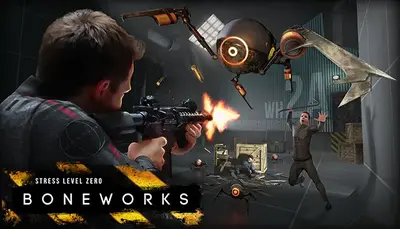 −20%
−20%
 −40%
−40%
 Sold: 1
RU
Sold: 1
RU
 −89%
RU
−89%
RU
 RURU
RURU
 RU
RU
 RU
RU
 −68%
−68%
 RURU
RURU
 RU
RU
 RU
RU
 −79%
RU
−79%
RU
 RU
RU
 RU
RU
 RU
RU
 RU
RU