
Home · Steam games · Jurassic World Evolution 2
Jurassic World Evolution 2
How to receive the gift
- Pay for the order and enter a link to your Steam profile on the delivery page (steamcommunity.com/id/… or steamcommunity.com/profiles/…).
- The bot will send the gift to this account.
- Accept the gift in Steam (a notification arrives in the client and by e-mail) — the game will appear in your library.
The gift region must match your Steam account region — otherwise the gift cannot be accepted.
- Developer
- Frontier Developments
- Publisher
- Frontier Developments
- Release date
- 9 Nov, 2021
- Genres
- Simulation, Strategy
- Russian language
- Yes, with voice-over
- Steam App ID
- 1244460
Game languages
- Russian
- English
- Spanish
- French
- German
- Italian
- Japanese
- Китайский (упр.)
- Испанский (Латинская Америка)
- Portuguese (Brazil)
- Russian
- English
- Spanish
- French
- German
- Italian
- Polish
- Japanese
- Korean
- Китайский (упр.)
- Испанский (Латинская Америка)
- Китайский (трад.)
- Portuguese (Brazil)
Languages are listed according to Steam data. Check them before buying: no refund is possible once the game has been sent.
About the game
Jurassic World Evolution 2 is the much-anticipated sequel to Frontier’s ground-breaking 2018 management simulation, Jurassic World Evolution, offering an all new narrative campaign voiced by cast members from across the Jurassic World film franchise, exciting new features, four engaging game modes, and an expanded roster of awe-inspiring dinosaurs.
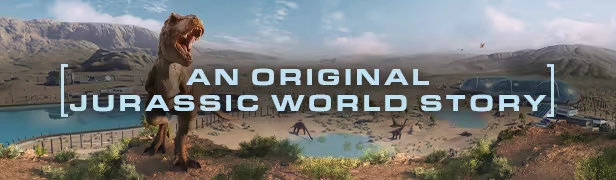
Learn what it takes to be a park management master in Campaign mode, a compelling, original narrative that puts you at the heart of the action following the earth-shattering events of Jurassic World: Fallen Kingdom. Work alongside iconic characters from the films, including Dr. Ian Malcolm (voiced by Jeff Goldblum) and Claire Dearing (voiced by Bryce Dallas Howard), and lead the efforts to control, conserve, and contain wild dinosaurs now rampaging across the USA.

Take control with deeper management tools and creative options. Construct a range of customisable new buildings and hire new Scientists, and shape your park to meet the needs of both your guests and dinosaurs. Unleash your creativity in Sandbox mode, or test your skills in Challenge mode as you deal with diverse locations and environmental calamities.
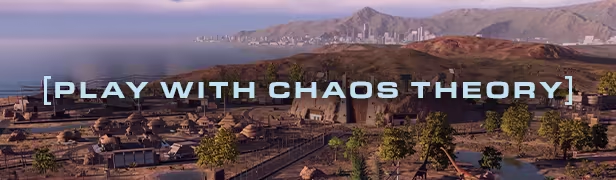
Play through key moments of your favourite films - with a twist. Experience ‘what-if’ scenarios from iconic Jurassic World and Jurassic Park films, each level set across eras and locations from all five movies. Dive into the Jurassic World franchise and see how events unfold when you take control.
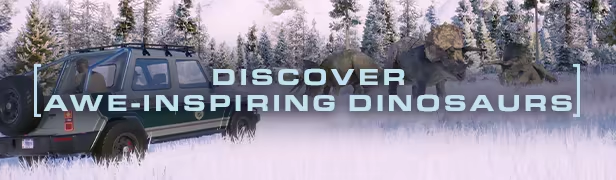
Over 75 different prehistoric species come to life in Jurassic World Evolution 2, including highly requested flying and marine reptiles. These animals feel more alive than ever as they preside over territory, fight for dominance, and react intelligently to the world around them. Use bioengineering to customise dinosaurs with bold new colours, and alter their genomes to unlock traits.
System requirements
WindowsRequires a 64-bit processor and operating system
Common questions
Does Jurassic World Evolution 2 have Russian language support?
Voice-over: Russian, English, Spanish, French, German, Italian, Japanese, Китайский (упр.), Испанский (Латинская Америка), Portuguese (Brazil). Interface and subtitles: Russian, English, Spanish, French, German, Italian, Polish, Japanese, Korean, Китайский (упр.), Испанский (Латинская Америка), Китайский (трад.), Portuguese (Brazil).
What is a Steam gift and how is it different from a key?
A gift is a present our bot sends straight to your Steam account via your profile link: no code to enter, the game appears in your library once you accept the gift. A key is an activation code you enter yourself in the Steam client.
Which gift region should I choose?
The one your Steam account is registered in: Steam will not accept a gift from another region. The region is shown in your Steam account settings under "Store country". "CIS countries" means Belarus, Armenia, Georgia and other CIS countries.
How will I receive the gift?
After payment you enter a link to your Steam profile and the bot sends the gift straight to the account — you only need to accept it in Steam. It usually takes 2–5 minutes, around the clock.
What if the account already has this game?
Steam will not let you accept a gift of a game already in your library — check the library before buying. If it happens, write in the order chat: we will refund you.
Countries where the key activates
Key region: —
Similar items
 −33%
−33%
 −75%
RURU
−75%
RURU
 RU
RU
 RU
RU
 RU
RU
 RU
RU
 RURU
RURU
 RU
RU
 RURU
RURU
 RU
RU
 RURU
RURU
 −90%
RU
−90%
RU
 RU
RU
 RU
RU
 −75%
−75%
 RU
RU