


Home · Steam games · Overcooked! All You Can Eat
Steam·activation key
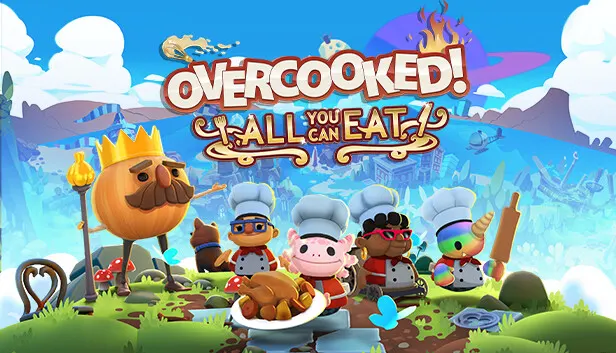
Overcooked! All You Can Eat
How to redeem the key
- 1Open Steam and sign in to your account.
- 2In the top menu choose “Games” → “Activate a Product on Steam…”.
- 3Enter the code you received and confirm the activation.
- 4Once activated, the game appears in your library — download it and play.
Before buying, make sure the country of your account is supported by the key region.
Details and languages
- Developer
- Team17 Digital, Ghost Town Games
- Publisher
- Team17 Digital
- Release date
- 23 Mar 2021
- Genres
- Casual, Indie, Simulation, Strategy
- Russian language
- Yes, interface and subtitles
- Steam App ID
- 1243830
Voice-over
Interface and subtitles
- Russian
- English
- Spanish
- French
- German
- Italian
- Polish
- Japanese
- Korean
- Simplified Chinese
- Traditional Chinese
- Portuguese (Brazil)
- Thai
No information about supported languages.
Languages are listed as reported by Steam. Please check them before buying: a key cannot be refunded once activated.
Before you buy Overcooked! All You Can Eat
- Game modes
- Single-player, co-op online and on one screen, PvP online and on one screen, cross-platform play.
- Gamepad
- Full support.
- Scores
- 5,728 reviews on Steam.
About the game
Overcooked! All You Can Eat bundles Overcooked!, Overcooked! 2 and all additional content into an updated edition. Players cook dishes in kitchens that grow increasingly hazardous and unusual, either alone or in co-op. In the updated version both games received enhanced 4K visuals, and online multiplayer was integrated into the first game for the first time. Cross-platform play and voice chat are supported, while a shared multiplayer queue reduces waiting times between matches. Alongside campaign, survival and practice modes, a new assist mode offers options that make play less frantic, including slower recipe timeout, longer rounds and the ability to skip levels. The edition also adds new levels and chefs, plus a scalable interface, dyslexia-friendly text and colour filters.
Description from Steam
The Peckish have risen again and it’s your job to satisfy their hunger, are you ready to save the world again? Overcooked! All You Can Eat is a chaotic cooking game where players need to work together (or alone) to serve as many dishes as they can before the timer runs out. Travel through the land cooking up a variety of recipes in evolving and dynamic kitchens.
Overcooked! Goes Online
For the first time ever, online multiplayer has been fully integrated into Overcooked! Revisit your favourite kitchens from the first game in stunning 4K and ONLINE!
Cross Platform Multiplayer
Enjoy the cooking chaos with all of your friends using cross platform multiplayer and voice chat. A shared multiplayer queue means reduced waiting times for games, more time for culinary carnage!
A Visual Feast!
Both games have been taken to the next level with stunning, enhanced 4K visuals - this is the best that the Overcooked! series has ever looked.
Tasty New Content!
New levels, new chefs and new mayhem - all exclusive to Overcooked! All You Can Eat.
Multiple Modes!
Players can enjoy campaign, survival and practice modes, and new to All You Can Eat - assist mode! Assist mode offers a number of options to allow for a less frantic game including slower recipe timeout, increased round timers and the option to skip levels.
Accessible For All!
Overcooked! All You Can Eat contains features to allow as many players as possible to join in the food frenzy! Scalable UI, dyslexia friendly text and colour blindness options are all available.
System requirements
WindowsRequires a 64-bit processor and operating system
Questions and answers
Does Overcooked! All You Can Eat have Russian language support?
Interface and subtitles: Russian, English, Spanish, French, German, Italian, Polish, Japanese, Korean, Simplified Chinese, Traditional Chinese, Portuguese (Brazil), Thai.
Which regions does the key activate in?
The key activates with no regional restrictions — in any country, on a Steam account from any region. Once activated, the game stays on your account for good.
How soon does the code arrive after payment?
Keys are issued automatically, around the clock: the code appears on the order page within 2–3 minutes.
What to do if the key does not activate?
First check your Steam account region: the key activates in the countries of its own region, and a mismatch is the most common reason activation fails. If the region is right, open “Orders” in the site header, pick the order and write in the chat — you can attach a screenshot of the error, and an operator will help you.
Completed orders only
Customer reviews
There are no reviews of Overcooked! All You Can Eat yet. The store has 35 reviews of completed orders, 21 of them about Steam products.
Read reviewsSteam · PC
Similar games













Countries where the key activates
Key region: —