
Home · Steam games · Metro Redux Bundle
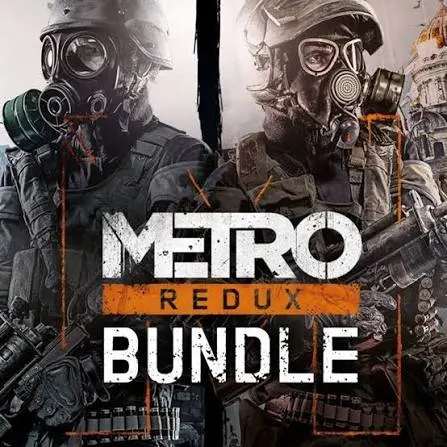
Metro Redux Bundle
How to redeem the key
- Open Steam and sign in to your account.
- In the top menu choose “Games” → “Activate a Product on Steam…”.
- Enter the code you received and confirm the activation.
- Once activated, the game appears in your library — download it and play.
Before buying, make sure the country of your account is supported by the key region.
Common questions
Which regions does the key activate in?
Pick the region that matches your Steam account region — otherwise the code may not activate. Activation countries by region:
CIS — Russian Federation, Ukraine, Kazakhstan, Belarus, Armenia and 6 more countries.
Once activated, the game stays on your account for good.
How soon does the code arrive after payment?
Keys are issued automatically, around the clock: the code appears on the order page within 2–3 minutes.
What to do if the key does not activate?
First check your Steam account region: the key activates in the countries of its own region, and a mismatch is the most common reason activation fails. If the region is right, open “Orders” in the site header, pick the order and write in the chat — you can attach a screenshot of the error, and an operator replies.
Countries where the key activates
Key region: —
Similar items
 RURU
RURU
 Sold: 6
RU
Sold: 6
RU
 Sold: 2
RURU
Sold: 2
RURU
 Sold: 2
RURU
Sold: 2
RURU
 −74%
Sold: 1
RURU
−74%
Sold: 1
RURU
 Sold: 1
RURU
Sold: 1
RURU
 −50%
Sold: 1
RU
−50%
Sold: 1
RU
 −74%
Sold: 1
RURU
−74%
Sold: 1
RURU
 −80%
Sold: 1
RURU
−80%
Sold: 1
RURU
 −69%
Sold: 1
−69%
Sold: 1
 Sold: 1
RU
Sold: 1
RU
 Sold: 1
RU
Sold: 1
RU
 Sold: 1
RU
Sold: 1
RU
 Sold: 1
 Sold: 1
RU
Sold: 1
RU
 Sold: 1
RURU
Sold: 1
RURU