Guest10 Sep 2026
The Elder Scrolls Online: Standard Edition
I'm buying it for the second time, my friend and myself. We'll play together
Translated from Russian
Enter the email you used at checkout — we will show your orders and open a chat with support.
We have sent a code to . Enter it to open your orders. You only need the code once — after that this browser will recognize you on its own. The letter only goes to the email the order was placed with.
Home · Steam games · The Elder Scrolls Online
Steam·activation key
Before buying, make sure the country of your account is supported by the key region.
Voice-over
Interface and subtitles
No information about supported languages.
Languages are listed as reported by Steam. Please check them before buying: a key cannot be refunded once activated.
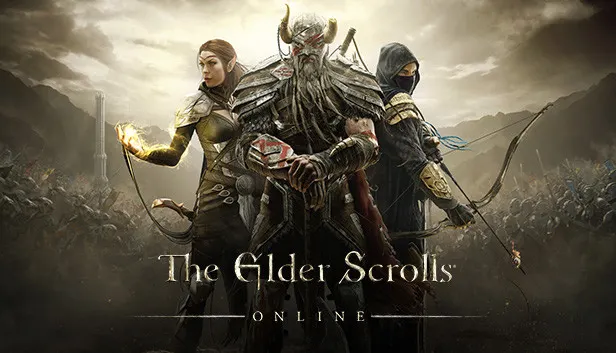
The Elder Scrolls Online is a multiplayer role-playing game set in Tamriel long before the events of TES V: Skyrim. Players write their own story into this world, exploring it alone or with friends. Every three months a new season begins with adventures and rewards unlocked through Tamriel Tomes. The game offers online co-op and PvP, including battles against Daedra in Oblivion and duels with other players.
Description from Steam
Includes The Elder Scrolls Online base game plus the Morrowind, Imperial City, Orsinium, Thieves Guild, and Dark Brotherhood adventures.
Every legend starts somewhere and in The Elder Scrolls Online, it starts with you. Write your story into a vibrant chapter of Tamriel’s distant past that takes place nearly 1,000 years before the iconic TES V: Skyrim, and discover a world steeped in adventure and possibility.
WELCOME TO SEASONS - Step into new stories and experimental content inspired by classic TES history, delivered every three months. Play and unlock epic rewards with Tamriel Tomes.
A DIVERSE FANTASY WORLD – Travel Tamriel and discover a world of adventure. Explore mushroom forests in Morrowind, battle Daedra in Oblivion, or duel other players in PvP combat.
RICH STORIES ON A SHARED CANVAS - Immerse yourself in storytelling crafted with the same spirit as your favorite Elder Scrolls games. Discover an ever-growing world with friends or solo.
PURPOSE IN EVERY PATH - Choose from an array of quests and challenges that fit your desires and ambitions. Make this Elder Scrolls world your own - you belong here.
Requires a 64-bit processor and operating system
Voice-over: English, French, German, Japanese. Interface and subtitles: Russian, English, Spanish, French, German, Japanese, Simplified Chinese.
Pick the region that matches your Steam account region — otherwise the code may not activate. Activation countries by region:
CIS — Russia, Ukr. UA, Kazakhstan, Belarus, Armenia and 6 more countries;
Global — in any country in the world.
Once activated, the game stays on your account for good.
Keys are issued automatically, around the clock: the code appears on the order page within 2–3 minutes.
First check your Steam account region: the key activates in the countries of its own region, and a mismatch is the most common reason activation fails. If the region is right, open “Orders” in the site header, pick the order and write in the chat — you can attach a screenshot of the error, and an operator will help you.
Completed orders only
Happy with their purchase
100%
2 of 2 reviews
Guest10 Sep 2026
The Elder Scrolls Online: Standard Edition
I'm buying it for the second time, my friend and myself. We'll play together
Guest3 Sep 2026
Standard Edition
It's okay, the key fit. The lowest price you can find among the keys
Steam · PC
Key region: —