


Home · Steam games · Dying Light 2 Stay Human
Steam·activation key
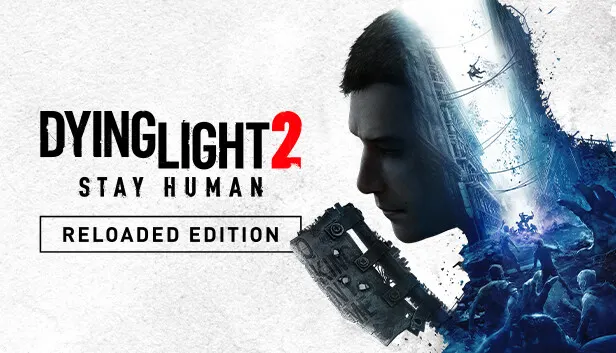
Dying Light 2 Stay Human
How to redeem the key
- 1Open Steam and sign in to your account.
- 2In the top menu choose “Games” → “Activate a Product on Steam…”.
- 3Enter the code you received and confirm the activation.
- 4Once activated, the game appears in your library — download it and play.
Before buying, make sure the country of your account is supported by the key region.
Details and languages
- Developer
- Techland
- Publisher
- Techland
- Release date
- 3 Feb 2022
- Genres
- Action, Adventure, RPG
- Russian language
- Yes, with voice-over
- Steam App ID
- 534380
Voice-over
- Russian
- English
- Spanish
- French
- German
- Polish
- Japanese
- Simplified Chinese
- Spanish (Latin America)
- Portuguese (Brazil)
Interface and subtitles
- Russian
- English
- Spanish
- French
- German
- Portuguese
- Italian
- Polish
- Turkish
- Japanese
- Korean
- Simplified Chinese
- Arabic
- Spanish (Latin America)
- Traditional Chinese
- Portuguese (Brazil)
- Czech
No information about supported languages.
Languages are listed as reported by Steam. Please check them before buying: a key cannot be refunded once activated.
Before you buy Dying Light 2 Stay Human
- Which key
- The “Global” region key: 820 ₽, can be activated in Russia.
- Game modes
- Single-player, co-op online.
- Gamepad
- Full support, including DualSense and DualShock.
- In-game purchases
- Yes.
- Scores
- 164,703 reviews on Steam.
- Age rating
- 18+
About the game
Twenty years after the events of the first game, the virus has won and humanity is dying out. The protagonist is Aiden Caldwell, a wandering Pilgrim who delivers goods and connects the remaining survivor settlements, yet his real goal is to find his sister Mia, whom he left behind to escape Dr. Waltz's experiments. Upon learning that Mia may still be alive, he returns to Villedor, the last city standing on Earth. During the day the city tries to maintain a semblance of normal life, but at sunset monsters take over the streets, so night requires preparation. Parkour is central to both movement and combat: rooftops and ziplines help escape danger, and the same moves can be used against zombies. The story and Pilgrim Outpost challenges can be played with up to 3 other players online.
Description from Steam
It’s been 20 years since the events of the original game. The virus won, and humanity is slowly dying. You play as Aiden Caldwell, a wandering Pilgrim who delivers goods, brings news, and connects the few remaining survivor settlements in barren lands devastated by the zombie virus. However, your true goal is to find your little sister Mia, who you left behind as a kid to escape Dr. Waltz's torturous experiments. Haunted by the past, you eventually make the decision to confront it when you learn that Mia may still be alive in Villedor — the last city standing on Earth.
You quickly find yourself in a settlement torn by conflict. You’ll need to engage in creative and gory combat, so hone your skills to defeat hordes of zombies and make allies. Roam the city, free run across Villedor’s buildings and rooftops in search of loot in remote areas, and be wary of the night. With every sunset, monsters take control of the streets.
Fifteen years ago, humanity was devastated by the Fall — a catastrophic event that would change the world forever. With the Harran virus spreading around the globe, people quickly found out that all hope for tomorrow is lost. By 2036, only a few settlements remain, and humanity is slowly dying, making way for the new species out there — a horde of relentless zombies.
Welcome to Villedor, one of the last bastions of humanity. During the day, survivors still try to have a life here and find a false sense of normalcy. Relationships are formed, dreams are dreamed, and life carries on. On the surface, everything seems… fine. Until sunset, that is. With the last ray of light dying out, other, more dreadful, dwellers of The City crawl out of their gloomy interiors, taking over the streets. If you are not vigilant and stay out too long in the dark, you may never return.
Not all fights can be won. Sometimes it’s best to run and, thankfully, you have the skills for it. Parkour lets you escape when odds are not in your favor. Jump from rooftop to rooftop, swing across the cityscape, ride ziplines, and much more. Whatever you do, experience a unique sense of freedom as you freerun across Villedor’s buildings and rooftops in search of loot or while running away from the dangers of the night.
In a world as dangerous as this one, only the strongest survive. Whether you prefer to smash, slice or dismember those who stand in your way, you have to be creative about it to make it through. And who says you need weapons? Utilize the entirety of your parkour moveset to get the jump on your enemies. Learn the ways of combat and parkour to feel the crunch of skulls and slices of flesh as you swing weapons or use your moves to fend off any forms of danger. And let’s not forget that Villedor has weapons that put the most advanced post-apocalyptic armories to shame.
Surviving in Villedor is easier with friends. Team up with up to 3 other players and increase your chances out there. Unravel the story together, take on Pilgrim Outpost challenges, or simply wreak havoc on the city streets.
System requirements
WindowsRequires a 64-bit processor and operating system
Questions and answers
Does Dying Light 2 Stay Human have Russian language support?
Voice-over: Russian, English, Spanish, French, German, Polish, Japanese, Simplified Chinese, Spanish (Latin America), Portuguese (Brazil). Interface and subtitles: Russian, English, Spanish, French, German, Portuguese, Italian, Polish, Turkish, Japanese, Korean, Simplified Chinese, Arabic, Spanish (Latin America), Traditional Chinese, Portuguese (Brazil), Czech.
Which regions does the key activate in?
The key activates with no regional restrictions — in any country, on a Steam account from any region. Once activated, the game stays on your account for good.
How soon does the code arrive after payment?
Keys are issued automatically, around the clock: the code appears on the order page within 2–3 minutes.
What to do if the key does not activate?
First check your Steam account region: the key activates in the countries of its own region, and a mismatch is the most common reason activation fails. If the region is right, open “Orders” in the site header, pick the order and write in the chat — you can attach a screenshot of the error, and an operator will help you.
Completed orders only
Customer reviews
There are no reviews of Dying Light 2 Stay Human yet. The store has 35 reviews of completed orders, 21 of them about Steam products.
Read reviewsSteam · PC
Similar games








Countries where the key activates
Key region: —