
Home · Steam games · Movavi Video Editor 2023
Movavi Video Editor 2023
How to receive the gift
- Pay for the order and enter a link to your Steam profile on the delivery page (steamcommunity.com/id/… or steamcommunity.com/profiles/…).
- The bot will send the gift to this account.
- Accept the gift in Steam (a notification arrives in the client and by e-mail) — the game will appear in your library.
The gift region must match your Steam account region — otherwise the gift cannot be accepted.
- Developer
- Movavi
- Publisher
- Movavi
- Release date
- 11 Nov, 2022
- Genres
- Animation & Modeling, Audio Production, Design & Illustration, Education, Software Training, Video Production
- Russian language
- Yes, interface and subtitles
- Steam App ID
- 2171280
Game languages
- Russian
- English
- Spanish
- French
- German
- Italian
- Polish
- Turkish
- Japanese
- Korean
- Китайский (упр.)
- Китайский (трад.)
- Dutch
- Portuguese (Brazil)
Languages are listed according to Steam data. Check them before buying: no refund is possible once the game has been sent.
About the game
Games are all about grinding and achieving. Performed a mind-blowing stunt or mastered killing the final boss in one blow? Share your victories with the community! Create catchy Let's Plays and gameplay videos with a fast, streamlined app – Movavi Video Editor.
Highlights
- A new way to track objects using artificial intelligence.
Link titles, stickers, or masks to objects in the video - AI-powered background removal.
Now, the original background doesn’t have to be a solid color. Easily set any backdrop you want - AI-driven denoiser.
Automatically remove unwanted voices, dogs barking, and other noises from your videos - Faster app launch.
Make the most of the quick start to dive into video creation right away - New music.
Now your clips will resonate in a new way - Direct upload to TikTok.
Share your gameplay videos the minute you’ve created them and get your likes fast - New trendy frames.
Draw attention to the most action-packed moments in your game - Fresh effects sets.
Choose from a vast collection of outros and intro videos, titles, stickers, transitions, and backgrounds to create engaging and thrilling Let’s Plays for social networks and video sharing platforms
Get your in-game exp ready for showing
- Save time and make videos automatically
Select a pre-set theme or create your own, choose music and transitions, and boom! Your movie is ready to blow up on social media. - Edit recorded footage
Get full control of the video montage process: cutting, zooming, reversing, color adjustment, and much more. Create your personalized intro and outro to stand out. Make the most of the built-in smarts: instantly swap backgrounds in your clips without a green screen.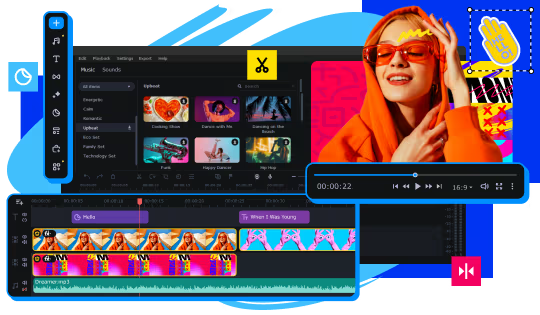
- Adjust sound grabbed from microphone
Make the sound more voluminous with the Reverberation tool and remove any background noise using the power of AI.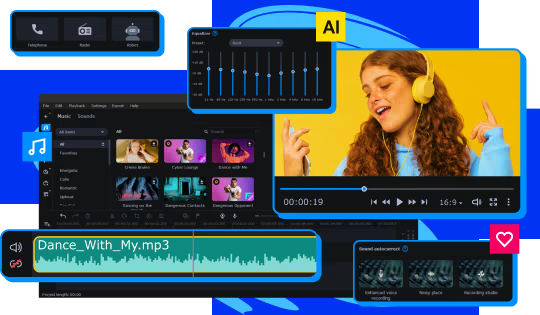
- Add atmospheric audio tracks
Choose energetic background music and sound effects. Add in gunshots, whips, crashes, applause, and more from our built-in library. - Overlay your webcam output
Show all your emotions when playing your favorite games – worried, happy, or excited!
Create polished video clips
Highlight the best moments of your gameplay. Use our AI-powered motion tracking and let everyone follow your video game character. Create dynamic movies with our beat detection function.
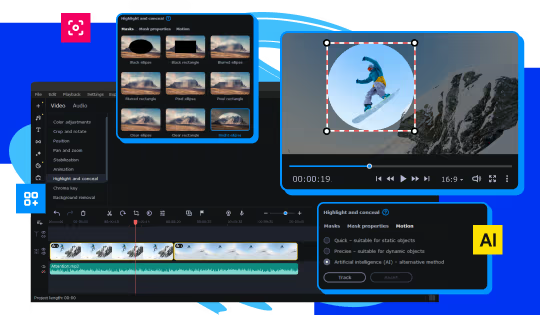
Supercharge your game reviews with awesome filters, LUTs, frames, and animated overlays, in a single click. Make video game AMVs and funny glitch reels.
Own this game? Let everyone know
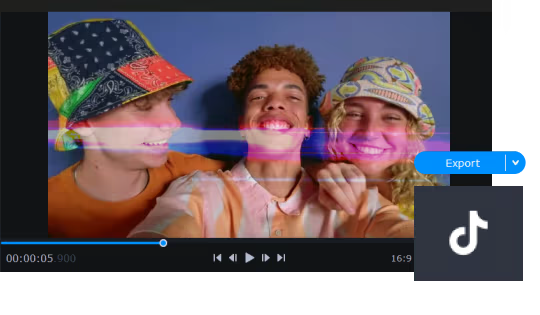
Prepare video game content for contests: save your files in any popular media format. Share Let’s Play videos on YouTube, Vimeo, TikTok, and Google Drive right from the program.
System requirements
WindowsRequires a 64-bit processor and operating system
Common questions
Does Movavi Video Editor 2023 have Russian language support?
Interface and subtitles: Russian, English, Spanish, French, German, Italian, Polish, Turkish, Japanese, Korean, Китайский (упр.), Китайский (трад.), Dutch, Portuguese (Brazil).
What is a Steam gift and how is it different from a key?
A gift is a present our bot sends straight to your Steam account via your profile link: no code to enter, the game appears in your library once you accept the gift. A key is an activation code you enter yourself in the Steam client.
Which gift region should I choose?
The one your Steam account is registered in: Steam will not accept a gift from another region. The region is shown in your Steam account settings under "Store country". "CIS countries" means Belarus, Armenia, Georgia and other CIS countries.
How will I receive the gift?
After payment you enter a link to your Steam profile and the bot sends the gift straight to the account — you only need to accept it in Steam. It usually takes 2–5 minutes, around the clock.
What if the account already has this game?
Steam will not let you accept a gift of a game already in your library — check the library before buying. If it happens, write in the order chat: we will refund you.
Countries where the key activates
Key region: —
Similar items
 RURU
RURU
 RURU
RURU
 RU
RU
 RU
RU
 RU
RU
 RU
RU
 RURU
RURU
 RU
RU
 RU
RU
 Sold: 6
RU
Sold: 6
RU
 −80%
Sold: 1
RURU
−80%
Sold: 1
RURU
 Sold: 2
RURU
Sold: 2
RURU