Home · Steam games · Absolute Drift
Absolute Drift
How to receive the gift
- Pay for the order and enter a link to your Steam profile on the delivery page (steamcommunity.com/id/… or steamcommunity.com/profiles/…).
- The bot will send the gift to this account.
- Accept the gift in Steam (a notification arrives in the client and by e-mail) — the game will appear in your library.
The gift region must match your Steam account region — otherwise the gift cannot be accepted.
- Developer
- Funselektor Labs Inc., FlippFly
- Publisher
- Funselektor Labs Inc.
- Release date
- 29 Jul, 2015
- Genres
- Action, Casual, Indie, Racing, Simulation, Sports
- Russian language
- No
- Steam App ID
- 320140
Game languages
- English
Languages are listed according to Steam data. Check them before buying: no refund is possible once the game has been sent.
About the game
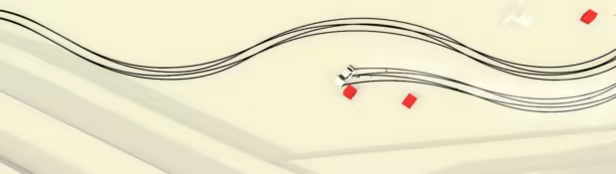
Drifting: the Art Of Sliding Sideways.
In Absolute Drift, you will master the art of drifting. Practice your skills in Free-Roam and compete in drift events such as Driftkhana and Mountain Drifting.
Key Features
- Drive and customize up to 6 drift cars
- 3 Game Modes: Driftkhana, Drifting, & Mountain Drifting with 34 levels
- 5 Free-Roaming areas, each with unique levels and themes, from airports and docks to a floating metropolis
- Online Leaderboards, replays and ghost cars. View your friends' runs or the best in the world!
- 3+ hours of clean Drum & Bass and Electronic music by C41 and Nyte
- Full Controller Support
System requirements
WindowsRequires a 64-bit processor and operating system
Common questions
Does Absolute Drift have Russian language support?
Interface and subtitles: English.
What is a Steam gift and how is it different from a key?
A gift is a present our bot sends straight to your Steam account via your profile link: no code to enter, the game appears in your library once you accept the gift. A key is an activation code you enter yourself in the Steam client.
Which gift region should I choose?
The one your Steam account is registered in: Steam will not accept a gift from another region. The region is shown in your Steam account settings under "Store country". "CIS countries" means Belarus, Armenia, Georgia and other CIS countries.
How will I receive the gift?
After payment you enter a link to your Steam profile and the bot sends the gift straight to the account — you only need to accept it in Steam. It usually takes 2–5 minutes, around the clock.
What if the account already has this game?
Steam will not let you accept a gift of a game already in your library — check the library before buying. If it happens, write in the order chat: we will refund you.
Countries where the key activates
Key region: —
Similar items
 RU
RU
 RU
RU
 RU
RU
 RU
RU
 RU
RU
 RU
RU
 RU
RU
 −74%
−74%