Enter the email you used at checkout — we will show your orders and open a chat with support.
We have sent a code to . Enter it to open your orders. You only need the code once — after that this browser will recognize you on its own. The letter only goes to the email the order was placed with.
2In the top menu choose “Games” → “Activate a Product on Steam…”.
3Enter the code you received and confirm the activation.
4Once activated, the game appears in your library — download it and play.
Before buying, make sure the country of your account is supported by the key region.
Details and languages
Developer
Bethesda Game Studios
Publisher
Bethesda Softworks
Release date
14 Apr 2020
Genres
RPG
Russian language
Yes, interface and subtitles
Steam App ID
1151340
Voice-over
English
Spanish
French
German
Italian
Japanese
Interface and subtitles
Russian
English
Spanish
French
German
Italian
Polish
Japanese
Korean
Simplified Chinese
Spanish (Latin America)
Traditional Chinese
Portuguese (Brazil)
No information about supported languages.
Languages are listed as reported by Steam. Please check them before buying: a key cannot be refunded once activated.
Before you buy Fallout 76
Which key
The “CIS” region key: 560 ₽, can be activated in Russia.
Game modes
Co-op online, PvP online, MMO.
In-game purchases
Yes.
Scores
78,226 reviews on Steam.
Age rating
18+
About the game
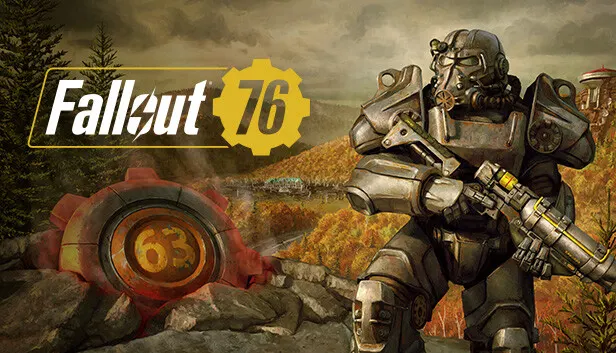
Fallout 76 opens in 2102 on Reclamation Day, as the inhabitants of Vault 76 leave it behind and step into post-nuclear America twenty-five years after the bombs fell. It is a roleplaying game with an open world and online modes, letting players travel alone or as a team, take on quests and raise settlements. The story starts right outside the vault and gradually uncovers the secrets of West Virginia, where the neighbors encountered along the way may become friends or rivals. The world is divided into six regions, from the forests of Appalachia to the Cranberry Bog, and holds hundreds of locations, while the hero is assembled through the S.P.E.C.I.A.L. system. The C.A.M.P. platform serves for building shelters and crafting supplies anywhere on the map, and it also allows trading with other survivors. The Fallout Worlds addition brings customizable settings for personal worlds, and seasonal challenges yield rewards such as consumables and C.A.M.P. items.
Description from Steam
Bethesda Game Studios, the award-winning creators of Skyrim and Fallout 4, welcome you to Fallout 76. Twenty-five years after the bombs fell, you and your fellow Vault Dwellers—chosen from the nation’s best and brightest – emerge into post-nuclear America on Reclamation Day, 2102. Play solo or join together as you explore, quest, build, and triumph against the wasteland’s greatest threats. Explore a vast wasteland, devastated by nuclear war, in this open-world multiplayer addition to the Fallout story. Experience the largest, most dynamic world ever created in the legendary Fallout universe.
Immersive Questlines and Engaging Characters
Uncover the secrets of West Virginia by playing through an immersive main quest, starting from the moment you leave Vault 76. Befriend or betray new neighbors who have come to rebuild, and experience Appalachia through the eyes of its residents.
Seasons
Progress through each season and unlock free rewards like consumables, C.A.M.P. items and more by completing limited-time challenges.
Multiplayer Roleplaying
Create your character with the S.P.E.C.I.A.L system and forge your own path and reputation in a new and untamed wasteland with hundreds of locations. Whether you journey alone or with friends, a new and unique Fallout adventure awaits.
Mountain Splendorland
The story lives and breathes through the world of Fallout 76, which brings to life six distinct West Virginia regions. From the forests of Appalachia to the noxious crimson expanses of the Cranberry Bog, each area offers its own risks and rewards.
A New American Dream
Use the all-new Construction and Assembly Mobile Platform (C.A.M.P.) to build and craft anywhere in the world. Your C.A.M.P. will provide much-needed shelter, supplies, and safety. You can even set up shop to trade goods with other survivors.
Fallout Worlds
Play unique adventures in Appalachia with Fallout Worlds, which is an evolving set of features that give players the capability to play Fallout 76 in unique ways with customizable settings.
Pick the region that matches your Steam account region — otherwise the code may not activate. Activation countries by region: CIS — Russia, Ukr. UA, Kazakhstan, Belarus, Armenia and 6 more countries. Once activated, the game stays on your account for good.
How soon does the code arrive after payment?
Keys are issued automatically, around the clock: the code appears on the order page within 2–3 minutes.
What to do if the key does not activate?
First check your Steam account region: the key activates in the countries of its own region, and a mismatch is the most common reason activation fails. If the region is right, open “Orders” in the site header, pick the order and write in the chat — you can attach a screenshot of the error, and an operator will help you.
Completed orders only
Customer reviews
There are no reviews of Fallout 76 yet. The store has 35 reviews of completed orders, 21 of them about Steam products.
RUOut of stockPhoenix Point: Complete EditionPCRPG
RUOut of stockRogue Heroes: Ruins of TasosPCAction
Out of stockOCTOPATH TRAVELERPCRPG
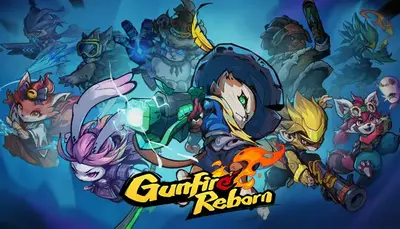
RUOut of stockGunfire RebornPCAction
Countries where the key activates
Key region:—
Nothing found
We use cookies to keep the site working and to remember your favorites,
your orders and settings. Analytics are switched on only with your consent. Details are
in our privacy policy.