
Home · Steam games · Dead Rising 2
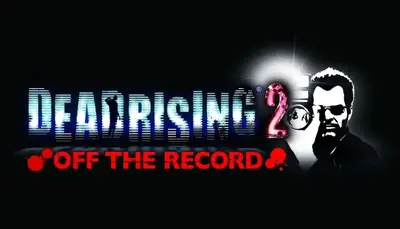
Dead Rising 2
How to redeem the key
- Open Steam and sign in to your account.
- In the top menu choose “Games” → “Activate a Product on Steam…”.
- Enter the code you received and confirm the activation.
- Once activated, the game appears in your library — download it and play.
Before buying, make sure the country of your account is supported by the key region.
How to receive the gift
- Pay for the order and enter a link to your Steam profile on the delivery page (steamcommunity.com/id/… or steamcommunity.com/profiles/…).
- The bot will send the gift to this account.
- Accept the gift in Steam (a notification arrives in the client and by e-mail) — the game will appear in your library.
The gift region must match your Steam account region — otherwise the gift cannot be accepted.
- Developer
- Capcom Vancouver
- Publisher
- Capcom
- Release date
- 27 Sep, 2010
- Genres
- Action, Adventure
- Russian language
- No
- Steam App ID
- 45740
Game languages
- English
- English
- Spanish
- French
- Italian
- Japanese
- Korean
Languages are listed as reported by Steam. Please check them before buying: a key cannot be refunded once activated.
Languages are listed according to Steam data. Check them before buying: no refund is possible once the game has been sent.
About the game
The sequel to the million-plus selling Dead Rising, Dead Rising 2 takes the zombie survival horror to Fortune City, America’s latest and greatest entertainment playground. Featuring a new story, two online multiplayer modes (2-player co-op campaign and a 4-player “TV show” themed Pay-Per-View event that pits humans against zombies), thousands of on-screen zombies and more, Dead Rising 2 takes zombie survival horror to a whole new level.
As Chuck Greene, you have 72 hours to save your infected daughter, clear your name and survive the hordes of hungry zombies before the military comes in and nukes the city. To ensure your survival, you can combine everyday objects to create numerous deadly combo weapons and slaughter the ravenous zombies. Dead Rising 2, it’s where Creativity Kills.
Key Features
- Sequel to the critically acclaimed and 1 million+ selling Dead Rising: Dead Rising 2 is bigger and better in every way, adding new custom combo weapons, multiplayer and thousands of zombies on-screen at once!
- Thousands of Zombies On Screen: The undead are everywhere creating a dynamic and challenging zombie-killing experience for the player as weapons will be created to kill massive amounts of zombies at one time!
- Combo Weapons: Players can combine two everyday items using duct tape to create the ultimate zombie killing creations such as the Portamower and Paddlesaw. Unlocking combo cards along the way will give players the advantage as the helpful cards will show you what items are best for combining.
- New Storyline and Characters: A new protagonist, Chuck Greene, must save his infected daughter, clear his name, and survive 72 hours in Fortune City.
- 2-Player Co-Op: Online co-op play is introduced to the Dead Rising universe for the first time as players can invite their friends to partner up with them at any time to take on the zombie massacre- tag-team style! Killing zombies with a friend is always more fun!
- 4-Player Terror is Reality: 4 players compete in a gladiator type TV show named Terror Is Reality that pits zombies against a group of players in the ultimate Vs. multiplayer blood bath
System requirements
WindowsCommon questions
Does Dead Rising 2 have Russian language support?
Voice-over: English. Interface and subtitles: English, Spanish, French, Italian, Japanese, Korean.
Which regions does the key activate in?
Pick the region that matches your Steam account region — otherwise the code may not activate. Once activated, the game stays on your account for good.
How soon does the code arrive after payment?
Keys are issued automatically, around the clock: the code appears on the order page within 2–3 minutes.
What to do if the key does not activate?
First check your Steam account region: the key activates in the countries of its own region, and a mismatch is the most common reason activation fails. If the region is right, open “Orders” in the site header, pick the order and write in the chat — you can attach a screenshot of the error, and an operator replies.
What is a Steam gift and how is it different from a key?
A gift is a present our bot sends straight to your Steam account via your profile link: no code to enter, the game appears in your library once you accept the gift. A key is an activation code you enter yourself in the Steam client. You choose the format on the purchase panel.
Which gift region should I choose?
The one your Steam account is registered in: Steam will not accept a gift from another region. The region is shown in your Steam account settings under "Store country". "CIS countries" means Belarus, Armenia, Georgia and other CIS countries.
How will I receive the gift?
After payment you enter a link to your Steam profile and the bot sends the gift straight to the account — you only need to accept it in Steam. It usually takes 2–5 minutes, around the clock.
What if the account already has this game?
Steam will not let you accept a gift of a game already in your library — check the library before buying. If it happens, write in the order chat: we will refund you.
Countries where the key activates
Key region: —
Similar items
 −50%
RURU
−50%
RURU
 RU
RU
 RU
RU
 RURU
RURU
 Sold: 6
RU
Sold: 6
RU
 RU
RU
 −72%
−72%
 RU
RU
 −78%
−78%
 −62%
−62%

 RURU
RURU