


Home · Steam games · Mount & Blade
Steam·activation key
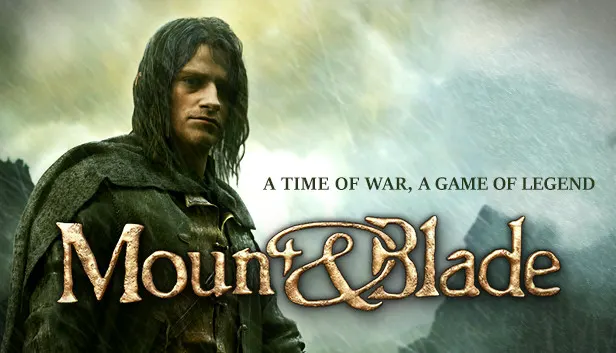
Mount & Blade
How to redeem the key
- 1Open Steam and sign in to your account.
- 2In the top menu choose “Games” → “Activate a Product on Steam…”.
- 3Enter the code you received and confirm the activation.
- 4Once activated, the game appears in your library — download it and play.
Before buying, make sure the country of your account is supported by the key region.
Details and languages
- Developer
- TaleWorlds Entertainment
- Publisher
- TaleWorlds Entertainment
- Release date
- 3 Nov 2008
- Genres
- Indie, RPG
- Russian language
- No
- Steam App ID
- 22100
Voice-over
Interface and subtitles
- English
- German
- Polish
- Simplified Chinese
- Traditional Chinese
- Czech
No information about supported languages.
Languages are listed as reported by Steam. Please check them before buying: a key cannot be refunded once activated.
Before you buy Mount & Blade
- Game modes
- Single-player only.
- Scores
- 5,318 reviews on Steam.
About the game
Mount & Blade is set in Calradia, a land at war where an unknown stranger can earn a warrior's reputation through courage and skill with a sword. The world is open to exploration and holds more than a hundred locations, among them villages, castles and towns. Fighting happens both on foot and on horseback with a broad selection of medieval weapons, each with its own characteristics, and the combat systems cover mounted fighting and swordplay. The player decides which path to take, whether that of a lone adventurer, a military leader or a holder of settlements and strongholds. Sophisticated AI opposes the player in battle and in strategic planning for the campaign, and interaction with hundreds of characters is available. Only single-player mode is included.
Description from Steam
Calradia is a land at war, offering great riches and even greater dangers to adventurers and mercenaries that flock to shed their blood on its soil. With courage and a strong sword, an unknown stranger can make a name as a warrior.
- Free-form sand-box gameplay. You are free to go anywhere in a world with more than a hundred unique locations including villages, castles and towns.
- Groundbreaking horseback combat.
- Highly advanced and intuitive sword-fighting systems.
- Fight on horseback and foot using a vast variety of medieval weapons, each with unique characteristics.
- You can be anything from a lonesome adventurer to a commander of armies or an owner of villages, castles or towns.
- Sophisticated AI will challenge you in combat and in your strategic plans.
- Freedom to interact with hundreds of characters.
System requirements
WindowsQuestions and answers
Does Mount & Blade have Russian language support?
Interface and subtitles: English, German, Polish, Simplified Chinese, Traditional Chinese, Czech.
Which regions does the key activate in?
The key activates with no regional restrictions — in any country, on a Steam account from any region. Once activated, the game stays on your account for good.
How soon does the code arrive after payment?
Keys are issued automatically, around the clock: the code appears on the order page within 2–3 minutes.
What to do if the key does not activate?
First check your Steam account region: the key activates in the countries of its own region, and a mismatch is the most common reason activation fails. If the region is right, open “Orders” in the site header, pick the order and write in the chat — you can attach a screenshot of the error, and an operator will help you.
Completed orders only
Customer reviews
There are no reviews of Mount & Blade yet. The store has 35 reviews of completed orders, 21 of them about Steam products.
Read reviewsSteam · PC
Similar games


Countries where the key activates
Key region: —