


Home · Steam games · Tales of Zestiria
Steam·activation key
Tales of Zestiria
How to redeem the key
- 1Open Steam and sign in to your account.
- 2In the top menu choose “Games” → “Activate a Product on Steam…”.
- 3Enter the code you received and confirm the activation.
- 4Once activated, the game appears in your library — download it and play.
Before buying, make sure the country of your account is supported by the key region.
Details and languages
- Developer
- BANDAI NAMCO Studio Inc.
- Publisher
- BANDAI NAMCO Entertainment
- Release date
- 19 Oct 2015
- Genres
- RPG
- Russian language
- Yes, interface and subtitles
- Steam App ID
- 351970
Voice-over
- English
Interface and subtitles
- Russian
- English
- Spanish
- French
- German
- Italian
- Traditional Chinese
- Portuguese (Brazil)
No information about supported languages.
Languages are listed as reported by Steam. Please check them before buying: a key cannot be refunded once activated.
Before you buy Tales of Zestiria
- Game modes
- Single-player, shared screen.
- Gamepad
- Full support.
- Scores
- 7,188 reviews on Steam.
- Age rating
- 16+
About the game
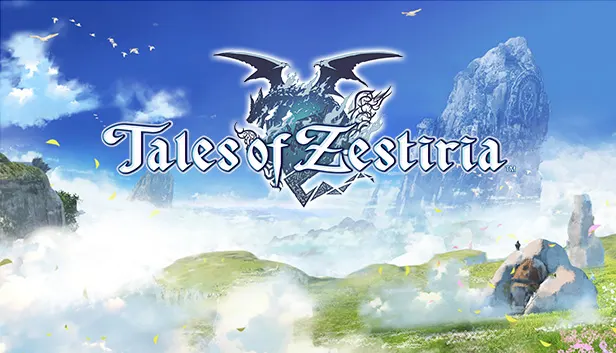
The story of Tales of Zestiria unfolds in a Medieval fantasy setting where two mighty states compete for supremacy. Sorey accepts the role of the Sheperd and, alongside Lailah, who keeps the Sacred Blade, and his companion Mikleo, opposes human darkness to safeguard the world and bring humans and Seraphim together. On their way the characters learn of a mighty force still hidden in the shadow. Players travel through large and varied regions, receiving aid from Seraphim. Combat relies on fusions of Sorey and Seraphim and takes place within the environments, without load screens or transitions, while the animation was produced by the studio ufotable. The game supports single-player and same-screen play.
Description from Steam
Hold on to what you strive for!
In a world torn by war between two powerful nations fighting for rule and supremacy, accept the burden of the Sheperd and fight human darkness to protect your world from Malevolence and reunite humans and Seraphim.
Together with Lailah, the Lady of the Lake who guards the Sacred Blade, and his best friend Mikleo, the cast will discover soon enough a powerful force is rising in the shadow.
Key Features:
- Tumble into Sorey's epic journey set in a Medieval fantasy world with beautiful animations realized by the famous animation studio ufotable.
- Discover diversified and huge environements throughout your adventure with the help of Seraphim
- Advanced Battle System with fusions between Sorey and Seraphim. the battle scenes are now seamlessly integrated into the environements with no more load screens or transition
System requirements
WindowsQuestions and answers
Does Tales of Zestiria have Russian language support?
Voice-over: English. Interface and subtitles: Russian, English, Spanish, French, German, Italian, Traditional Chinese, Portuguese (Brazil).
Which regions does the key activate in?
The key activates with no regional restrictions — in any country, on a Steam account from any region. Once activated, the game stays on your account for good.
How soon does the code arrive after payment?
Keys are issued automatically, around the clock: the code appears on the order page within 2–3 minutes.
What to do if the key does not activate?
First check your Steam account region: the key activates in the countries of its own region, and a mismatch is the most common reason activation fails. If the region is right, open “Orders” in the site header, pick the order and write in the chat — you can attach a screenshot of the error, and an operator will help you.
Completed orders only
Customer reviews
There are no reviews of Tales of Zestiria yet. The store has 35 reviews of completed orders, 21 of them about Steam products.
Read reviewsSteam · PC
Similar games


Countries where the key activates
Key region: —