


Home · Steam games · Wolfenstein: The New Order
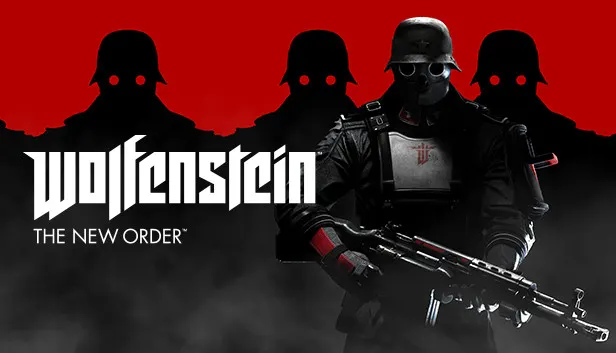
Steam·activation key
Wolfenstein: The New Order
How to redeem the key
- 1Open Steam and sign in to your account.
- 2In the top menu choose “Games” → “Activate a Product on Steam…”.
- 3Enter the code you received and confirm the activation.
- 4Once activated, the game appears in your library — download it and play.
Before buying, make sure the country of your account is supported by the key region.
Details and languages
- Developer
- MachineGames
- Publisher
- Bethesda Softworks
- Release date
- 19 May 2014
- Genres
- Action
- Russian language
- Yes, interface and subtitles
- Steam App ID
- 201810
Voice-over
- English
- Spanish
- French
- Italian
- Japanese
Interface and subtitles
- Russian
- English
- Spanish
- French
- Italian
- Polish
- Japanese
No information about supported languages.
Languages are listed as reported by Steam. Please check them before buying: a key cannot be refunded once activated.
Before you buy Wolfenstein: The New Order
- Which key
- The “CIS” region key: 280 ₽, can be activated in Russia.
- Game modes
- Single-player only.
- Gamepad
- Partial support.
- Scores
- 46,381 reviews on Steam.
- Age rating
- 18+
About the game
Wolfenstein: The New Order is a single-player first-person shooter developed by MachineGames and published by Bethesda Softworks in 2014. It takes place in an alternate history where the Nazi war machine, armed with previously unknown supertechnology, turned the tide of the world war and brought even the most powerful nations to their knees. The protagonist spent 14 years in a coma and wakes in 1960 to find the war lost and the Nazis ruling the world with an iron hand. With a small group of surviving resistance fighters, he infiltrates the most heavily guarded facilities, battles Nazi war robots, Super Soldiers and elite shock troops, and takes control of super-weapons. Beyond combat, the game includes sequences such as racing along mountain roads and underwater exploration, while its narrative combines intense battles with distinctive characters. Secret research facilities and weapon stashes offer new tools of destruction and ways to upgrade the arsenal.
Description from Steam
Wolfenstein®: The New Order reignites the series that created the first-person shooter genre. Developed by MachineGames, a studio comprised of a seasoned group of developers recognized for their work creating story-driven games, Wolfenstein offers a deep game narrative packed with action, adventure and first-person combat.
Intense, cinematic and rendered in stunning detail with id® Software’s id Tech® engine, Wolfenstein sends players across Europe on a personal mission to bring down the Nazi war machine. With the help of a small group of resistance fighters, infiltrate their most heavily guarded facilities, battle high-tech Nazi legions, and take control of super-weapons that have conquered the earth – and beyond.
Key Features
The Action and Adventure
Wolfenstein's breath-taking set pieces feature storming a beachfront fortress on the Baltic coast, underwater exploration, player-controlled Nazi war machines, and much more – all combined to create an exhilarating action-adventure experience.
The Story and Characters
Hi-octane action and thrilling adventure weaved together into a tightly paced, super immersive game narrative featuring memorable characters.
The History and Setting
Set against a backdrop of an alternate 1960s, discover an unfamiliar world ruled by a familiar enemy—one that has changed and twisted history as you know it.
The Arsenal and Assault
Break into secret research facilities and heavily guarded weapon stashes to upgrade your tools of destruction. Experience intense first-person combat as you go up against oversized Nazi robots, hulking Super Soldiers and elite shock troops.
System requirements
WindowsRequires a 64-bit processor and operating system
Questions and answers
Does Wolfenstein: The New Order have Russian language support?
Voice-over: English, Spanish, French, Italian, Japanese. Interface and subtitles: Russian, English, Spanish, French, Italian, Polish, Japanese.
Which regions does the key activate in?
Pick the region that matches your Steam account region — otherwise the code may not activate. Activation countries by region:
CIS — Russia, Ukr. UA, Kazakhstan, Belarus, Armenia and 6 more countries.
Once activated, the game stays on your account for good.
How soon does the code arrive after payment?
Keys are issued automatically, around the clock: the code appears on the order page within 2–3 minutes.
What to do if the key does not activate?
First check your Steam account region: the key activates in the countries of its own region, and a mismatch is the most common reason activation fails. If the region is right, open “Orders” in the site header, pick the order and write in the chat — you can attach a screenshot of the error, and an operator will help you.
Completed orders only
Customer reviews
There are no reviews of Wolfenstein: The New Order yet. The store has 35 reviews of completed orders, 21 of them about Steam products.
Read reviewsSteam · PC
Similar games



Countries where the key activates
Key region: —