You can buy a PS5 game in Russia in three ways: top up the wallet of a foreign-region account with PS Store gift cards and buy the game yourself, hand the purchase to a service that signs in to your account, or buy a disc if your console has a disc drive. A digital copy always needs a PlayStation account from another country, such as Turkey, India or the US, because PS Store sells nothing on a Russian account.
The reason is that Sony suspended PS Store in Russia in March 2022. Games and discs you bought earlier still run on a Russian account, but you can no longer buy a new game or subscription on it. You can't open a new Russian account either: Russia is missing from the country list at sign-up. A foreign PS Store won't take a card from a Russian bank, and you can only pay there with a card from the country your account belongs to.
A foreign account and your main profile
You choose the country of a PlayStation account when you register, and you can't change it afterwards. That is why people create a separate foreign account for purchases, and it really is a different account: Sony moves neither games nor wallet money between accounts.
You don't have to give up your old profile with its trophies and saves. The PS5 has a setting called "Console Sharing and Offline Play". It usually switches on by itself on the console where you first signed in to the account, and if it didn't, you can turn it on in Settings, under "Users and Accounts", in the "Other" section. While it is on for the foreign account, every user of that PS5, including your Russian profile, can launch the games bought on it. According to reviewers, trophies and progress then build up on the profile you play from.
The setting has two limits. It can be active on only one PS5 at a time. And season passes, in-game currency and pre-order bonuses, as reviewers warn, stay on the account where you bought them and don't carry over to another profile.
Which account region to choose
From Russia, people most often pick one of six countries: Turkey, Ukr. UA, India, the UAE, Poland and the US. Each has its own store, and the same game costs a different amount in each. The gap can be large, so compare prices for the games you want across regions before you register.
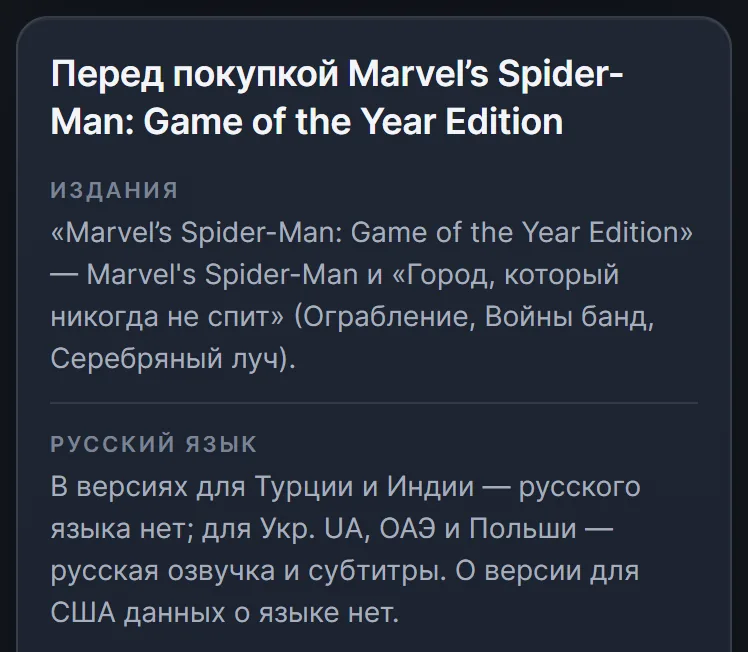
The second thing to check is language. Russian voice-over and subtitles aren't available in every regional version, and they are most often missing for games that first came out on PS4. Marvel's Spider-Man, released in 2018, has no Russian at all in the Turkish and Indian versions, while the Polish, UAE and Ukr. UA versions have both voice-over and subtitles. PS Store lists the languages at the bottom of the game page, and you should check them before you pay.
The third thing is sales. During the big sales, the lowest prices most often turn up in Turkey, Ukr. UA and the US, so a game you don't need right away can wait there for a discount.
What to check on the game page
Sony advises reading the description carefully before you pay: is it the edition you want, does the age rating suit you, does the game work with your console. A buyer in Russia should look at a few more things.
- Platform. The vast majority of the more than 4,000 PS4 games run on the PS5, and PS Store marks the few exceptions as "PS4 only". PS4 and PS5 versions are often sold separately: for Marvel's Spider-Man, the PS5 version came out as a standalone Remastered edition.
- PS5 upgrade. Some PS4 games can be upgraded to the PS5 version, and every game has its own terms: free, for an extra fee, or only for a limited time. PS Plus monthly games for PS4 don't upgrade this way unless the game says otherwise.
- Edition. Editions of one game differ in what they include: the Game of the Year Edition of the same Spider-Man adds three story chapters of the DLC to the game. Compare the contents, not just the prices.
- Add-ons. DLC has to be from the same region as the game itself: an add-on from the US PS Store won't work with the European version of the game.
- Pre-orders. PS Store charges you for a pre-order right away. If you change your mind, you can cancel the pre-order and request a refund before the game starts downloading: until release if you paid more than 14 days before it, or within 14 days of payment if you paid later. With auto-download on, the game starts downloading by itself as soon as it becomes available.
Method 1. Gift cards: you buy it yourself
A PS Store gift card is a 12-digit code that tops up an account's wallet. Resellers and marketplaces sell these codes. Each code can be used once and works only with an account from its own country. Buying the game itself in PS Store on a PS5 looks like this:
- Sign in to the foreign account on the console and open PlayStation Store.
- Open the menu with the triangle button, choose "…" and then "Redeem Codes", and enter the code. The money appears in the wallet.
- Find the game, pick the edition and press the price or "Add to Cart".
- Pay from the wallet. If you are a little short, you can enter the next code right on the payment screen: redeeming codes is in the list of payment methods.
- Open the game in your "Game Library" and press "Download".
The method has solid advantages. Only you know the password, you choose the moment of purchase and can wait for a sale, and whatever is left in the wallet goes toward add-ons or the next game.
The downsides are these.
- Markup. Cards are sold above face value, and reviewers put the markup at 10–15%.
- Denominations. Card amounts are fixed: American cards, for example, come in only five values, from 10 to 100 dollars. You rarely hit the exact price of a game, and the difference stays in the wallet.
- The money can't be withdrawn. You can't cash out a PS Store wallet or move it to another account, and a code redeemed on the wrong account can't be returned.
- You choose the seller. Reviewers advise looking at the number of deals, the rating and the reviews: the more there are, the lower the chance of running into a dishonest seller.
Method 2. An intermediary buys the game on your account
Here you pay in rubles and give an intermediary your sign-in details, and they log in to the account and buy the game. You don't deal with denominations or codes, and the game stays on the account for good.
In practice this kind of purchase is usually manual. Marketplaces are full of "game on your account" listings, and they work much the same way: after you pay, you send the login, password and backup codes to the seller in a chat, then wait for a manager. Many accept orders only during working hours, and one seller warns outright that an order paid for at night will be done the next day. The promised times range from a few minutes to 12 hours.
For the manual work, intermediaries add a markup, around 20% on the price of the game by reviewers' estimates. There is a more serious risk too: a real person reads your login and password, and nothing guarantees their honesty. Reviewers advise using an intermediary only on an account that has no other games yet, changing the password before you hand it over, and changing it again after the purchase. Remember that each backup code works once, so one the intermediary has used is gone for you.
Method 3. A disc: possible without a foreign account
A game on a disc runs from a Russian account, and you don't need to create a new one. That is the main advantage of discs. There is a second one: you can sell a game once you've finished it and get part of the money back.
Discs have plenty of limits, though.
- You need a disc drive. The PS5 Digital Edition doesn't have one, and the PS5 Pro is usually sold without a drive. For the Pro and the slim Digital Edition (models CFI-2000 and CFI-2100), Sony sells the drive separately, but you can't attach one to the 2020 Digital Edition.
- Not every game comes on a disc. And for smaller games, the disc edition, if there is one at all, can cost many times more than the digital copy.
- Add-ons. From a Russian account you can't get even free DLC, and on a foreign account it has to be from the same PSN region as the disc. The region is printed on the back of the box.
- Language. Russian is most often found in European editions, which are easy to spot by the age rating written as a number. The list of languages is usually printed in the same place, on the back of the box.
On price, opinions differ. Some reviewers write that new releases on disc currently cost more than digital copies, while others note that discs from the UAE are often cheaper than the digital version. It is best to compare the price of a particular game yourself.
Ready-made accounts with games: why they are a risk
There are also ready-made accounts with games, a subscription or money in the wallet already on them, so you don't have to create or top up anything. But reviewers have written about mass blocks of ready-made accounts bought from intermediaries, and when an account is blocked you lose access to the games bought on it too. So it is safer to buy games onto your own account than onto a purchased one.
Automatic purchase: codes and account sign-in without a manager
Gift cards and purchase with sign-in can work without any manual labor. In our store a system fulfils the order, not a manager, so you don't have to write to a seller and wait for working hours. If something goes wrong, every paid order has a chat in the "Orders" section where an operator answers.
Without signing in. These are the same gift cards, except you don't have to pick denominations. You choose the region and the edition, and the system assembles a set of PS Store codes for the price of the game with the smallest overpayment, and with the fewest cards if the overpayment is equal. At the time of writing, the codes arrive with instructions in 1–3 minutes on average, after which you redeem them and buy the game yourself. Nobody needs your password, and if the codes add up to more than the price, the rest stays in your wallet.
With sign-in. Here you need neither codes nor a purchase by hand. After you pay, you enter your login, password and backup codes on the delivery page, and the system signs in to the account and buys the game itself. It works automatically, around the clock, in 10–15 minutes on average as of the same date, and an order paid for at night doesn't wait until morning. The sign-in details are needed only while the order runs: after a successful purchase, the password and backup codes are automatically erased from the server, and only the login remains. For Ukr. UA accounts, this is the only method available.
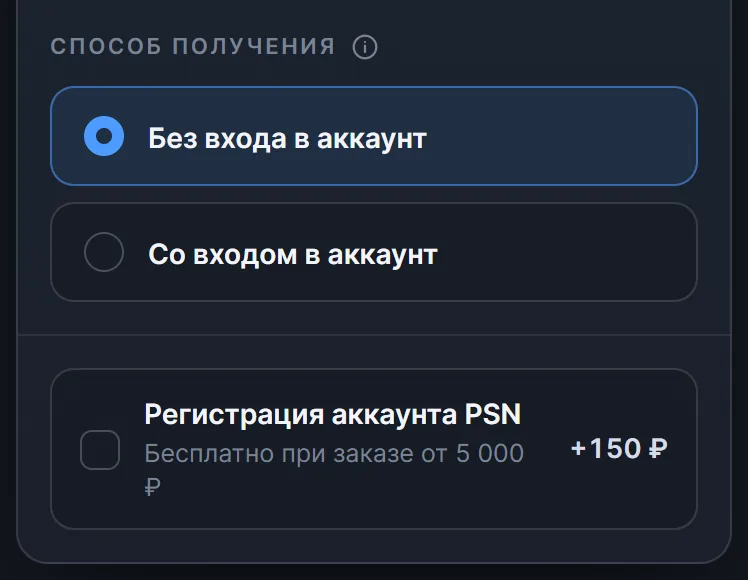
For a purchase with sign-in, prepare the account first: check the password and backup codes (the purchase fails with wrong details), turn off sign-in with a Passkey and the password prompt at purchase, empty the PS Store cart and unlink bank cards. On a Ukr. UA account, spend the wallet balance beforehand, or PS Store will apply it to the purchase, and on a US account you need a state with no sales tax, such as Oregon.
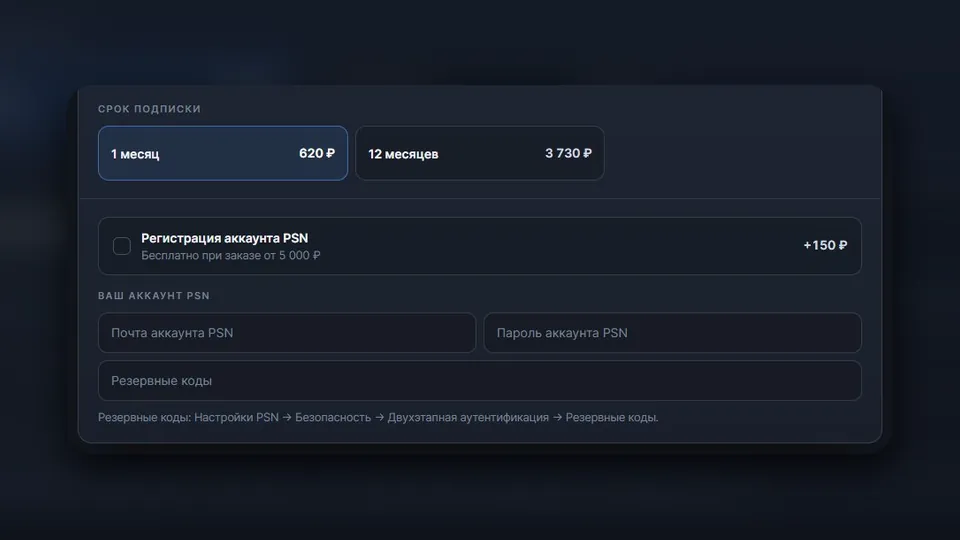
If you don't have an account in the right country yet, you can tick "PSN account registration" when you order. It costs 150 ₽ at the time of writing, and it is free for an order of 5,000 ₽ or more without sign-in, or 5,130 ₽ or more with sign-in. The email, the password and all purchases on such an account belong to you.
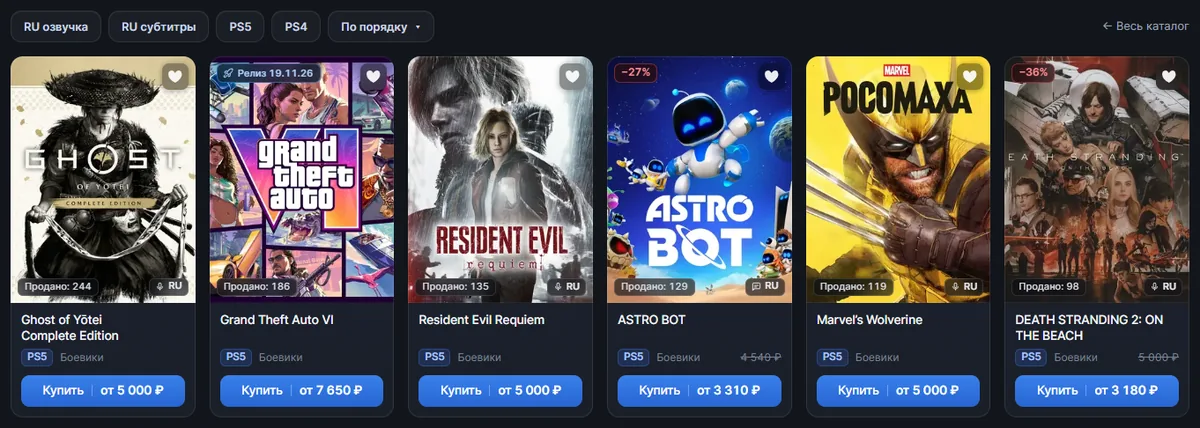
Searching is easier with filters. In the PlayStation games catalog you can keep only PS5 or PS4 games, and only games with Russian voice-over or subtitles. The "from" price and the RU badge on a card refer to the region with the lowest price, while the languages and the prices for all regions are on the game's own page. Games that haven't been released yet are collected in the pre-orders section, and they are ordered in the same two ways. And if you would rather keep money in your wallet and buy the game yourself, there are codes for any amount on the PSN top-up page.
Which method to choose
Here is how the ways to buy a PS5 game from Russia compare side by side.
| What matters | Gift cards | Intermediary with a manager | Automatic purchase with sign-in | Disc |
|---|---|---|---|---|
| Foreign account | needed | needed | needed | not needed |
| Account password | stays with you | you send it to the seller in a chat | you enter it on the delivery page | not needed |
| Who buys the game | you | a manager, by hand | the system, automatically | you |
| How long it takes | until you buy and redeem the codes | from a few minutes to the next day | 10–15 minutes on average | from a trip to the store to delivery |
| What to watch | markup, denominations, wallet leftover | working hours and markup | slightly more than codes | disc drive, disc region and language |
If you don't want to give your password to anyone, choose gift cards, picked by hand or automatically. If you want to deal with neither denominations nor a manager's schedule, automatic purchase with sign-in is easier. A disc helps when you don't want to create a foreign account at all. And if you want to play a lot and a variety of games, take a look at a PS Plus Extra subscription: its catalog has hundreds of games for PS4 and PS5.