A Turkish PS5 account is a new PlayStation account with "Türkiye" chosen as the country at sign-up. The region of an existing account can't be changed, so you start from scratch. There are three ways to get one: register it yourself on the console or on the PlayStation website, have a service register it for you, or buy a ready-made account. You pay on it with Turkish lira gift cards, and you can play what you buy from your main profile on the same PS5.
People need it because PS Store has been suspended in Russia since March 2022: you can't pay for a game or a subscription on a Russian account. The catch is that Turkey, unlike other popular regions, is harder to register. Pick your method in advance rather than after a few errors on the console screen.
What to know before you register
- You choose the region once. The account's country is set at sign-up and can't be changed later. If you get Turkey wrong, you need another account.
- It is a separate account. Games, subscriptions and money don't move from your old account to the Turkish one: Sony doesn't transfer purchases or funds between accounts. Whatever you bought earlier stays on the old account, and you can still play it as before.
- Use your real date of birth, 18 or older. You can't change it after registration, and support may ask for it if you need to recover access. If you enter an age under 18, the account gets purchase restrictions.
- Sony's rules. In its help pages Sony asks you to enter the country where you live, and the PSN terms of use for Turkey let it suspend an account if the owner's details are wrong. Even so, many players from Russia have chosen the Turkish region since 2022.
- Registration from Russia often fails. According to journalists, since summer 2023 a Turkish account can only be created from Turkey itself. In 2026 an attempt from Russia, on the website or on the console, often ends with the error "Can't create an account. Contact Customer Support for assistance".
How to create a Turkish account yourself
Signing up for PSN is free, and Sony asks for no payment details at this stage. Have these ready:
- an email address that isn't linked to any PSN account yet: the confirmation message goes there, and you'll use it later to reset your password;
- a password and an online ID, the nickname other players will see;
- your date of birth;
- an address in Turkey: for this region the form asks for a city and a postal code.
On PS5 the order is this:
- On the home screen, select your profile avatar and choose "Switch User".
- Select "Add User", then "Get Started".
- On the sign-in screen, choose "Create an Account".
- Enter the country "Türkiye", then your language, date of birth, email, password, address and online ID.
- Follow the link in the email PlayStation sends you to confirm the address. Without that you can't go online.
On the PlayStation website the steps are the same: account management has a "Create a new account" option, and typing on a keyboard is faster than on a controller. The language you pick in the form decides the language of PS Store and of PlayStation's emails. For Turkey people usually choose English or Turkish.
Turn on two-step verification right after registering: "Settings" → "Users and Accounts" → "Security" → "2-Step Verification". Codes can arrive by text message or in an authenticator app, and for Russian phone numbers journalists recommend the app, because text messages arrive unreliably. Save the backup codes Sony shows you somewhere separate: they let you sign in when your phone isn't at hand.
This method has one big plus: it's free, and only you know the email, password and date of birth. It has one big minus too: from Russia the registration can hit the same error again and again, and then you need another route.
Who it suits: people whose registration goes through, and people who want to keep all the account details to themselves.
Registration through a service
If you can't register, a service can create the account for you. Many digital goods stores charge a separate fee for this, or do it for free when you buy a game or a subscription along with the account. You receive the details of a finished account for the right region and use it as your own.
Services differ in what exactly they hand over. Before you order, find out:
- if you get access to the email the account is tied to, or only the PSN login and password;
- whether they tell you the date of birth from the form, since it's asked for when you recover access;
- whether two-step verification is on, and who holds the backup codes.
The plus of this route is that you don't have to fight the registration form. The minuses: someone else knows the account details for a while, and if you don't buy anything together with the account, you pay for the registration.
Who it suits: anyone who couldn't register on their own, especially if the account is needed for a specific purchase.
A ready-made Turkish account: where the risk is
A search for "buy Turkish PS5 account" also turns up accounts that are already set up, often with games on them. It looks simpler than registering, but what matters is who really owns such an account.
- Renting instead of buying. Services themselves warn about accounts that stop working after a few weeks: the seller changes the password, and the games you paid for stay with them.
- An account under someone else's control. Buyers of accounts with games are told not to change anything and not to turn on two-step verification without the seller's consent. That means the seller remains the owner.
- The email stays with the seller. If you weren't given the email, the seller can take access back through it at any time.
If you still take a ready-made account, take it only together with the email, the password and the date of birth, and change the account and email passwords right away. An account full of someone else's games, where you aren't allowed to touch anything, never becomes yours.
Which method to choose
| Method | Cost | Who holds the account details | Main downside |
|---|---|---|---|
| Register it yourself | Free | Only you | Often fails from Russia |
| Registration through a service | A separate fee, or free with a purchase | You, if the email is handed over | The service knows the details for a while |
| Ready-made account | The seller's price | Often stays with the seller | The account can be taken back along with the games |
If you manage to register on your own, there is no better option. If not, an account that a service hands over together with its email is safer than a ready-made account with someone else's games.
How to use a Turkish account on PS5
Two profiles live comfortably on one PS5: your main one, with trophies and saves, and the Turkish one, for purchases. To play what you bought from your main profile, turn on console sharing on the Turkish account:
- Sign in on the PS5 with the Turkish account.
- Open "Settings" → "Users and Accounts" → "Other" → "Console Sharing and Offline Play".
- Choose "Enable".
On a console where you first signed in to the account, the feature switches on by itself, but it doesn't hurt to check. After that, games from the Turkish account launch from your main profile, even without an internet connection, and trophies and saves pile up there.
- One PS5 only. Console sharing works on a single console. To move it to a new one, turn it off on the old one. If the old console is gone, account management lets you deactivate all devices at once, but no more than once every six months.
- PS Plus is shared too. A subscription on the Turkish account works for the other profiles on that console: online play, Monthly Games, catalog games included in the tier, and games bought with the subscriber discount. Your main profile can't buy with the PS Plus discount, use cloud storage, or get time-limited game trials.
- Not everything carries over. In-game currency, season passes and pre-order bonuses stay on the account where they were bought, and some publishers don't allow add-ons to be shared either.
Purchases on a Turkish account: payment, language and prices
The Turkish PS Store doesn't accept cards from Russian banks: you can pay by card only if it was issued in the account's country. So a Turkish wallet is topped up with gift cards in lira: official Turkish PS Store cards have been on sale since summer 2024. On PS5 you enter the code in PS Store: press the triangle button, then "..." and "Redeem Codes", or do it right at checkout. A code from another country won't work on a Turkish account, and lira in the wallet can only be spent in the Turkish PS Store.
Subscriptions are harder. As a rule, only residents of Turkey can pay for PS Plus and EA Play from a Turkish wallet balance: PlayStation's help page for this country says that even when you pay for a subscription from the wallet, you may need to link a payment method to the account. That's why a subscription on a Turkish account is more often arranged through services. PS Plus has three tiers in Turkey: Essential, Extra and Deluxe.
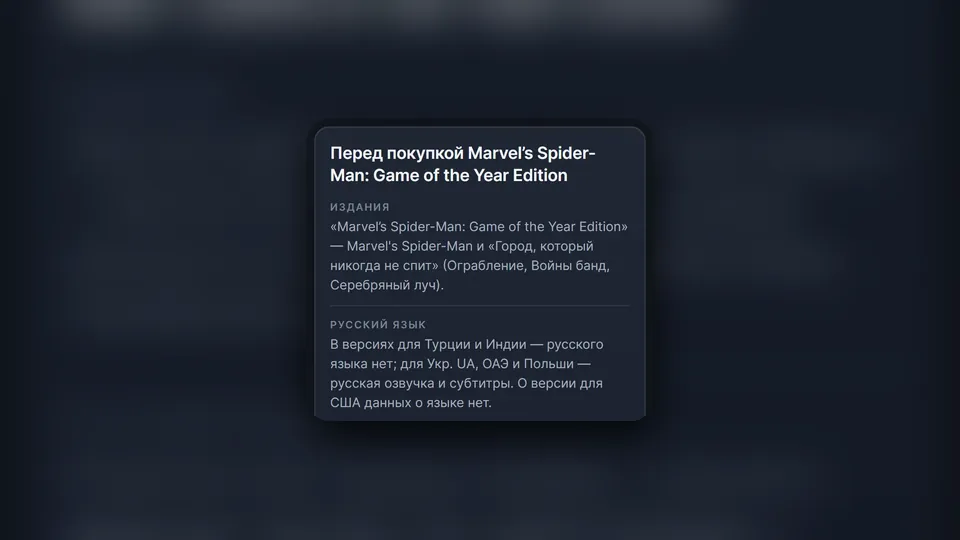
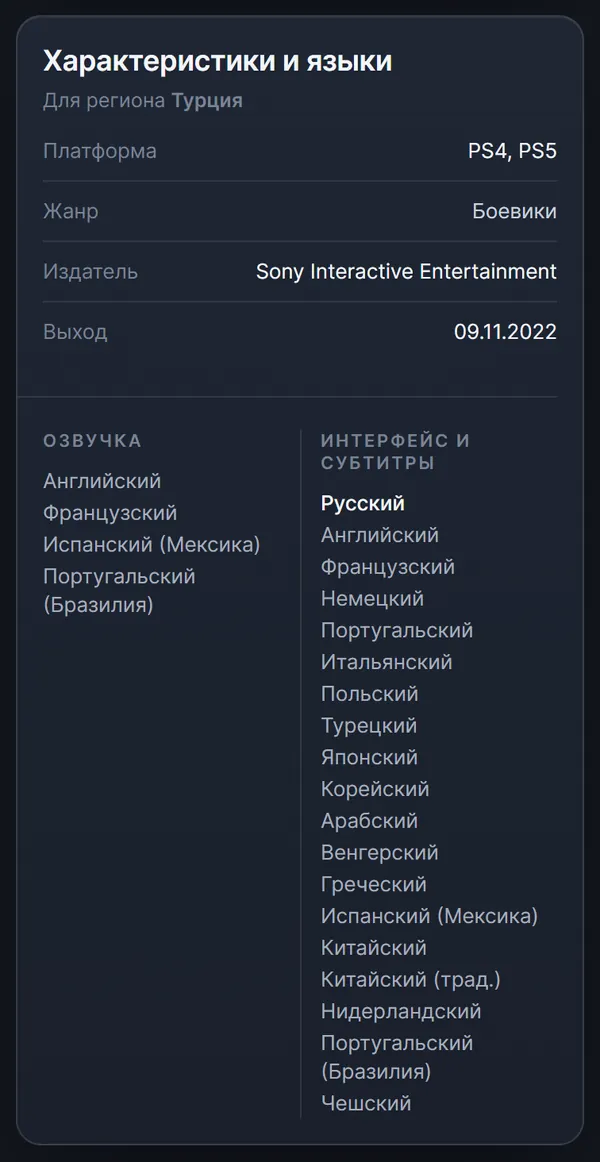
The Turkish version of a game doesn't always have Russian. It is most often missing in games that first came out on PS4, and sometimes only the subtitles are in Russian. Translation in the Turkish region has become more common in recent years, but you should still check the language before every purchase. Voice and subtitles are listed separately: the God of War Ragnarök page shows that for Turkey Russian is available in the interface and subtitles, with no Russian voice-over.
Prices follow the same rule: compare them. Journalists note that new releases in the Turkish PS Store are now often more expensive than in the American one. On the big sales, though, the lowest prices are most often in Turkey, Ukr. UA and the US, so if you don't need a game right away, it makes sense to wait for a discount.
How it works with us
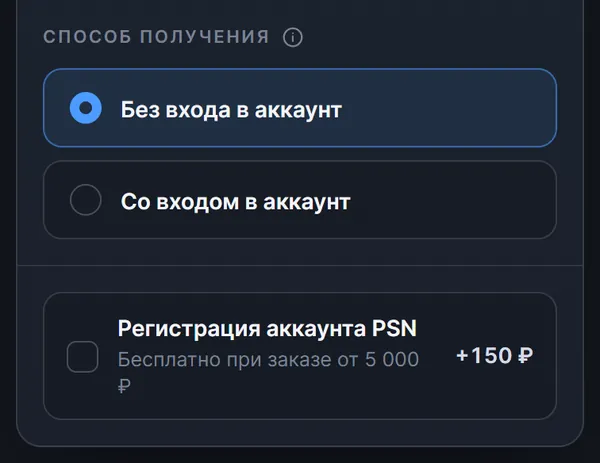
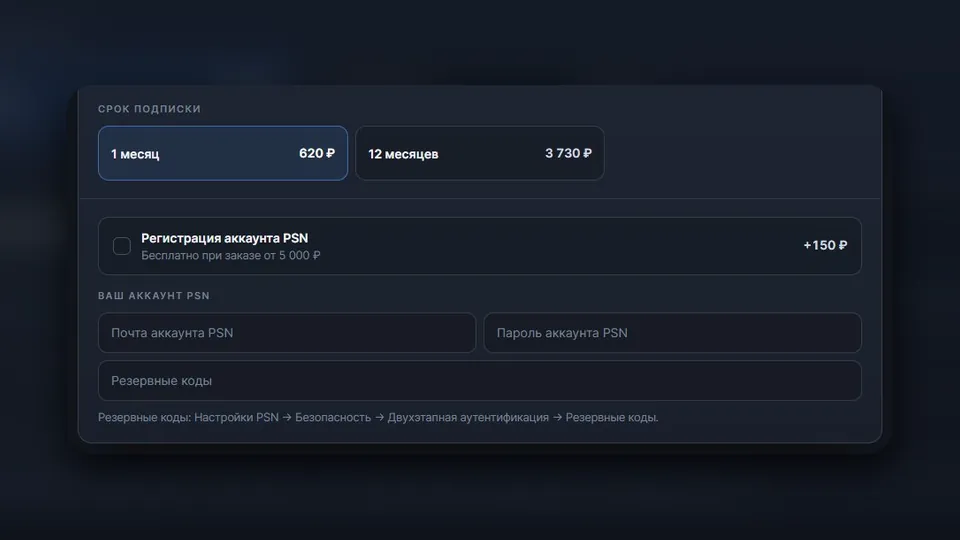
You can get a Turkish account together with an order for a game or a subscription: the product page has a "PSN account registration" checkbox. The account's region matches the purchase region, so a game at the Turkish price comes with a Turkish account. At the time of writing, the service costs 150 ₽, and it's free for orders without login from 5,000 ₽ or with login from 5,130 ₽. It isn't offered for add-ons and in-game currency: a new account doesn't have the game itself.
When the order is done, the delivery page shows the PSN login and password, the date of birth, the backup codes and the details of the email the account is tied to. The email, the password and everything bought on the account belong to you, and you can change the PSN and email passwords to your own right away.
A game can reach the Turkish account in two ways, and you choose on the game page in the PlayStation catalog:
- Without account login. The system picks a set of Turkish codes that covers the game's price with the smallest overpayment, and at the time of writing the codes arrive on the order page with instructions in 1–3 minutes on average. Nobody needs your password, and any leftover lira stays in the wallet.
- With account login. You enter the account details on the delivery page, and the system signs in and buys the game itself, automatically and around the clock, in 10–15 minutes on average. After a successful purchase the password and backup codes are erased from the server automatically, and only the login remains. If you order registration together with a purchase with login, the game is bought straight onto the new account, but such an order can contain only one game.
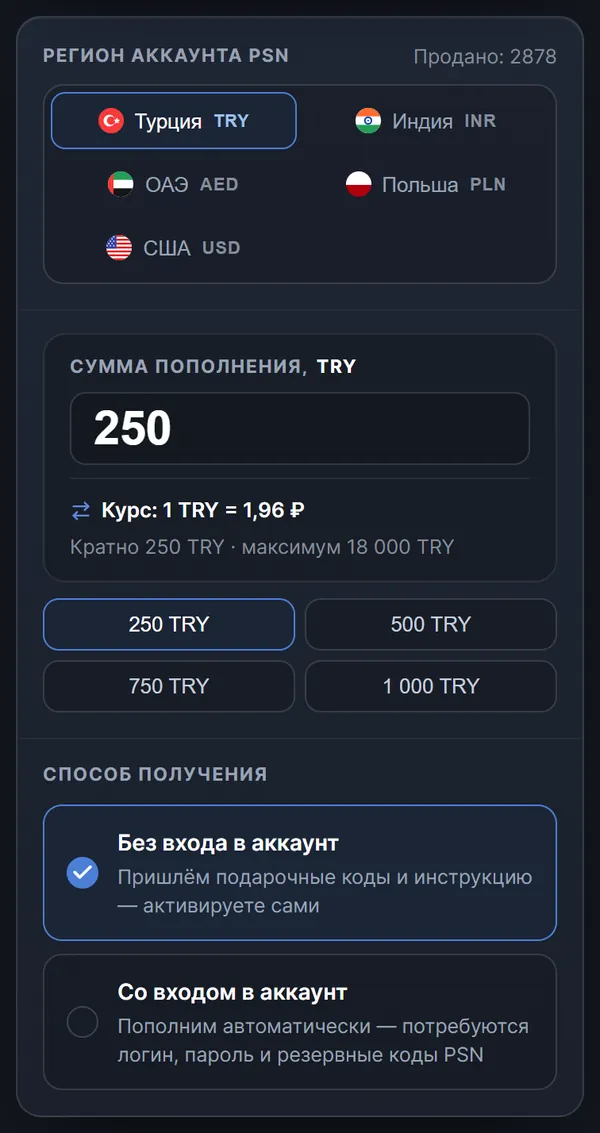
You can top up the wallet in advance on the PSN top-up page. As of the same date, for Turkey the amount is a multiple of 250 TRY, you can top up as much as 18,000 TRY at a time, and the smallest denomination via SBP costs 490 ₽. Codes arrive in 1–3 minutes on average, and crediting with login takes 5–10 minutes on average.
PS Plus and EA Play for Turkish accounts are in the subscriptions section. At the time of writing, an operator activates the subscription on the account daily from 10:00 to 20:00 Moscow time.