There are four ways to top up Steam from Russia today: a top-up service that works from your login, a wallet code, selling items on the Community Market, and an account from another country. If you only want one game, its key or a gift can do the job instead. For a Russian account the first option is the simplest. You give the service your Steam login and an amount, pay in rubles by SBP or card, and the money usually reaches your balance within a few minutes, with no password and no sign-in to your account.
You have to choose because since March 2022 Steam has rejected cards from Russian banks, Mir included. Russian e-wallets stopped working at the same time. The ruble wallet in your account is still there, but money now reaches it by a detour, and every detour has its own price and its own trap.
Top-up by login through a service
This is the main route if your account is Russian. You enter your Steam login and an amount on the service's site, pay in rubles, and the service credits your wallet. It needs neither your account password nor Steam Guard codes.
The advantages are clear. The money goes straight to the wallet, you can pick any amount within the limits, and crediting usually takes anywhere from a minute to a quarter of an hour.
The drawbacks are the fee and the cost of a mistake. The fee is not always visible: under a "0%" label a service often earns on the exchange rate, and the hidden markup, by reviewers' estimates, comes to roughly 4-10%. Some services send dollars to the wallet and Steam converts them to rubles at its own rate, so the balance ends up as not exactly the amount you typed. And a typo in the login sends the money to someone else's account, and you can't get it back from there.
Who it suits: almost everyone with an account in Russia or another CIS country.
Where to find your Steam login
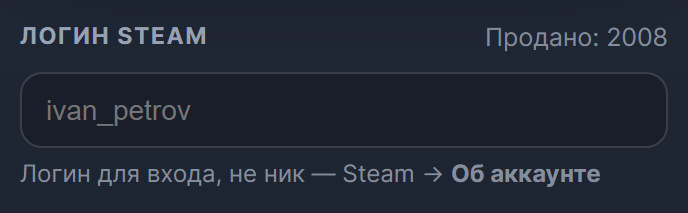
Every such service needs it, and it is the thing people mix up most often. It is the name you sign in with, not the nickname on your profile. Your email, profile link and numeric ID won't work either. In Steam, click your name at the top right and open "About account": the login is on the first line. Copy it from there rather than typing it from memory.
Wallet codes and gift cards
You buy a wallet code separately and redeem it in Steam itself: under "About account" there is "Add funds", and inside it "Redeem a Steam Wallet code". You don't have to tell anyone your login, and you can't send money to the wrong account, because you enter the code yourself. A code also makes an easy gift.
The catch is currency. Steam accepts a code only in the wallet's own currency, a limit Valve introduced against gift-card fraud. A Russian account needs a ruble code, and a Turkish or Kazakhstani one won't work on it. Retail Steam cards are also leaving the shops: Valve is winding down their sale and expects them to sell through by the end of 2026. Digital codes are still sold, including by intermediaries. Reviewers still advise topping up a Russian account by login, and codes mostly help owners of accounts in other countries: the Steam gift cards section has codes for Turkey, the US, Vietnam and other regions.
The other drawbacks: a markup is added to the face value, which reviewers put at 5-20%, and the denominations are fixed, so you can't match the exact price of a game. A code in the wrong currency simply won't activate, and the money for it is most likely gone.
Who it suits: owners of foreign accounts and anyone giving Steam money as a gift.
A key or a gift instead of a top-up
If the money is meant for one particular game, you can leave the wallet alone. Valve itself advises people who can't pay in their own country to activate keys. You enter a key in Steam and the game lands in your library: there is no top-up fee and no leftover change on the balance.
There are two traps. A key can be region-locked, so check it against your account's region before paying; the region is shown in the product description. And since 2022 some publishers have closed sales in the Russian Steam, and some of their games won't activate on a Russian account by key or by gift. You can look for the game in the Steam key catalog.
A gift is the same game, given through Steam itself. Steam sends gifts only to people on your friends list, so you usually have to add the seller as a friend. And not every game can be gifted to an account in another country: regional restrictions are shown on the game's page, and Steam support doesn't lift them.
Who it suits: people buying a single game who don't want to keep money on the balance.
Selling items on the Community Market
If your inventory holds in-game items, you can list them on the Steam Community Market and the proceeds go to your wallet. You need no card and no intermediary; it all happens inside Steam.
There are more conditions than it seems. You can use the Market if the account has a purchase made between a week and a year ago and Steam Guard has been on for at least 15 days. Every sale carries a fee: 5% to Steam, and for Counter-Strike 2, Dota 2 and Team Fortress 2 items another 10% to the publisher. Money from sales can't be withdrawn to a card or sent to another account, and trades on the Market are final.
Who it suits: people who have something to sell. It is a supplement to the other methods, not a replacement.
An account from another country
An account in Kazakhstan, Turkey or the US takes codes from its own country, and a wallet in tenge can also be topped up by login. But the Steam store country isn't a setting you flip at will.
Under Steam's rules the store country must match the country you live in. You can change it only while you are in the new country and pay with a local payment method, and at least three months must pass between changes. Keys and wallet codes don't change the country. In the Subscriber Agreement Valve separately forbids hiding your place of residence behind a proxy to get another region's prices, and reserves the right to cut off access to the account.
New accounts have a wrinkle of their own: on the first top-up Steam sometimes changes the account's country and currency itself. You can guard against it in advance by putting a couple of free games in your library and signing in to Steam from an IP address in your own country.
Who it suits: people who really live in another country or have moved. An account with a library isn't worth risking for a price difference.
Which method suits whom
For a Russian account the simplest way to top up Steam is by login, and the other methods help in particular cases.
| Method | What you need | Who it suits | Main drawback |
|---|---|---|---|
| Top-up by login | Steam login, payment by SBP or card | Owners of accounts in Russia and the CIS | Service fee; a mistake in the login costs money |
| Wallet code | A code in your wallet's currency | Owners of foreign accounts, gifts | Markup on the face value; a code in the wrong currency won't activate |
| Key or gift | A key for the right region, or the seller on your friends list | People buying a single game | Not every game activates on a Russian account |
| Selling items | Items in your inventory, Steam Guard on for 15+ days | People who have something to sell | Fee on every trade; the money can't be withdrawn |
| Another country's account | Living in that country and a local payment method | People who have moved | The country can be changed once every three months; risk of a ban if you bend the rules |
What to look at when choosing a top-up service
There are plenty of services that top up by login, and they differ in more than the percentage. Check six things before you pay.
- The total, not the percentage. Compare what you pay with what reaches your balance. A claimed "0%" often hides the markup in the exchange rate, and a flat fee makes small top-ups noticeably more expensive. Look at the payment method too: SBP usually works out cheaper than a card.
- Who fulfills the order. A service with automatic delivery credits the money itself, usually at any hour. On a marketplace the top-up is sold by individual sellers, and both the price and the speed depend on the seller. The usual wait is minutes, but some services warn that crediting occasionally stretches to two hours, and complicated orders take longer still.
- Login check before payment. Some services find out before you pay whether the top-up will go through for this login. Others say outright that they don't verify the login: a typo sends the money to someone else's account, and such an order can't be cancelled.
- Limits. A service has a ceiling per order. Services also warn about Steam's daily limit: it is shared across all services, and if you already topped up somewhere else today, the next payment may fail. And the wallet balance itself can't exceed a sum close to 2,000 US dollars.
- What happens after a mistake. Money that has already reached the wallet usually can't be taken back, and Steam doesn't let you move it to another account. So what matters is what the service promises before crediting: whether it refunds an unfulfilled order, in full or minus costs, and how fast. Find that out before you send the money, not after.
- The password. A login is enough for a top-up. Close any site that asks for your password or a Steam Guard code right away: reviewers openly call such sites scams.
How these points look at our store
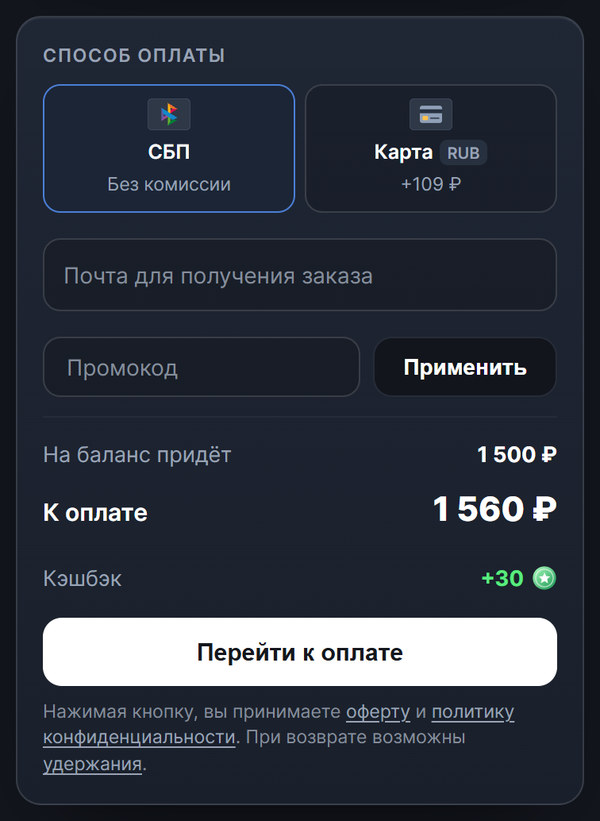
On our Steam top-up page, at the time of writing, the same points work out like this.
- The total is visible before payment. The store's fee is 4 %, it is already included in the amount, and nothing is added on top for SBP: for 1,500 ₽ on the balance you pay 1,560 ₽, and by card it is 109 ₽ more. A ruble wallet receives exactly the amount you enter.
- The login is checked before payment, and the money arrives automatically at any hour, usually within a couple of minutes.
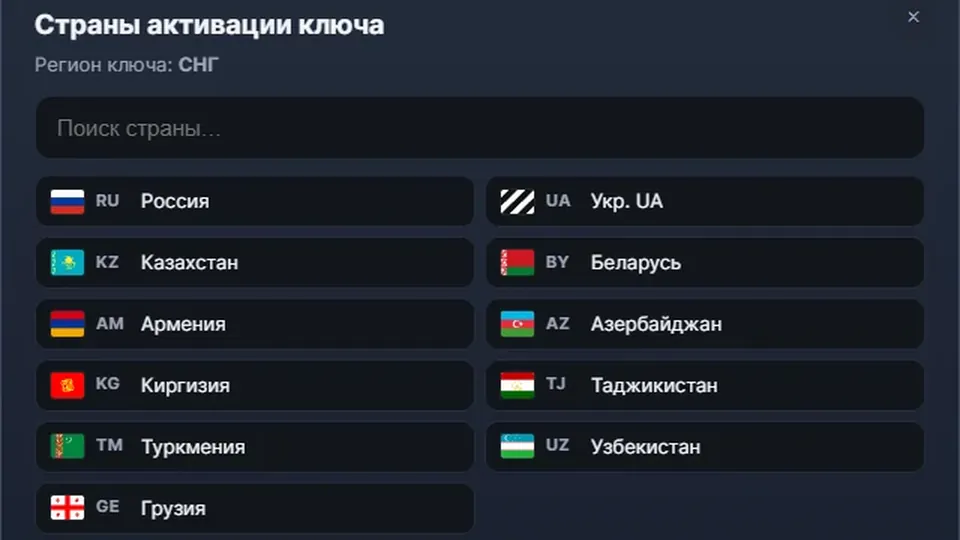
- Limits are from 50 ₽ to 15,000 ₽ per order and no more than 50,000 ₽ a day across all services. Accounts from Russia, Belarus, Kazakhstan, Ukr. UA and other CIS countries are accepted, except blocked accounts and those tied to Crimea, the DPR or the LPR.
- Refund. Until the money is credited, the order can be refunded: in full if the cause is on our side, and minus costs if the login or region was entered wrongly. The terms are in the refund policy.