A Steam key is a one-time code of letters and numbers that adds a game to your account: you enter it in Steam itself, and the game appears in your library. You can buy one from a key store or from a private seller on a marketplace, and sometimes keys are given away for free. Three checks before you pay make the purchase safe: the key's region fits your account, it is a Steam key for the exact edition you want, and the seller stands behind the code after the sale.
Steam has not accepted Russian bank cards since 2022, so a key has become an easy way to get a game without topping up a wallet. Valve itself describes keys as a way out for people who can't pay in their own country. But the key market is mixed: next to honest sellers you will find codes for other regions, codes that were already used, and keys paid for with a stolen card. And Valve does not refund money for a key bought outside Steam, so every problem goes back to the seller.
What a Steam key is
A key is a game license in the form of a code. Developers get keys from Valve for free, then sell them in other stores, put them in boxes with discs, and send them to testers and reviewers. Once activated, the game sits on your account like any other purchase: you download and update it through Steam exactly as you would a game bought in the store.
Each key works once. After activation it is tied to your account and can't be entered on another one: Steam will say the code has already been activated. Steam's rules don't let you move a game to another account either.
You enter the key in the Steam client: the Games menu has an "Activate a Product on Steam..." item. You can also do it on the Steam website in a browser. You never need to share your account password, because you type the code yourself.
Not every game code from a store works in Steam. Keys exist for other services, and Steam answers such a code with an invalid product code error. The listing, the email with the code, or the box says which platform a key is for.
Where keys come from and why prices differ
Valve has its own rules for keys. A developer may sell a game by key in other stores, but Steam buyers must not end up worse off: a key sale can run on different dates, yet Steam users should get a similar discount within a reasonable time. Keys for beta tests and keys meant for the developers themselves can't be sold at all.
That is why a new release by key usually costs only a little less than in Steam. The gap is noticeable for older games that have gone on sale many times.
A price that is far too low is a reason to be careful. Middlemen buy keys where they are cheaper: in countries with low prices, during sales, in bundles. A cheap key is often issued for another region and simply won't activate on your account. It is worse if it was paid for with a stolen card. A developer can block stolen keys, keys obtained by fraud, and keys whose money was refunded, and then the game disappears from your library even after activation.
Key region: what to check first
The wrong region is the most common reason a key doesn't activate. Steam has no single rule: the publisher sets the limits, so one key works in any country and another only in a few. If your account's country isn't in the key's region, Steam tells you at activation that the game isn't available in your territory. Steam support doesn't lift these limits and doesn't refund keys from third-party stores, so a key for the wrong region is a matter between you and the seller.
For a Russian account you need a key marked Global or Region Free, or one whose region names Russia directly among the activation countries. The publisher is supposed to state the limits, and if the listing has none, ask the seller before you pay.
You can't bend your account to fit a key. The Steam store country has to match the country where you live, and activating a key doesn't change it.
Games from publishers that closed sales in Russia in 2022 are a separate case. According to reviewers, some of these games, GTA V for example, won't be sold to a Russian account in the store, won't be sent as a gift, and can't be activated by key. So a GTA V key for Steam makes sense only if your account's country is on the activation list: on a Russian account the game won't appear.
Where people buy keys: pros and cons
You can buy a Steam key in two places, and a third route is free giveaways. Each has its own catches.
Key stores
A store buys keys itself and sells them on its own site, usually with automatic delivery: after you pay, the code arrives on the order page or by email. The pluses: the site itself hands over the key with no back-and-forth with a seller, there is a company behind it with support and refund rules, and the region and edition are shown on the product page.
The minuses: the discount on new releases is usually small, the catalog is limited to what the store managed to stock, and refund terms differ everywhere. Before a first purchase, look at how long the store has been running, what buyers say about it, and whether support answers. Scam sites usually don't last long, so a store's age tells you a lot.
Marketplaces with private sellers
On a marketplace, many independent sellers sell keys, while the platform takes the payment and handles disputes. The pluses are choice and price: you can find a key cheaper than in a store, and even a game that has been pulled from sale.
The minus is that everything depends on the particular seller. Reviewers list the typical problems: someone has already activated the code, an account or a "random key" is sold instead of a key, the region is wrong, and a key paid for with a stolen card gets blocked after a while. If a key doesn't work, you get your money back only through the platform and by its rules. So with a private seller, look at the rating, the number of completed deals, recent reviews and the date of the last sale, not at the price alone.
Free keys and giveaways
Free Steam keys do exist, but Valve's rules limit them: while a game is paid in Steam, a developer can give keys away only in small promotions of fewer than a hundred, and a giveaway of the game itself is run in Steam by agreement with Valve. Sites that promise a key, a gift card or skins for logging in through Steam are a familiar scammer lure. In December 2025, security researchers found about twenty fake copies of Steam that promised gift cards and skins and in fact collected logins and passwords. A key is entered only in Steam itself, and nobody needs your login and password for that.
Key, gift, account or buying in Steam itself
A key is not the only way to get a game without a Russian card, and the neighboring options come with their own conditions.
A gift is a game the seller buys in Steam and sends to you. A Steam gift goes to someone on your friends list, so you usually have to add the seller as a friend, and some games can't be gifted to an account in another region.
An account with the game is someone else's account where the game is already bought. Steam's rules forbid selling and transferring accounts, so the game on it doesn't belong to you, and the risk is higher than with a key.
Buying in Steam itself after you top up your wallet by login. Then Steam's refund applies: you can get your money back within 14 days of purchase if you played less than two hours. Valve does not refund keys from other stores. The minus is that not every game is sold in the Russian Steam.
| Method | What you need to do | Main plus | Main minus |
|---|---|---|---|
| Key | Enter the code in Steam | No password and no wallet needed | You have to check the key's region and origin |
| Gift | Add the seller as a friend | The game is bought in Steam itself | Not every game can be gifted to another region |
| Purchase after a top-up | Your Steam login for the top-up | Steam refunds apply | Not every game is sold in the Russian Steam |
What else to check before paying
Region comes first, but it isn't the only thing. Before you buy a Steam game key, run through a short list.
- Platform and product type. The listing should say it is a Steam key, not a code for another service, a gift or an account.
- Edition. A key gives exactly the edition named in the listing. If you want Deluxe, buy a Deluxe key.
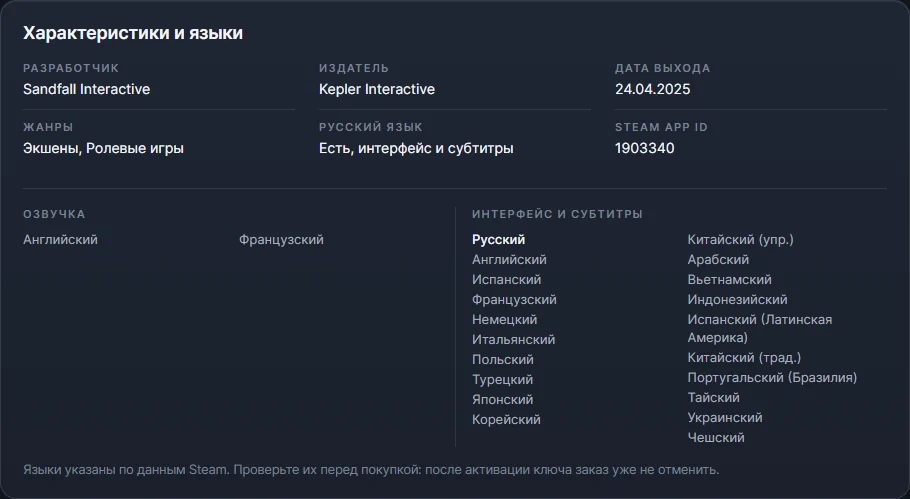
- Language. Languages depend on the game, and the list is on its Steam page: it shows where there is Russian voice-over and where only the interface and subtitles. Check this before you pay, because an activated key can't be returned.
- Not a beta and not a "random". Beta-test keys may not be sold, and a "random key" almost always turns out to be a cheap or little-known game.
- Seller and refund. How long they have been operating, what buyers write, whether there is support, and what happens if the key turns out to be already activated or wrong for your region.
- Password. A key doesn't need one. If a site asks you to log in through Steam to "issue a key", close it right away.
Keep the key and the order page. If Steam says the code has already been activated and you never entered it, Steam sends you to the seller for a new copy of the game, and that is when these details come in handy.
How it works with us
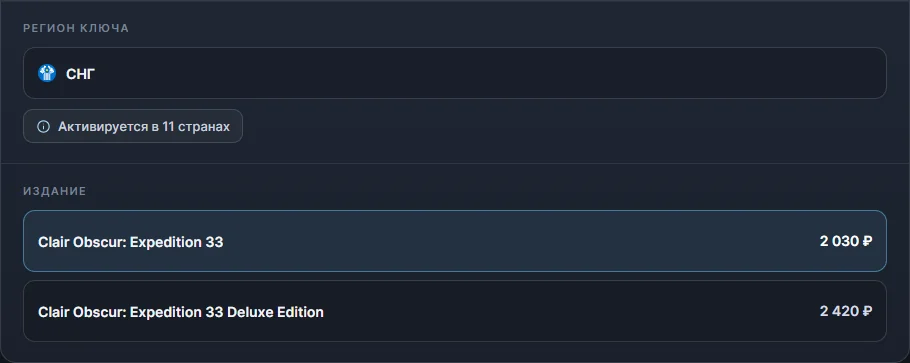
In our Steam key catalog the same points look like this.
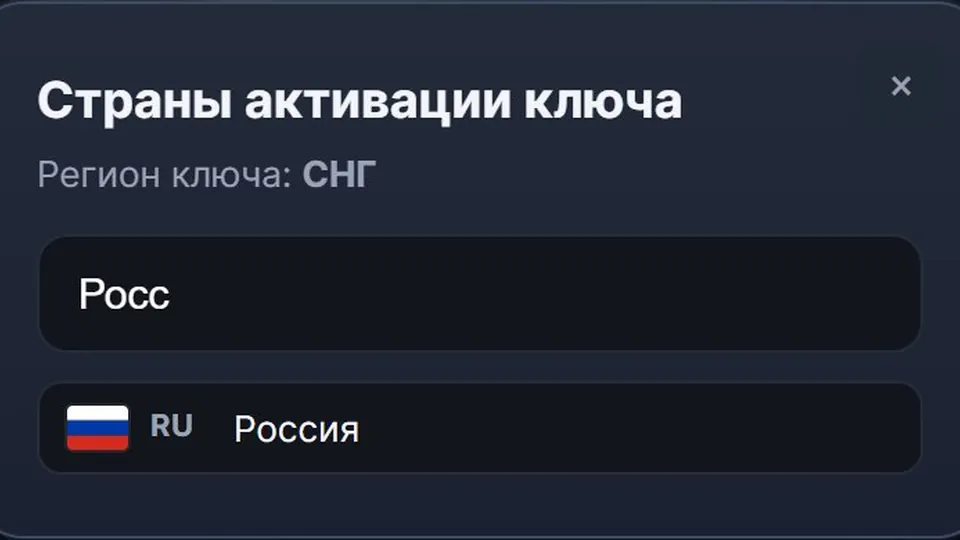
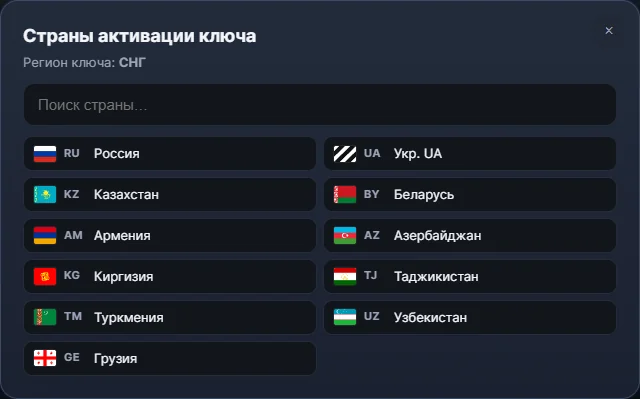
- Region and countries are visible before payment. Under the key region there is a button with the list of activation countries, and the "Before you buy" block says outright whether the chosen key activates in Russia. For example, for the Clair Obscur: Expedition 33 key, the "CIS" region includes Russia, Belarus, Kazakhstan and several more countries.
- Language and edition. The languages on a game's page are taken from Steam, with voice-over and subtitles listed separately, and each edition has its own price: at the time of writing, the standard Clair Obscur: Expedition 33 key costs 2,030 ₽, the Deluxe Edition 2,420 ₽. Paying through SBP adds nothing, while paying by card makes the standard key 150 ₽ more expensive.
- The key arrives automatically, around the clock, usually 2-3 minutes after payment, on the order page. No account access is needed: you activate the key yourself.
- Who answers for the key. The store itself sells the key, not a private seller, and stands behind it under the refund policy: a defective key, or one that isn't as described, is grounds for a claim. If Steam didn't accept the key, first check your account's region, and if it fits, write in the order chat and attach a screenshot of the error. A region mismatch can be refused a refund, so open the country list before you pay.