


Home · Steam games · F-22 Lightning 3
Steam·gift
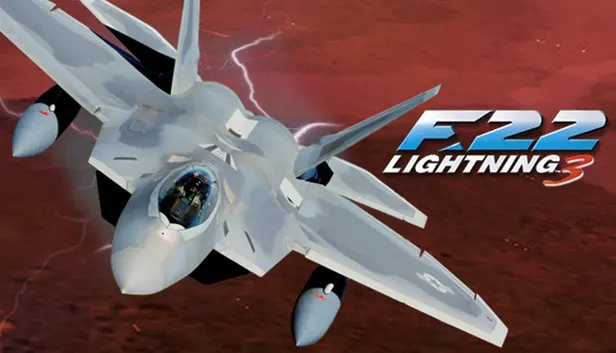
F-22 Lightning 3
How to receive the gift
- 1Pay for the order and enter a link to your Steam profile on the delivery page (steamcommunity.com/id/… or steamcommunity.com/profiles/…).
- 2The bot will send the gift to this account.
- 3Accept the gift in Steam (a notification arrives in the client and by e-mail) — the game will appear in your library.
The gift region must match your Steam account region — otherwise the gift cannot be accepted.
Details and languages
- Developer
- NovaLogic
- Publisher
- NovaLogic, THQ Nordic
- Release date
- 18 Jun 2009
- Genres
- Simulation
- Russian language
- No
- Steam App ID
- 32730
Voice-over
Interface and subtitles
- English
No information about supported languages.
Languages are listed according to Steam data. Check them before buying: no refund is possible once the game has been sent.
Before you buy F-22 Lightning 3
- Game modes
- Single-player, multiplayer.
- Scores
- 189 reviews on Steam.
About the game
F-22 Lightning 3 is a flight simulator from NovaLogic centred on piloting the F-22 fighter. Flights take place under changing weather such as rain, snow, hail and wind, while extreme temperatures affect flight performance. Tactical nuclear weapons are available for levelling entire city regions. The aircraft can be flown manually or handled by automatic options covering landings, taxiing, takeoff, shooting, formation and in-flight refuelling, and in Novaworld multiplayer the Voice-Over-Net technology lets players talk to each other during combat.
Description from Steam
Mass Destruction! Use tactical nuclear weapons to level entire city regions. The most realistic weather environments ever created. Changing weather effects including: rain, snow, hail, and wind. Extreme temperatures affect flight performance. Fly it yourself or let the world's most advanced fighter do it for you!
Features
- Extreme temperatures affect flight performance.
- Changing weather effects including: rain, snow, hail, and wind.
- Fly it yourself or use the Auto-Options: Auto-landings, Auto-taxi, Auto-takeoff, Auto-shoot list, Auto-formation, Auto-in-flight refueling.
- The most realistic weather environments ever created.
- Mass Destruction! Use tactical nuclear weapons to level entire city regions.
- Voice-Over-Net technology allows players to talk to each other during Novaworld multiplayer combat.
System requirements
WindowsQuestions and answers
Does F-22 Lightning 3 have Russian language support?
Interface and subtitles: English.
What is a Steam gift and how is it different from a key?
A gift is a present our bot sends straight to your Steam account via your profile link: no code to enter, the game appears in your library once you accept the gift. A key is an activation code you enter yourself in the Steam client.
Which gift region should I choose?
The one your Steam account is registered in: Steam will not accept a gift from another region. The region is shown in your Steam account settings under "Store country". "CIS countries" means Belarus, Armenia, Georgia and other CIS countries.
How will I receive the gift?
After payment you enter a link to your Steam profile and the bot sends the gift straight to the account — you only need to accept it in Steam. It usually takes 2–5 minutes, around the clock.
What if the account already has this game?
Steam will not let you accept a gift of a game already in your library — check the library before buying. If it happens, write in the order chat: we will refund you.
Completed orders only
Customer reviews
There are no reviews of F-22 Lightning 3 yet. The store has 35 reviews of completed orders, 21 of them about Steam products.
Read reviewsSteam · PC
Similar games








Countries where the key activates
Key region: —