


Home · Steam games · Inscryption
Steam·activation key
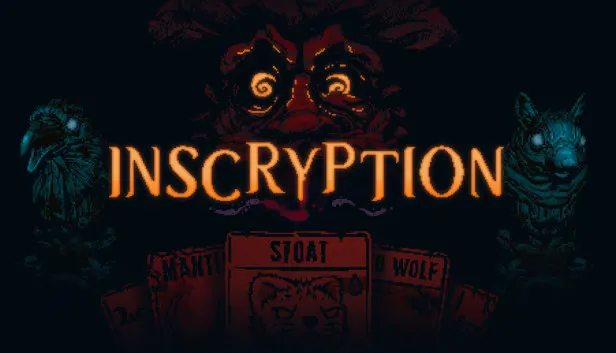
Inscryption
How to redeem the key
- 1Open Steam and sign in to your account.
- 2In the top menu choose “Games” → “Activate a Product on Steam…”.
- 3Enter the code you received and confirm the activation.
- 4Once activated, the game appears in your library — download it and play.
Before buying, make sure the country of your account is supported by the key region.
Details and languages
- Developer
- Daniel Mullins Games
- Publisher
- Devolver Digital
- Release date
- 19 Oct 2021
- Genres
- Adventure, Indie, Strategy
- Russian language
- Yes, interface and subtitles
- Steam App ID
- 1092790
Voice-over
Interface and subtitles
- Russian
- English
- Spanish
- French
- German
- Italian
- Turkish
- Japanese
- Korean
- Simplified Chinese
- Traditional Chinese
- Portuguese (Brazil)
No information about supported languages.
Languages are listed as reported by Steam. Please check them before buying: a key cannot be refunded once activated.
Before you buy Inscryption
- Game modes
- Single-player only.
- Scores
- 134,795 reviews on Steam.
- System
- Windows, macOS and Linux.
About the game
A dark card-based adventure from the creator of Pony Island and The Hex, it mixes deckbuilding roguelike elements, escape-room style puzzles and psychological horror. A deck of woodland creature cards is assembled through drafting, surgery and self mutilation, and the action centres on Leshy's cabin. Secrets lurk behind its walls, while the cards themselves carry inscriptions whose meaning is darker still. The journey is a single-player one and leads into unexpected and deeply disturbing territory.
Description from Steam
From the creator of Pony Island and The Hex comes the latest mind-melting, self-destructing love letter to video games. Inscryption is an inky black card-based odyssey that blends the deckbuilding roguelike, escape-room style puzzles, and psychological horror into a blood-laced smoothie. Darker still are the secrets inscribed upon the cards...
In Inscryption you will...
- Acquire a deck of woodland creature cards by draft, surgery, and self mutilation
- Unlock the secrets lurking behind the walls of Leshy's cabin
- Embark on an unexpected and deeply disturbing odyssey
System requirements
WindowsQuestions and answers
Does Inscryption have Russian language support?
Interface and subtitles: Russian, English, Spanish, French, German, Italian, Turkish, Japanese, Korean, Simplified Chinese, Traditional Chinese, Portuguese (Brazil).
Which regions does the key activate in?
The key activates with no regional restrictions — in any country, on a Steam account from any region. Once activated, the game stays on your account for good.
How soon does the code arrive after payment?
Keys are issued automatically, around the clock: the code appears on the order page within 2–3 minutes.
What to do if the key does not activate?
First check your Steam account region: the key activates in the countries of its own region, and a mismatch is the most common reason activation fails. If the region is right, open “Orders” in the site header, pick the order and write in the chat — you can attach a screenshot of the error, and an operator will help you.
Completed orders only
Customer reviews
There are no reviews of Inscryption yet. The store has 35 reviews of completed orders, 21 of them about Steam products.
Read reviewsSteam · PC
Similar games







Countries where the key activates
Key region: —