


Home · Steam games · Jurassic World Evolution 3 · Deluxe Edition
Steam·gift
Jurassic World Evolution 3: Deluxe Edition
How to receive the gift
- 1Pay for the order and enter a link to your Steam profile on the delivery page (steamcommunity.com/id/… or steamcommunity.com/profiles/…).
- 2The bot will send the gift to this account.
- 3Accept the gift in Steam (a notification arrives in the client and by e-mail) — the game will appear in your library.
The gift region must match your Steam account region — otherwise the gift cannot be accepted.
Details and languages
- Developer
- Frontier Developments
- Publisher
- Frontier Developments
- Release date
- 21 Oct 2025
- Genres
- Simulation, Strategy
- Russian language
- No
- Steam App ID
- 2958130
Voice-over
- English
- Spanish
- French
- German
- Japanese
- Simplified Chinese
- Spanish (Latin America)
- Portuguese (Brazil)
Interface and subtitles
- English
- Spanish
- French
- German
- Italian
- Polish
- Japanese
- Korean
- Simplified Chinese
- Spanish (Latin America)
- Traditional Chinese
- Portuguese (Brazil)
No information about supported languages.
Languages are listed according to Steam data. Check them before buying: no refund is possible once the game has been sent.
Before you buy Jurassic World Evolution 3: Deluxe Edition
- Game modes
- Single-player only.
- Gamepad
- Full support.
- Scores
- 11,334 reviews on Steam.
- Age rating
- 16+
About the game
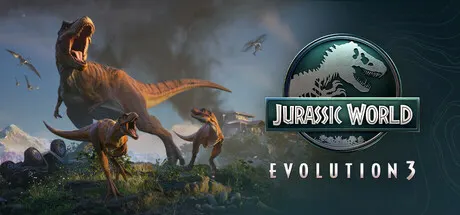
Jurassic World Evolution 3 is a park management simulation focused on breeding prehistoric species and building attractions. The game features a non-linear campaign set across a world map that includes locations such as the Montana Badlands and new ones like Japan. It offers over 85 prehistoric species, 75 of which can breed and be nurtured across multiple generations, with distinct male, female, and juvenile variants. Players create enclosures tailored to each species' needs, observe new behaviours such as semi-aquatic dinosaurs entering deep water and pterosaurs walking on land, and introduce attractions like the Balloon Tour, Dinosaur Encounter, and Cretaceous Cruise. The updated entry in the series adds new creative tools, including terrain editing, modular scenery customisation, and an Island Generator, plus the Frontier Workshop for sharing community creations. Park management involves balancing reputation with three influential industry sectors and client demands, while security cameras and a maintenance team help contain incidents and manage chaos.
Description from Steam
The next entry in the award-winning series, Jurassic World Evolution 3 puts you in control of building and running your very own Jurassic World.
Help life find a way by synthesising, breeding, and nurturing prehistoric species. Manage each species and allow them to thrive, while helping your dinosaurs raise families and pass their genes onto future generations.
Create incredible havens for your dinosaurs to help them flourish, build exciting new attractions to amaze guests, and maintain control when disaster inevitably strikes.
With over 85 awe-inspiring pre-historic species, 75 of which allow you to manage, breed and nurture families of dinosaurs across entire generations. Rear them from playful juveniles into awe-inspiring adults, each with distinct female, male, and juvenile variants.
Park guests will marvel as these majestic creatures socialise and react to the vibrant world around them.
Manage unique social needs and observe brand new behaviours, with semi-aquatic dinosaurs venturing into deep water and pterosaurs walking on land.
Create jaw-dropping parks with new creative tools never before seen in the Jurassic World Evolution series! From groundbreaking terrain editing to modular scenery customisation – build and tweak every aspect of your park from the ground up or, generate a custom map which is unique every time with the Island Generator. The choice is in your hands!
Build your sites with naturalistic enclosures using steep slopes and scenery, introduce stunning new attractions such as the Balloon Tour, a close-up attraction that let guests see and touch prehistoric animals with the Dinosaur Encounter or the iconic Cretaceous Cruise where guests can view dinosaurs from a new watery perspective!
Create, upload and share cross-platform community creations using the Frontier Workshop. Browse the very best creations from the community, place them in your own game or craft your own custom parks, buildings and enclosures before sharing for other players to use.
Join familiar faces from the Jurassic franchise, including Dr. Ian Malcolm (voiced by Jeff Goldblum) and embark on a non-linear campaign across a sprawling world map filled with iconic locations such as the Montana Badlands, and new locations such as Japan—each offering thrilling new challenges. Every decision will test your park management skills as you balance competing human interests with the delicate integration of dinosaurs into a modern world.
You’ll need to juggle your reputation with three influential industry sectors and the unique demands of an array of site-owning clients. But be warned: not everyone wants to see the dinosaurs thrive.
Set your site up to run as efficiently as possible with powerful and accessible park management tools provide control over your park’s operations.
But chaos is the only certainty, so prepare for disaster using new security cameras that will help automate the response to escaped dinosaurs and deploy your Maintenance team to keep threats contained by delivering critical repairs across the site.
System requirements
WindowsRequires a 64-bit processor and operating system
Questions and answers
Does Jurassic World Evolution 3: Deluxe Edition have Russian language support?
Voice-over: English, Spanish, French, German, Japanese, Simplified Chinese, Spanish (Latin America), Portuguese (Brazil). Interface and subtitles: English, Spanish, French, German, Italian, Polish, Japanese, Korean, Simplified Chinese, Spanish (Latin America), Traditional Chinese, Portuguese (Brazil).
What is a Steam gift and how is it different from a key?
A gift is a present our bot sends straight to your Steam account via your profile link: no code to enter, the game appears in your library once you accept the gift. A key is an activation code you enter yourself in the Steam client.
Which gift region should I choose?
The one your Steam account is registered in: Steam will not accept a gift from another region. The region is shown in your Steam account settings under "Store country". "CIS countries" means Belarus, Armenia, Georgia and other CIS countries.
How will I receive the gift?
After payment you enter a link to your Steam profile and the bot sends the gift straight to the account — you only need to accept it in Steam. It usually takes 2–5 minutes, around the clock.
What if the account already has this game?
Steam will not let you accept a gift of a game already in your library — check the library before buying. If it happens, write in the order chat: we will refund you.
Completed orders only
Customer reviews
There are no reviews of Jurassic World Evolution 3 yet. The store has 35 reviews of completed orders, 21 of them about Steam products.
Read reviewsSteam · PC
Similar games










Countries where the key activates
Key region: —