
Home · Steam games · Construction Simulator
Construction Simulator
How to redeem the key
- Open Steam and sign in to your account.
- In the top menu choose “Games” → “Activate a Product on Steam…”.
- Enter the code you received and confirm the activation.
- Once activated, the game appears in your library — download it and play.
Before buying, make sure the country of your account is supported by the key region.
How to receive the gift
- Pay for the order and enter a link to your Steam profile on the delivery page (steamcommunity.com/id/… or steamcommunity.com/profiles/…).
- The bot will send the gift to this account.
- Accept the gift in Steam (a notification arrives in the client and by e-mail) — the game will appear in your library.
The gift region must match your Steam account region — otherwise the gift cannot be accepted.
- Developer
- weltenbauer. Software Entwicklung GmbH
- Publisher
- astragon Entertainment
- Release date
- 20 Sep, 2022
- Genres
- Casual, Simulation
- Russian language
- Yes, interface and subtitles
- Steam App ID
- 1273400
Game languages
- English
- German
- Китайский (упр.)
- Russian
- English
- Spanish
- French
- German
- Portuguese
- Italian
- Polish
- Turkish
- Japanese
- Korean
- Китайский (упр.)
- Испанский (Латинская Америка)
- Китайский (трад.)
- Dutch
- Portuguese (Brazil)
Languages are listed as reported by Steam. Please check them before buying: a key cannot be refunded once activated.
Languages are listed according to Steam data. Check them before buying: no refund is possible once the game has been sent.
About the game
----------------------------------------------------------
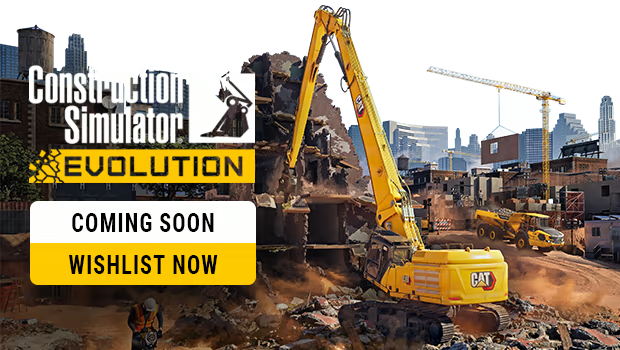
Construction Simulator has returned – larger and more impressive than ever! Fulfil your ambition to become a successful construction entrepreneur by establishing your business from scratch, assisted by your mentor Hape. Tackle intriguing projects of different sizes and requirements that help you increase your income, so that you're able to add even more powerful machinery to your vehicle fleet. Along the way, diverse clients will test your abilities as you navigate challenges, making every task a test of your skill set. Get ready to showcase your process as you tackle a variety of construction challenges in this dynamic and engaging adventure!
Start your business on two individual maps inspired by landscapes in the USA and Germany. Each of them offers its own campaign that helps you climb the ladder of success. Friedenberg is based on picturesque cities of Southwest Germany, and features enchanting rolling hills and scenic riversides. Here, your objective is to contribute to the design of renewable energy solutions and enhance the local urban infrastructure throughout the campaign. Beyond these significant undertakings, you'll encounter diverse tasks that allow you to put every piece of equipment you earn to the test. Sunny Haven, on the other hand, is a truly American-style harbor city that you have to revitalize to put its tourism industry back on track. Altogether, more than 90 exciting contracts are waiting to be completed on both maps, so you can be sure you'll always come across something new to explore!
Dive back into the construction scene with a vehicle fleet that will leave you awestruck by its sheer size! Take your pick from a selection of over 80 machines from official licensing partners, all of which are faithful virtual recreations of their real-life counterparts. Look forward to a colorful mixture of vehicles from previous installments of the beloved franchise, as well as completely new additions to the game. The same goes for the manufacturers behind them: In addition to the well-known Construction Simulator partners Atlas, BELL, Bobcat, Bomag, CASE, Caterpillar©, Kenworth, Liebherr, MAN, Mack Trucks, Meiller-Kipper, Palfinger, Still, and the Wirtgen Group, you now have the opportunity to put machines by Benninghoven of the Wirtgen Group, CIFA, DAF, Doosan, Nooteboom, Scania, Schwing Stetter, and Wacker Neuson to use. Plus, while creating your character, you can choose an outfit featuring officially licensed personal protection equipment from our new partner Engelbert Strauss.
You think that's everything? Far from it: The updates Construction Simulator has been provided with since its release not only contain patches, but free extra content too. Several new machines have found their way into the game, including the innovative wheel excavator EW100 by Wacker Neuson and a practical service vehicle for refueling and repairing. In addition, the Wacker Neuson EW100 and Wacker Neuson ET145 allow you to choose from a selection of different buckets to quickly adapt to surprising challenges on the construction site. Thanks to crossplay among PC and consoles including voice chat capabilities you can play with your friends regardless of the chosen platform. New tools and features in the form of enhanced terrain reworks, increased vehicle hall capacity, and a handy flashlight are also part of the updates. And since we don't want you to get bored by taking on the same jobs over and over again, an entirely new tourist area as well as various seasonal contracts have been added on top.
All in all, with the initial base game and its updates, Construction Simulator now offers you more than 100 contracts, over 90 machines, and, consequently, almost endless construction fun, which you can experience together with up to three friends in the multiplayer mode. Sounds good, doesn't it? Then what are you waiting for? GET TO WORK!
System requirements
WindowsRequires a 64-bit processor and operating system
Common questions
Does Construction Simulator have Russian language support?
Voice-over: English, German, Китайский (упр.). Interface and subtitles: Russian, English, Spanish, French, German, Portuguese, Italian, Polish, Turkish, Japanese, Korean, Китайский (упр.), Испанский (Латинская Америка), Китайский (трад.), Dutch, Portuguese (Brazil).
Which regions does the key activate in?
The key activates with no regional restrictions — in any country, on a Steam account from any region. Once activated, the game stays on your account for good.
How soon does the code arrive after payment?
Keys are issued automatically, around the clock: the code appears on the order page within 2–3 minutes.
What to do if the key does not activate?
First check your Steam account region: the key activates in the countries of its own region, and a mismatch is the most common reason activation fails. If the region is right, open “Orders” in the site header, pick the order and write in the chat — you can attach a screenshot of the error, and an operator replies.
What is a Steam gift and how is it different from a key?
A gift is a present our bot sends straight to your Steam account via your profile link: no code to enter, the game appears in your library once you accept the gift. A key is an activation code you enter yourself in the Steam client. You choose the format on the purchase panel.
Which gift region should I choose?
The one your Steam account is registered in: Steam will not accept a gift from another region. The region is shown in your Steam account settings under "Store country". "CIS countries" means Belarus, Armenia, Georgia and other CIS countries.
How will I receive the gift?
After payment you enter a link to your Steam profile and the bot sends the gift straight to the account — you only need to accept it in Steam. It usually takes 2–5 minutes, around the clock.
What if the account already has this game?
Steam will not let you accept a gift of a game already in your library — check the library before buying. If it happens, write in the order chat: we will refund you.
Countries where the key activates
Key region: —
Similar items
 RU
RU
 RU
RU
 RU
RU
 RU
RU
 RU
RU
 RU
RU
 RU
RU
 RU
RU
 RU
RU
 RURU
RURU
 RU
RU
 RU
RU

 −84%
RU
−84%
RU
 RU
RU