


Home · Steam games · Final Fantasy III (3D Remake)
Steam·activation key
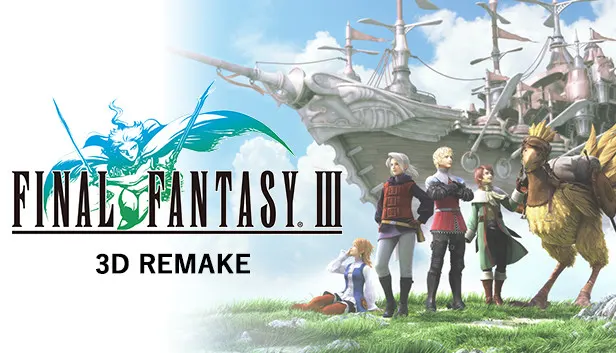
Final Fantasy III (3D Remake)
How to redeem the key
- 1Open Steam and sign in to your account.
- 2In the top menu choose “Games” → “Activate a Product on Steam…”.
- 3Enter the code you received and confirm the activation.
- 4Once activated, the game appears in your library — download it and play.
Before buying, make sure the country of your account is supported by the key region.
Details and languages
- Developer
- Square Enix
- Publisher
- Square Enix
- Release date
- 27 May 2014
- Genres
- RPG
- Russian language
- No
- Steam App ID
- 239120
Voice-over
Interface and subtitles
- English
- Spanish
- French
- German
- Italian
- Japanese
- Korean
- Simplified Chinese
- Traditional Chinese
- Thai
No information about supported languages.
Languages are listed as reported by Steam. Please check them before buying: a key cannot be refunded once activated.
Before you buy Final Fantasy III (3D Remake)
- Which key
- The “Global” region key: 500 ₽, can be activated in Russia.
- Game modes
- Single-player only.
- Gamepad
- Partial support.
- Scores
- 3,009 reviews on Steam.
- Age rating
- 12+
About the game
Crystals choose four youths to save a world that has lost its light. The PC edition of Final Fantasy III is an updated release with 3D visuals and story sequences, and its graphics were upgraded for the platform. The visual designs of the Job Mastery Cards were also revised, and Steam Trading Cards and Achievements are included. A quick browse of the monster bestiary and other game records is available, and play is single-player only.
Description from Steam
When darkness falls and the land is robbed of light, four youths are chosen by the crystals to set forth on a journey to save the world. Experience FINAL FANTASY III on PC, featuring stunning 3D visuals and story sequences, plus Steam Trading Cards and Achievements.
KEY FEATURES:
- 3D visuals and story sequences
- Quick browsing through the monster bestiary and other game records
- Updated visual designs for the Job Mastery Cards
- Upgraded graphics for PC
- Includes Steam Trading Cards & Achievements
System requirements
WindowsQuestions and answers
Does Final Fantasy III (3D Remake) have Russian language support?
Interface and subtitles: English, Spanish, French, German, Italian, Japanese, Korean, Simplified Chinese, Traditional Chinese, Thai.
Which regions does the key activate in?
The key activates with no regional restrictions — in any country, on a Steam account from any region. Once activated, the game stays on your account for good.
How soon does the code arrive after payment?
Keys are issued automatically, around the clock: the code appears on the order page within 2–3 minutes.
What to do if the key does not activate?
First check your Steam account region: the key activates in the countries of its own region, and a mismatch is the most common reason activation fails. If the region is right, open “Orders” in the site header, pick the order and write in the chat — you can attach a screenshot of the error, and an operator will help you.
Completed orders only
Customer reviews
There are no reviews of Final Fantasy III (3D Remake) yet. The store has 35 reviews of completed orders, 21 of them about Steam products.
Read reviewsSteam · PC
Similar games








Countries where the key activates
Key region: —