


Home · Steam games · FINAL FANTASY VII
Steam·activation key
FINAL FANTASY VII
How to redeem the key
- 1Open Steam and sign in to your account.
- 2In the top menu choose “Games” → “Activate a Product on Steam…”.
- 3Enter the code you received and confirm the activation.
- 4Once activated, the game appears in your library — download it and play.
Before buying, make sure the country of your account is supported by the key region.
Details and languages
- Developer
- Square Enix, FINE Co., Ltd.
- Publisher
- Square Enix
- Release date
- 24 Jul 2013
- Genres
- RPG
- Russian language
- No
- Steam App ID
- 3837340
Voice-over
Interface and subtitles
- English
- Spanish
- French
- German
- Japanese
No information about supported languages.
Languages are listed as reported by Steam. Please check them before buying: a key cannot be refunded once activated.
Before you buy FINAL FANTASY VII
- Which key
- The “Global” region key: 500 ₽, can be activated in Russia.
- Game modes
- Single-player only.
- Gamepad
- Full support, including DualShock.
- Scores
- 1,421 reviews on Steam.
- Age rating
- 12+
About the game
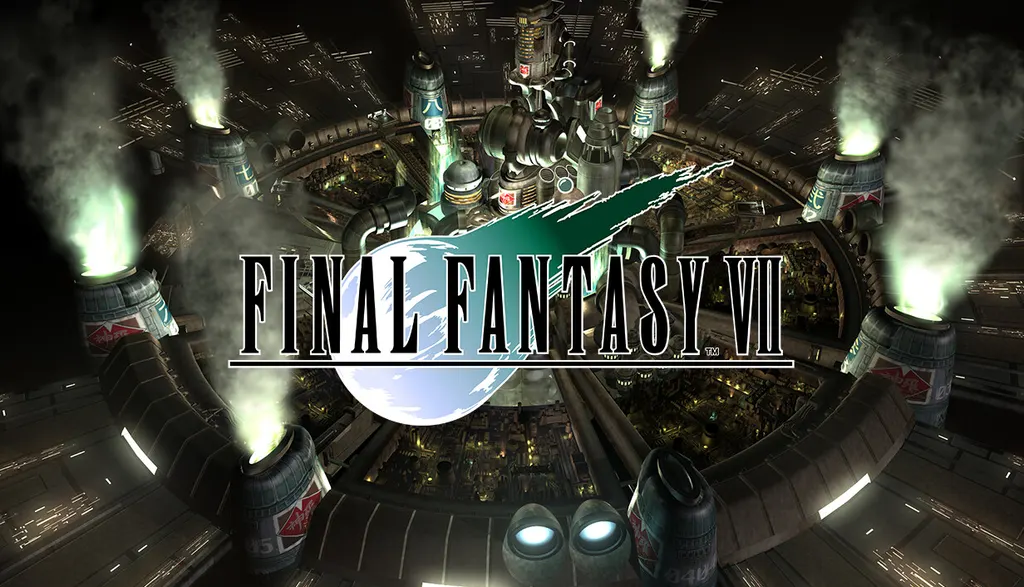
The setting of FINAL FANTASY VII is Midgar, a city in a world where the Shinra Electric Power Company controls Mako, the planet's life force. A rebel organization known as Avalanche resists the company, and the mercenary Cloud Strife, once a member of Shinra's elite SOLDIER unit, offers it his support; he does not yet know that he will take part in deciding the planet's fate and will have to face his own forgotten past. This release is an upgraded version of the 2013 edition: the story remains unchanged and unexpanded, while new functions have been added. They include playing at up to three times the speed in battle, travel and select events, switching off random encounters while required story battles remain, a battle enhancement mode that restores HP and MP and fills the Limit gauge, and autosave. Only single-player play is available.
Description from Steam

The world has fallen under the dominion of the Shinra Electric Power Company, a sinister corporation that has monopolized the planet's very life force as Mako energy. In the urban megalopolis of Midgar, an anti-Shinra rebel group calling themselves Avalanche have stepped up their campaign of resistance.
Cloud Strife, a former member of Shinra's elite SOLDIER unit now turned mercenary, lends his aid to the rebels, unaware that he will be drawn into an epic battle for the fate of the planet, while having to come to terms with his own lost past.
This product is an upgraded version of FINAL FANTASY VII – 2013 Edition with additional features (there are no changes or additions to the story).

The following extra features are included:
◆ 3× speed mode
- Play through the game at up to three times the speed! This feature can only be used in battle, travel, and select events.
◆ Ability to turn battle encounters off
- Activate this option to turn off random encounters. Story event battle still must be completed to advance the story.
◆ Battle enhancement mode
- Activate this mode to recover HP/MP during battles and max out the Limit gauge.
◆ Autosave feature
System requirements
WindowsQuestions and answers
Does FINAL FANTASY VII have Russian language support?
Interface and subtitles: English, Spanish, French, German, Japanese.
Which regions does the key activate in?
The key activates with no regional restrictions — in any country, on a Steam account from any region. Once activated, the game stays on your account for good.
How soon does the code arrive after payment?
Keys are issued automatically, around the clock: the code appears on the order page within 2–3 minutes.
What to do if the key does not activate?
First check your Steam account region: the key activates in the countries of its own region, and a mismatch is the most common reason activation fails. If the region is right, open “Orders” in the site header, pick the order and write in the chat — you can attach a screenshot of the error, and an operator will help you.
Completed orders only
Customer reviews
There are no reviews of FINAL FANTASY VII yet. The store has 35 reviews of completed orders, 21 of them about Steam products.
Read reviewsSteam · PC
Similar games


Countries where the key activates
Key region: —