


Home · Steam games · Grand Ages: Rome
Steam·gift
Grand Ages: Rome
How to receive the gift
- 1Pay for the order and enter a link to your Steam profile on the delivery page (steamcommunity.com/id/… or steamcommunity.com/profiles/…).
- 2The bot will send the gift to this account.
- 3Accept the gift in Steam (a notification arrives in the client and by e-mail) — the game will appear in your library.
The gift region must match your Steam account region — otherwise the gift cannot be accepted.
Details and languages
- Developer
- Haemimont Games
- Publisher
- Kalypso Media Digital
- Release date
- 5 Mar 2009
- Genres
- Simulation, Strategy
- Russian language
- No
- Steam App ID
- 23450
Voice-over
Interface and subtitles
- English
- French
- German
No information about supported languages.
Languages are listed according to Steam data. Check them before buying: no refund is possible once the game has been sent.
Before you buy Grand Ages: Rome
- Game modes
- Single-player only.
- Scores
- 617 reviews on Steam.
- Age rating
- 7+
About the game
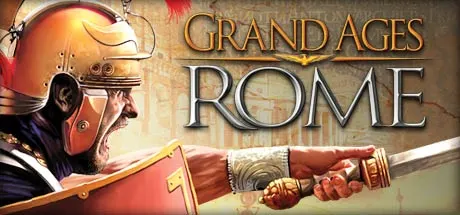
Grand Ages: Rome is the follow-up to the strategy game Imperium Romanum and takes place in antiquity. The player governs a province as a governor and chooses one of five noble families, such as the Julii, each with different abilities for completing missions. The single-player campaign is non-linear and consists of 40 missions, while character development follows the timeline of history. Play involves defending against barbarian tribes, trading with other cultures, building an economy and meeting the needs of the people. The economic system is multilevelled and includes sea trade, battles follow an RTS-like system with research and 18 warfare abilities for units, and naval warfare and island colonization unfold across large historical locations such as Cyrene, Lugdunum and Rome.
Description from Steam
is the sequel to the best-selling strategy game Imperium Romanum.
As Governor of a Roman Province in the time-honoured Roman Empire, its fortune very much lies in your hands. Choose one of five Roman noble families such as Caesar’s Julii with different abilities to accomplish the comprehensive missions. Defend yourself against barbarian tribes, trade with other cultures, build a wealthy economic environment and fullfil the needs of your people in a huge single player campaign!
- Non-linear single player campaign with 40 missions.
- Enhanced, multilevelled economic system and sea trade.
- RTS-like battle system and comprehensive research opportunities.
- 18 different warfare abilities for your units (like Praetorians, War Elephants, Triarii, etc.).
- Lively huge historical locations like Cyrene, Lugdunum or Rome.
- Character development system leads through timeline of history.
- Naval warfare and colonization of islands.
System requirements
WindowsQuestions and answers
Does Grand Ages: Rome have Russian language support?
Interface and subtitles: English, French, German.
What is a Steam gift and how is it different from a key?
A gift is a present our bot sends straight to your Steam account via your profile link: no code to enter, the game appears in your library once you accept the gift. A key is an activation code you enter yourself in the Steam client.
Which gift region should I choose?
The one your Steam account is registered in: Steam will not accept a gift from another region. The region is shown in your Steam account settings under "Store country". "CIS countries" means Belarus, Armenia, Georgia and other CIS countries.
How will I receive the gift?
After payment you enter a link to your Steam profile and the bot sends the gift straight to the account — you only need to accept it in Steam. It usually takes 2–5 minutes, around the clock.
What if the account already has this game?
Steam will not let you accept a gift of a game already in your library — check the library before buying. If it happens, write in the order chat: we will refund you.
Completed orders only
Customer reviews
There are no reviews of Grand Ages: Rome yet. The store has 35 reviews of completed orders, 21 of them about Steam products.
Read reviewsSteam · PC
Similar games



Countries where the key activates
Key region: —