


Home · Steam games · Guild Wars Reforged
Steam·activation key
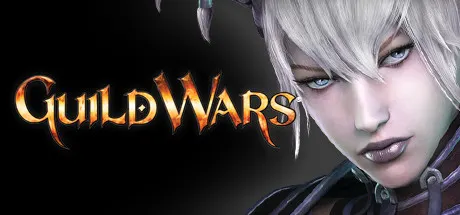
Guild Wars Reforged
How to redeem the key
- 1Open Steam and sign in to your account.
- 2In the top menu choose “Games” → “Activate a Product on Steam…”.
- 3Enter the code you received and confirm the activation.
- 4Once activated, the game appears in your library — download it and play.
Before buying, make sure the country of your account is supported by the key region.
Details and languages
- Developer
- ArenaNet®
- Publisher
- ArenaNet®, NCSOFT
- Release date
- 3 Dec 2025
- Genres
- Action, Adventure, Massively Multiplayer, RPG
- Russian language
- Yes, interface and subtitles
- Steam App ID
- 29720
Voice-over
- English
- Spanish
- French
- German
- Italian
- Korean
Interface and subtitles
- Russian
- English
- Spanish
- French
- German
- Italian
- Polish
- Japanese
- Korean
No information about supported languages.
Languages are listed as reported by Steam. Please check them before buying: a key cannot be refunded once activated.
Before you buy Guild Wars Reforged
- Which key
- The “Global” region key: 1 210 ₽, can be activated in Russia.
- Game modes
- Single-player, co-op online, PvP online, MMO.
- Gamepad
- Full support.
- In-game purchases
- Yes.
- Scores
- 3,244 reviews on Steam.
About the game
Guild Wars Reforged is a reworked MMO from ArenaNet set in the world of Tyria. Players receive three parallel campaigns, Prophecies, Factions and Nightfall, and move through clashes with Charr forces advancing on Ascalon, gang rivalries on the streets of Kaineng City and journeys over the Desolation on the back of a Junundu wurm. Character growth depends on picking professions and mixing armor sets, weapons and skills, while the pool of abilities expands as lands are explored and enemies defeated. Tactical fights allow teaming up with other players, forming a squad of NPC henchmen or hiring customizable heroes. Beyond the PvE campaign, there are matches against other players and a hard mode for maps and missions that opens up during playthrough. The reworked version revises selected elements, bundles all three campaigns and 8 character slots, each for a PvP-only or a PvE character, and needs no monthly fee.
Description from Steam
Experience the game that started a 20-year legacy! Guild Wars Reforged invites both returning heroes and brand-new adventurers to step into Tyriaʼs storied past—where every outpost leads to adventure, every mission tells a tale, and every sidekick has a name.
Welcome to Tyria
Stand with mighty heroes as you face Charr warbands sweeping across Ascalon, battle rival gangs in the streets of Kaineng City, and cross the sulfurous wastelands of the Desolation astride a Junundu wurm. Set events in motion that will shape the centuries to come.
Relive the groundbreaking magic of this legendary, narrative-driven fantasy adventure, or delve into its world for the very first time. From your first skill capture to your final piece of elite armor, every step of Guild Wars Reforged is an unforgettable journey.
An MMO classic, reforged for a new era
Join a community as enduring as the Mists themselves—full of veteran heroes eager to guide fresh recruits through missions, dungeons, and hard-mode challenges. Around every turn, thereʼs a new story to uncover, a new title to earn, and a new friend to share the road.
Choose your adventure: Incredible stories await across 3 massive parallel campaigns. Explore hundreds of quests, challenging missions, holiday event surprises, and more!
Choose your build: Craft unique builds from ten professions and personalize your gameplay by combining armor sets, weapons, and thousands of skills. As you adventure, explore new lands, and conquer new foes, your arsenal of abilities will grow.
Choose your allies: Party up with other players, create a team of reliable NPC henchmen, or recruit customizable heroes to join you in fun, tactical battles.
Choose your challenge: Test your team's mettle against other players in PVP—or complete a PvE campaign to challenge yourself with hard-mode versions of maps and missions.
Requires no monthly fee to play.
Includes:
- Access to all three full campaigns: Prophecies™, Factions™, and Nightfall™
- 8 character slots: Each character slot may be used to create either a PvP-only character or a PvE roleplaying character
System requirements
WindowsRequires a 64-bit processor and operating system
Questions and answers
Does Guild Wars Reforged have Russian language support?
Voice-over: English, Spanish, French, German, Italian, Korean. Interface and subtitles: Russian, English, Spanish, French, German, Italian, Polish, Japanese, Korean.
Which regions does the key activate in?
The key activates with no regional restrictions — in any country, on a Steam account from any region. Once activated, the game stays on your account for good.
How soon does the code arrive after payment?
Keys are issued automatically, around the clock: the code appears on the order page within 2–3 minutes.
What to do if the key does not activate?
First check your Steam account region: the key activates in the countries of its own region, and a mismatch is the most common reason activation fails. If the region is right, open “Orders” in the site header, pick the order and write in the chat — you can attach a screenshot of the error, and an operator will help you.
Completed orders only
Customer reviews
There are no reviews of Guild Wars Reforged yet. The store has 35 reviews of completed orders, 21 of them about Steam products.
Read reviewsSteam · PC
Similar games



Countries where the key activates
Key region: —