


Home · Steam games · WUCHANG: Fallen Feathers
Steam·activation key
WUCHANG: Fallen Feathers
How to redeem the key
- 1Open Steam and sign in to your account.
- 2In the top menu choose “Games” → “Activate a Product on Steam…”.
- 3Enter the code you received and confirm the activation.
- 4Once activated, the game appears in your library — download it and play.
Before buying, make sure the country of your account is supported by the key region.
Details and languages
- Developer
- Leenzee
- Publisher
- 505 Games
- Release date
- 23 Jul 2025
- Genres
- Action, Adventure, RPG
- Russian language
- Yes, interface and subtitles
- Steam App ID
- 2277560
Voice-over
- English
- Japanese
- Simplified Chinese
Interface and subtitles
- Russian
- English
- Spanish
- French
- German
- Italian
- Japanese
- Korean
- Simplified Chinese
- Traditional Chinese
- Portuguese (Brazil)
No information about supported languages.
Languages are listed as reported by Steam. Please check them before buying: a key cannot be refunded once activated.
Before you buy WUCHANG: Fallen Feathers
- Which key
- The “WUCHANG: Fallen Feathers” key, region “CIS”: 2 370 ₽, can be activated in Russia.
- Game modes
- Single-player only.
- Gamepad
- Full support, including DualSense.
- In-game purchases
- Yes.
- Scores
- 44,725 reviews on Steam.
- Age rating
- 16+
About the game
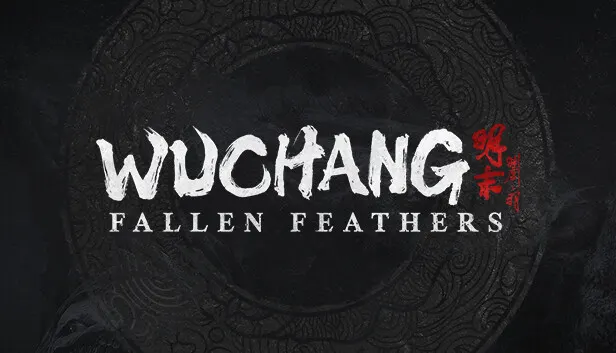
The protagonist of WUCHANG: Fallen Feathers is Wuchang, a skilled pirate warrior who has lost her memory and must survive the horrific Feathering disease while confronting her past. The story unfolds in the land of Shu during the late Ming Dynasty, a period of warring factions and a mysterious illness that spawns monstrous creatures. Gameplay revolves around exploring the depths of Shu, enhancing the arsenal and mastering skills harvested from fallen foes. The fighting style evolves through the sacrifice of elusive Red Mercury, and weapons can be augmented with powerful enchantments, supporting a personal approach to combat and strategy. Piecing together Wuchang's lost memories leads to one of several endings, shaped by the choices made, secrets unearthed and allies trusted. Only a single-player mode is available.
Description from Steam
WUCHANG: Fallen Feathers is a soulslike, action RPG set in the land of Shu during the dark and tumultuous late Ming Dynasty, plagued with warring factions and a mysterious illness spawning monstrous creatures.
Become Wuchang, a skilled pirate warrior struck by amnesia, who must navigate the uncertainties of her mysterious past while afflicted by the horrific Feathering disease. Explore the depths of Shu, enhancing your arsenal and mastering new skills harvested from fallen foes. Evolve your fighting style by sacrificing elusive Red Mercury and further develop new techniques obtained throughout your action-packed journey. Augment the weapons in your repertoire with powerful enchantments, allowing for a unique approach to combat and strategy that suits your personal style.
Battle against grotesque abominations, drawing on ancient lore to challenge the creeping darkness that threatens the humanity that remains. Your quest for truth will take you through forgotten temples, overgrown ruins, and shadowed paths fraught with peril. As you piece together Wuchang's lost memories, your choices will lead you to one of several endings—each determined by the choices made, secrets unearthed and the allies you choose to trust.
Immerse yourself in a rich storyline, dynamic combat system, and breathtaking visuals that offer an unforgettable adventure through lands veiled in chaos and death. Will you reveal the truths of Wuchang's curse and bring peace to Shu, or will you succumb to the encroaching horrors? The fate of the land rests in your hands.
System requirements
WindowsQuestions and answers
Does WUCHANG: Fallen Feathers have Russian language support?
Voice-over: English, Japanese, Simplified Chinese. Interface and subtitles: Russian, English, Spanish, French, German, Italian, Japanese, Korean, Simplified Chinese, Traditional Chinese, Portuguese (Brazil).
Which regions does the key activate in?
Pick the region that matches your Steam account region — otherwise the code may not activate. Activation countries by region:
CIS — Russia, Ukr. UA, Kazakhstan, Belarus, Armenia and 6 more countries.
Once activated, the game stays on your account for good.
How soon does the code arrive after payment?
Keys are issued automatically, around the clock: the code appears on the order page within 2–3 minutes.
What to do if the key does not activate?
First check your Steam account region: the key activates in the countries of its own region, and a mismatch is the most common reason activation fails. If the region is right, open “Orders” in the site header, pick the order and write in the chat — you can attach a screenshot of the error, and an operator will help you.
Completed orders only
Customer reviews
There are no reviews of WUCHANG: Fallen Feathers yet. The store has 35 reviews of completed orders, 21 of them about Steam products.
Read reviewsSteam · PC
Similar games


Countries where the key activates
Key region: —