


Home · Steam games · Outlast 2
Steam·activation key
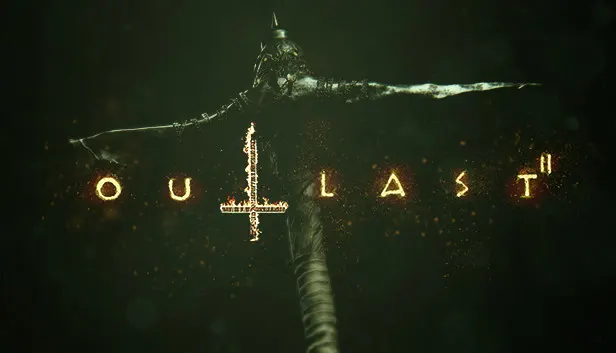
Outlast 2
How to redeem the key
- 1Open Steam and sign in to your account.
- 2In the top menu choose “Games” → “Activate a Product on Steam…”.
- 3Enter the code you received and confirm the activation.
- 4Once activated, the game appears in your library — download it and play.
Before buying, make sure the country of your account is supported by the key region.
Details and languages
- Developer
- Red Barrels
- Publisher
- Red Barrels
- Release date
- 24 Apr 2017
- Genres
- Action, Adventure, Indie
- Russian language
- Yes, interface and subtitles
- Steam App ID
- 414700
Voice-over
- English
- French
Interface and subtitles
- Russian
- English
- Spanish
- French
- German
- Italian
- Polish
- Japanese
- Simplified Chinese
- Portuguese (Brazil)
No information about supported languages.
Languages are listed as reported by Steam. Please check them before buying: once the key is activated, the order can't be cancelled.
Before you buy Outlast 2
- Which key
- The “Global” region key: 350 ₽, can be activated in Russia.
- Game modes
- Single-player only.
- Gamepad
- Full support.
- Scores
- 54,165 reviews on Steam.
About the game
The sequel keeps the universe of the original game while introducing new protagonists and a new location. Players take the role of Blake Langermann, a cameraman who investigates alongside his wife Lynn. A trail of clues opens with the killing of a pregnant woman identified only as Jane Doe and stretches far into the Arizona desert. Hidden from civilization, the town of Temple Gate was founded by Sullivan Knoth and his followers, who await the tribulations of the end of times. Only single-player mode is available.
System requirements
WindowsQuestions and answers
Does Outlast 2 have Russian language support?
Voice-over: English, French. Interface and subtitles: Russian, English, Spanish, French, German, Italian, Polish, Japanese, Simplified Chinese, Portuguese (Brazil).
Which regions does the key activate in?
The key activates with no regional restrictions — in any country, on a Steam account from any region. Once activated, the game stays on your account for good.
How soon does the code arrive after payment?
Keys are issued automatically, around the clock: the code appears on the order page within 2–3 minutes.
What to do if the key does not activate?
First check your Steam account region: the key activates in the countries of its own region, and a mismatch is the most common reason activation fails. If the region is right, open “Orders” in the site header, pick the order and write in the chat — you can attach a screenshot of the error, and an operator will help you.
Completed orders only
Customer reviews
There are no reviews of Outlast 2 yet. The store has 4069 reviews of completed orders, 216 of them about Steam products.
Read reviewsSteam · PC
Similar games


Countries where the key activates
Key region: —