


Home · Steam games · Overcooked! 2
Steam·activation key
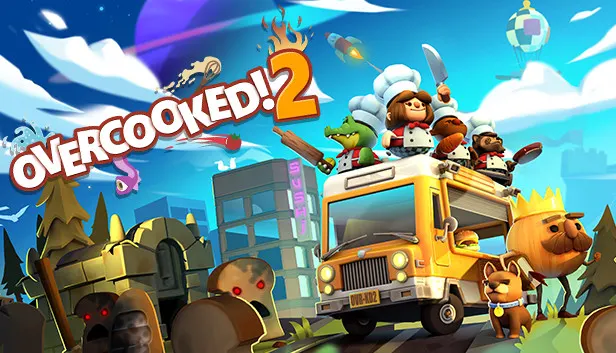
Overcooked! 2
How to redeem the key
- 1Open Steam and sign in to your account.
- 2In the top menu choose “Games” → “Activate a Product on Steam…”.
- 3Enter the code you received and confirm the activation.
- 4Once activated, the game appears in your library — download it and play.
Before buying, make sure the country of your account is supported by the key region.
Details and languages
- Developer
- Ghost Town Games Ltd., Team17
- Publisher
- Team17
- Release date
- 7 Aug 2018
- Genres
- Action, Casual, Indie
- Russian language
- Yes, interface and subtitles
- Steam App ID
- 728880
Voice-over
Interface and subtitles
- Russian
- English
- Spanish
- French
- German
- Italian
- Polish
- Japanese
- Korean
- Simplified Chinese
- Traditional Chinese
- Portuguese (Brazil)
No information about supported languages.
Languages are listed as reported by Steam. Please check them before buying: a key cannot be refunded once activated.
Before you buy Overcooked! 2
- Game modes
- Single-player, co-op online and on one screen, PvP online and on one screen.
- Gamepad
- Full support.
- Scores
- 61,849 reviews on Steam.
- System
- Windows, macOS and Linux.
About the game
Overcooked! 2 returns to the Onion Kingdom, where chefs must get back in the kitchen to deal with a new threat, The Unbread, after the Ever Peckish was defeated. The game supports single play as well as online and local multiplayer for up to four players, either cooperating or competing for the highest score. Play unfolds across a world map crossed by land, sea and air, with cooking set in new themes such as sushi restaurants, magic schools, mines and alien planets. Mechanics include preparing sushi, cakes, burgers and pizzas, using teleporters and moving platforms, and throwing ingredients across dynamic kitchens that shift and evolve. Some kitchens even take chefs to entirely new locations.
Description from Steam
Overcooked returns with a brand-new helping of chaotic cooking action! Journey back to the Onion Kingdom and assemble your team of chefs in classic couch co-op or online play for up to four players. Hold onto your aprons … it’s time to save the world (again!)
Out of the frying pan, into the fire…
You’ve saved the world from the Ever Peckish. Now a new threat has arisen and it’s time to get back in the kitchen to stave off the hunger of The Unbread!

ONLINE/LOCAL MULTIPLAYER MADNESS
You’ll knead to work together (or against each other) to get the highest score in chaotic local and online multiplayer.

FEAST YOUR EYES ON THIS
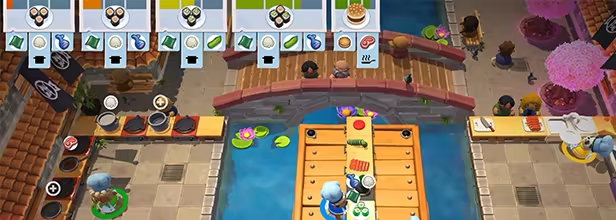
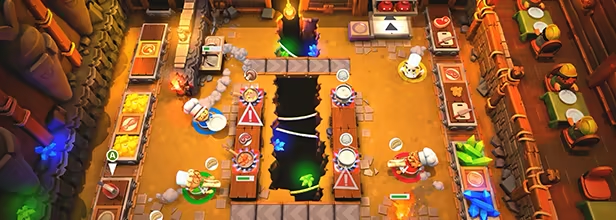
Journey across a brand new overworld map by land, sea and air. Get cooking in new themes ranging from sushi restaurants, magic schools, mines and even alien planets!

WHET YOUR APPETITE!
Travel the land cooking up a range of new recipes that are sure to cater to any tastes, including sushi, cakes, burgers and pizzas.
ROMAINE CALM!
Travel through teleporters, across moving platforms and save time by throwing ingredients across dynamic kitchens that shift and evolve. Some kitchens even whisk your chefs away to new locations.
System requirements
WindowsQuestions and answers
Does Overcooked! 2 have Russian language support?
Interface and subtitles: Russian, English, Spanish, French, German, Italian, Polish, Japanese, Korean, Simplified Chinese, Traditional Chinese, Portuguese (Brazil).
Which regions does the key activate in?
The key activates with no regional restrictions — in any country, on a Steam account from any region. Once activated, the game stays on your account for good.
How soon does the code arrive after payment?
Keys are issued automatically, around the clock: the code appears on the order page within 2–3 minutes.
What to do if the key does not activate?
First check your Steam account region: the key activates in the countries of its own region, and a mismatch is the most common reason activation fails. If the region is right, open “Orders” in the site header, pick the order and write in the chat — you can attach a screenshot of the error, and an operator will help you.
Completed orders only
Customer reviews
There are no reviews of Overcooked! 2 yet. The store has 35 reviews of completed orders, 21 of them about Steam products.
Read reviewsSteam · PC
Similar games












Countries where the key activates
Key region: —