


Home · Steam games · The Last of Us Part I
Steam·activation key
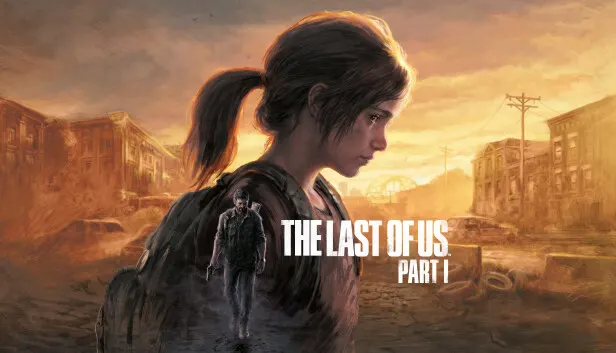
The Last of Us Part I
How to redeem the key
- 1Open Steam and sign in to your account.
- 2In the top menu choose “Games” → “Activate a Product on Steam…”.
- 3Enter the code you received and confirm the activation.
- 4Once activated, the game appears in your library — download it and play.
Before buying, make sure the country of your account is supported by the key region.
Details and languages
- Developer
- Naughty Dog LLC, Iron Galaxy Studios
- Publisher
- PlayStation Publishing LLC
- Release date
- 28 Mar 2023
- Genres
- Action, Adventure
- Russian language
- Yes, with voice-over
- Steam App ID
- 1888930
Voice-over
- Russian
- English
- Spanish
- French
- German
- Portuguese
- Italian
- Polish
- Turkish
- Japanese
- Greek
- Spanish (Latin America)
- Portuguese (Brazil)
Interface and subtitles
- Russian
- English
- Spanish
- French
- German
- Portuguese
- Italian
- Polish
- Turkish
- Japanese
- Korean
- Simplified Chinese
- Hungarian
- Greek
- Danish
- Spanish (Latin America)
- Traditional Chinese
- Dutch
- Norwegian
- Portuguese (Brazil)
- Thai
- Finnish
- Croatian
- Czech
- Swedish
No information about supported languages.
Languages are listed as reported by Steam. Please check them before buying: a key cannot be refunded once activated.
Before you buy The Last of Us Part I
- Which key
- For an account from Russia, this “The Last of Us Part I” key works: Rest of the world (4 890 ₽). The cheapest key is “CIS” at 2 850 ₽, but it cannot be activated in Russia.
- Game modes
- Single-player only.
- Gamepad
- Full support, including DualShock.
- Scores
- 65,027 reviews on Steam.
- Age rating
- 18+
About the game
The PC edition of The Last of Us Part I combines the full single-player story of The Last of Us with Left Behind, a prequel chapter covering the events that forever changed the lives of Ellie and her friend Riley. The narrative centers on Joel, a weary protagonist tasked with smuggling 14-year-old Ellie out of a military quarantine zone, a job that grows into a harsh journey across a country where civilization has collapsed and infected and hardened survivors are everywhere. Play involves moving stealthily through abandoned homes and cities, searching drawers and cabinets for supplies, and fighting, with 3D audio helping to catch an ambush through rustling leaves, cracking glass, or enemy footsteps. The computer release reworks the technical side: image smoothing arrives through AMD FSR 2.2 and Nvidia DLSS Super Resolution, frame synchronization comes with a frequency cap, texture, shadow, reflection, and ambient occlusion quality can be adjusted, and 4K resolution plus ultrawide modes for 21:9 and 32:9 aspect ratios are supported. It also introduces wired DualSense support with haptic feedback and dynamic triggers, full control remapping, primary and secondary bindings, and an adaptive mode that lets keyboard and controller inputs be used together.
Description from Steam
Experience the emotional storytelling and unforgettable characters in The Last of Us™, winner of over 200 Game of the Year awards.
In a ravaged civilization, where infected and hardened survivors run rampant, Joel, a weary protagonist, is hired to smuggle 14-year-old Ellie out of a military quarantine zone. However, what starts as a small job soon transforms into a brutal cross-country journey.
Includes the complete The Last of Us single-player story and celebrated prequel chapter, Left Behind, which explores the events that changed the lives of Ellie and her best friend Riley forever.
Built for PC
The Last of Us Part I PC release brings with it plenty of PC features to bring Joel and Ellie’s tense and unforgettable journey to life. This version of The Last of Us Part I is optimized for PC with PC-centric quality-of-life enhancements. Part I will feature AMD FSR 2.2 support*, Nvidia DLSS Super Resolution support*, VSync and frame rate cap options, and a host of features designed specifically for PC, including adjustable Texture Quality, Shadows, Reflections, Ambient Occlusion, and more.
Through the experiences of Joel and Ellie, PC players can fully immerse themselves in beautiful yet haunting environments in stunning detail with true 4K resolutions**. From the harsh, oppressive streets of the Boston QZ to the overgrown and abandoned homes of Bill’s Town to so much more, embark on a beautiful journey across the United States of America with Ultra-Wide Monitor Support for both 21:9 Ultrawide and 32:9 Super Ultrawide aspect ratios.
Experience all these locations, stealthily sneaking through abandoned homes and cities (and picking their drawers and cabinets clean looking for supplies) or engage in tense, captivating action with 3D audio support to better hear the rustle of leaves, the crack of glass, or the footfalls of enemies trying to ambush you***.
AMD Fidelity FX Super Resolution 2
Supercharge your framerates and fight for survival as Joel and Ellie with next-level temporal upscaling technology from AMD. FSR 2 uses cutting-edge algorithms to boost your framerates and deliver high-quality, high-resolution game experiences in The Last of Us Part I across a wide range of compatible graphics cards.
Peripheral Support
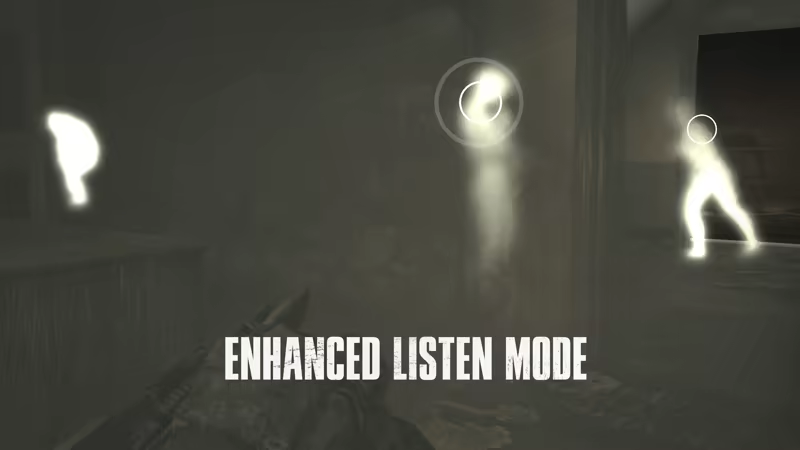
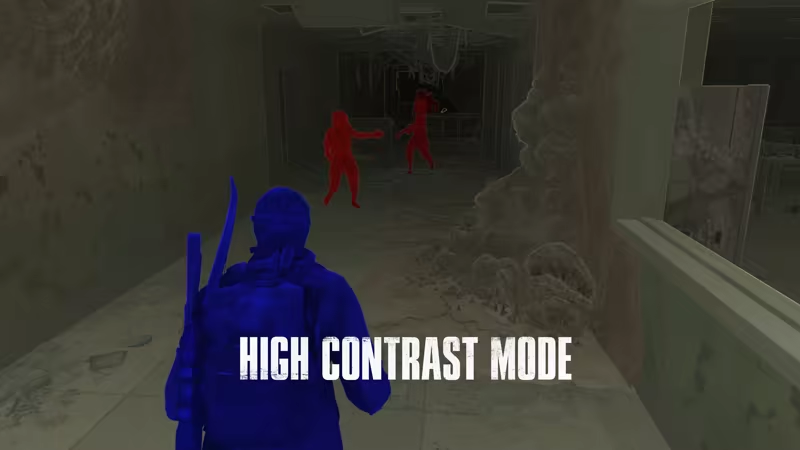
The Last of Us Part I on PC features DualSense support through a wired connection so players can feel the impact of battle, the rumble of a tank rolling by, and so much more through haptic feedback and dynamic triggers. With support for the DualShock 4 controller, a wide range of other gamepads, and keyboard and mouse, players can adjust their playstyle to suit their preferences. The PC release includes a number of new control customization options including full control remapping, primary and secondary bindings for keyboard and mouse control, an adaptive mode that allows players to combine keyboard and controller inputs, and more. Part I’s PC launch will also include The Last of Us Part I’s suite of accessibility features so that players can adjust the experience to suit their needs and preferences.
* Compatible PC and graphics card required for enhanced graphics.
** Compatible PC, graphics card, and 4K display device required.
*** 3D Audio requires stereo headphones or compatible speakers.
System requirements
WindowsRequires a 64-bit processor and operating system
Questions and answers
Does The Last of Us Part I have Russian language support?
Voice-over: Russian, English, Spanish, French, German, Portuguese, Italian, Polish, Turkish, Japanese, Greek, Spanish (Latin America), Portuguese (Brazil). Interface and subtitles: Russian, English, Spanish, French, German, Portuguese, Italian, Polish, Turkish, Japanese, Korean, Simplified Chinese, Hungarian, Greek, Danish, Spanish (Latin America), Traditional Chinese, Dutch, Norwegian, Portuguese (Brazil), Thai, Finnish, Croatian, Czech, Swedish.
Which regions does the key activate in?
Pick the region that matches your Steam account region — otherwise the code may not activate. Activation countries by region:
CIS — Ukr. UA, Kazakhstan, Belarus, Armenia, Azerbaijan and 5 more countries;
Rest of the world — Russia, Ukr. UA, Åland Islands, American Samoa, Andorra and 116 more countries.
Once activated, the game stays on your account for good.
How soon does the code arrive after payment?
Keys are issued automatically, around the clock: the code appears on the order page within 2–3 minutes.
What to do if the key does not activate?
First check your Steam account region: the key activates in the countries of its own region, and a mismatch is the most common reason activation fails. If the region is right, open “Orders” in the site header, pick the order and write in the chat — you can attach a screenshot of the error, and an operator will help you.
Completed orders only
Customer reviews
There are no reviews of The Last of Us Part I yet. The store has 35 reviews of completed orders, 21 of them about Steam products.
Read reviewsSteam · PC
Similar games











Countries where the key activates
Key region: —