Guest9 Sep 2026
Standard Edition
all right
Translated from Russian
Enter the email you used at checkout — we will show your orders and open a chat with support.
We have sent a code to . Enter it to open your orders. You only need the code once — after that this browser will recognize you on its own. The letter only goes to the email the order was placed with.
Home · Steam games · DOOM Eternal
Steam·activation key
Before buying, make sure the country of your account is supported by the key region.
Voice-over
Interface and subtitles
No information about supported languages.
Languages are listed as reported by Steam. Please check them before buying: a key cannot be refunded once activated.
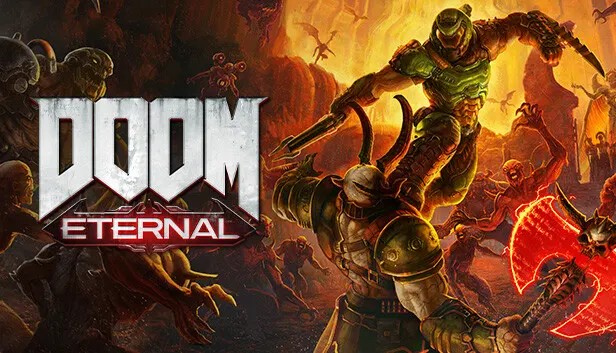
DOOM Eternal sends the Slayer to fight demons across dimensions after Hell's armies invade Earth, with the goal of preventing humanity's final destruction. The campaign is single-player and played from a first-person view. The Slayer is faster, stronger and more versatile, using a shoulder-mounted flamethrower, a retractable wrist-mounted blade, upgraded guns and mods, and new abilities. Enemies supply his resources: glory kills restore health, incineration gives armor, and the chainsaw stocks up ammo. In the separate Battlemode, a fully armed Slayer faces two player-controlled demons, and the winner is decided over five rounds.
Description from Steam
Hell’s armies have invaded Earth. Become the Slayer in an epic single-player campaign to conquer demons across dimensions and stop the final destruction of humanity.
Experience the ultimate combination of speed and power in DOOM Eternal - the next leap in push-forward, first-person combat.
Armed with a shoulder-mounted flamethrower, retractable wrist-mounted blade, upgraded guns and mods, and abilities, you're faster, stronger, and more versatile than ever.
Take what you need from your enemies: Glory kill for extra health, incinerate for armor, and chainsaw demons to stock up on ammo to become the ultimate demon-slayer.
A new 2 versus 1 multiplayer experience. A fully-armed DOOM Slayer faces off against two player-controlled demons, fighting it out in a best-of-five round match of intense first-person combat.
Requires a 64-bit processor and operating system
Voice-over: Russian, English, Spanish, French, German, Italian, Polish, Japanese, Spanish (Latin America), Portuguese (Brazil). Interface and subtitles: Russian, English, Spanish, French, German, Italian, Polish, Japanese, Korean, Simplified Chinese, Spanish (Latin America), Traditional Chinese, Portuguese (Brazil).
Pick the region that matches your Steam account region — otherwise the code may not activate. Activation countries by region:
CIS — Russia, Ukr. UA, Kazakhstan, Belarus, Armenia and 6 more countries;
Global — in any country in the world.
Once activated, the game stays on your account for good.
Keys are issued automatically, around the clock: the code appears on the order page within 2–3 minutes.
First check your Steam account region: the key activates in the countries of its own region, and a mismatch is the most common reason activation fails. If the region is right, open “Orders” in the site header, pick the order and write in the chat — you can attach a screenshot of the error, and an operator will help you.
Completed orders only
Happy with their purchase
100%
1 of 1 review
Guest9 Sep 2026
Standard Edition
all right
Steam · PC
Key region: —