


Home · Steam games · The Elder Scrolls V: Skyrim
Steam·activation key
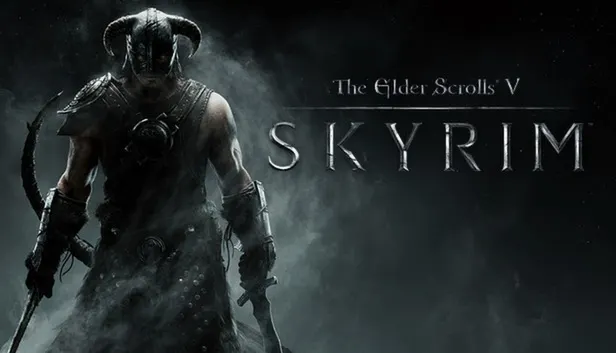
The Elder Scrolls V: Skyrim
How to redeem the key
- 1Open Steam and sign in to your account.
- 2In the top menu choose “Games” → “Activate a Product on Steam…”.
- 3Enter the code you received and confirm the activation.
- 4Once activated, the game appears in your library — download it and play.
Before buying, make sure the country of your account is supported by the key region.
Details and languages
- Developer
- Bethesda Game Studios
- Publisher
- Bethesda Softworks
- Release date
- 10 Nov 2011
- Genres
- RPG
- Russian language
- Yes, interface and subtitles
- Steam App ID
- 72850
Voice-over
Interface and subtitles
- Russian
- English
- Spanish
- French
- German
- Italian
- Polish
- Japanese
- Czech
No information about supported languages.
Languages are listed as reported by Steam. Please check them before buying: a key cannot be refunded once activated.
Before you buy The Elder Scrolls V: Skyrim
- Which key
- The “Global” region key: 1 460 ₽, can be activated in Russia.
- Game modes
- Single-player only.
- Gamepad
- Partial support.
- Scores
- 181,008 reviews on Steam.
- Age rating
- 18+
About the game
The Elder Scrolls V: Skyrim is set in an open fantasy world that can be explored in any direction. The player takes the role of the Dragonborn and faces ancient dragons, learning their secrets and harnessing their power. Character creation is not bound to a class: hundreds of weapons, spells and abilities are available, and the hero develops through his actions. A new engine builds a complete virtual world with clouds, mountains, cities, fields and ancient dungeons. The game is designed for single-player play only.
Description from Steam
The next chapter in the highly anticipated Elder Scrolls saga arrives from the makers of the 2006 and 2008 Games of the Year, Bethesda Game Studios. Skyrim reimagines and revolutionizes the open-world fantasy epic, bringing to life a complete virtual world open for you to explore any way you choose.
LIVE ANOTHER LIFE, IN ANOTHER WORLD
Play any type of character you can imagine, and do whatever you want; the legendary freedom of choice, storytelling, and adventure of The Elder Scrolls is realized like never before.
ALL NEW GRAPHICS AND GAMEPLAY ENGINE
Skyrim’s new game engine brings to life a complete virtual world with rolling clouds, rugged mountains, bustling cities, lush fields, and ancient dungeons.
YOU ARE WHAT YOU PLAY
Choose from hundreds of weapons, spells, and abilities. The new character system allows you to play any way you want and define yourself through your actions.
DRAGON RETURN
Battle ancient dragons like you’ve never seen. As Dragonborn, learn their secrets and harness their power for yourself.
System requirements
WindowsQuestions and answers
Does The Elder Scrolls V: Skyrim have Russian language support?
Interface and subtitles: Russian, English, Spanish, French, German, Italian, Polish, Japanese, Czech.
Which regions does the key activate in?
Pick the region that matches your Steam account region — otherwise the code may not activate. Activation countries by region:
CIS — Russia, Ukr. UA, Kazakhstan, Belarus, Armenia and 6 more countries;
Global — in any country in the world.
Once activated, the game stays on your account for good.
How soon does the code arrive after payment?
Keys are issued automatically, around the clock: the code appears on the order page within 2–3 minutes.
What to do if the key does not activate?
First check your Steam account region: the key activates in the countries of its own region, and a mismatch is the most common reason activation fails. If the region is right, open “Orders” in the site header, pick the order and write in the chat — you can attach a screenshot of the error, and an operator will help you.
Completed orders only
Customer reviews
There are no reviews of The Elder Scrolls V: Skyrim yet. The store has 35 reviews of completed orders, 21 of them about Steam products.
Read reviewsSteam · PC
Similar games





Countries where the key activates
Key region: —