


Home · Steam games · Persona 4 Golden
Steam·gift
Persona 4 Golden
How to receive the gift
- 1Pay for the order and enter a link to your Steam profile on the delivery page (steamcommunity.com/id/… or steamcommunity.com/profiles/…).
- 2The bot will send the gift to this account.
- 3Accept the gift in Steam (a notification arrives in the client and by e-mail) — the game will appear in your library.
The gift region must match your Steam account region — otherwise the gift cannot be accepted.
Details and languages
- Developer
- ATLUS
- Publisher
- SEGA
- Release date
- 13 Jun 2020
- Genres
- RPG
- Russian language
- No
- Steam App ID
- 1113000
Voice-over
- English
- Japanese
Interface and subtitles
- English
- Spanish
- French
- German
- Italian
- Japanese
- Korean
- Simplified Chinese
- Traditional Chinese
No information about supported languages.
Languages are listed according to Steam data. Check them before buying: no refund is possible once the game has been sent.
Before you buy Persona 4 Golden
- Game modes
- Single-player only.
- Gamepad
- Full support, including DualSense and DualShock.
- Scores
- 71,211 reviews on Steam.
- Age rating
- 16+
About the game
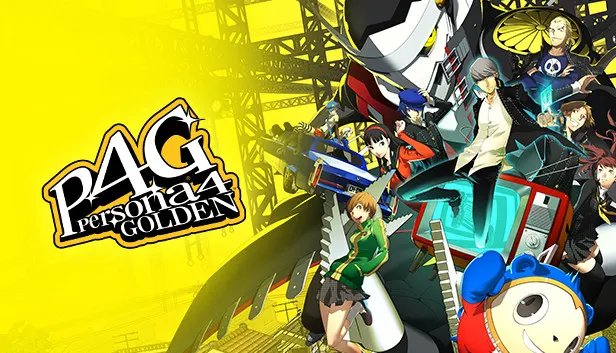
The story of Persona 4 Golden follows a protagonist and his friends in a quiet town in rural Japan, where a chain of serial murders sets their coming of age journey in motion. As they meet kindred spirits, the characters explore feelings of belonging and confront the darker sides of themselves, while the game focuses on meaningful bonds and experiences shared with friends. The PC version supports variable framerates and Full HD, includes Steam Achievements and Trading Cards, and lets players choose between Japanese and English voiceover; a game controller is recommended.
Description from Steam
Inaba—a quiet town in rural Japan sets the scene for budding adolescence in Persona 4 Golden.
A coming of age story that sets the protagonist and his friends on a journey kickstarted by a chain of serial murders. Explore meeting kindred spirits, feelings of belonging, and even confronting the darker sides of one’s self.
Persona 4 Golden promises meaningful bonds and experiences shared together with friends.
With an overall Metacritic score of 93 and a multitude of awards, fan-adored Persona 4 Golden stands as one of the finest RPGs ever made, delivering on enthralling storytelling and quintessential Persona gameplay.
Persona 4 Golden on Steam is best experienced with a game controller.
Key Features include:
- Enjoy gameplay with variable framerates
- Experience the world of Persona on PC in Full HD
- Steam Achievements and Trading Cards
- Choose between Japanese and English VO
System requirements
WindowsRequires a 64-bit processor and operating system
Questions and answers
Does Persona 4 Golden have Russian language support?
Voice-over: English, Japanese. Interface and subtitles: English, Spanish, French, German, Italian, Japanese, Korean, Simplified Chinese, Traditional Chinese.
What is a Steam gift and how is it different from a key?
A gift is a present our bot sends straight to your Steam account via your profile link: no code to enter, the game appears in your library once you accept the gift. A key is an activation code you enter yourself in the Steam client.
Which gift region should I choose?
The one your Steam account is registered in: Steam will not accept a gift from another region. The region is shown in your Steam account settings under "Store country". "CIS countries" means Belarus, Armenia, Georgia and other CIS countries.
How will I receive the gift?
After payment you enter a link to your Steam profile and the bot sends the gift straight to the account — you only need to accept it in Steam. It usually takes 2–5 minutes, around the clock.
What if the account already has this game?
Steam will not let you accept a gift of a game already in your library — check the library before buying. If it happens, write in the order chat: we will refund you.
Completed orders only
Customer reviews
There are no reviews of Persona 4 Golden yet. The store has 35 reviews of completed orders, 21 of them about Steam products.
Read reviewsSteam · PC
Similar games






Countries where the key activates
Key region: —