


Home · Steam games · Age of Empires II: Definitive Edition
Steam·activation key
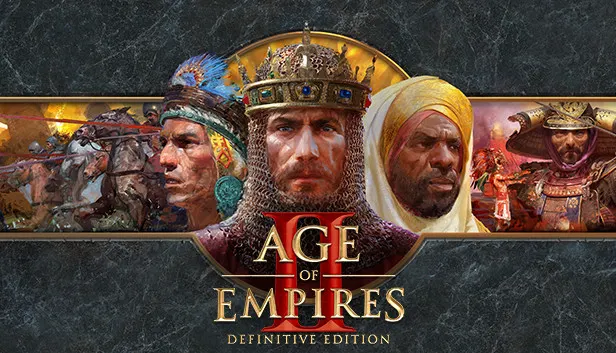
Age of Empires II: Definitive Edition
How to redeem the key
- 1Open Steam and sign in to your account.
- 2In the top menu choose “Games” → “Activate a Product on Steam…”.
- 3Enter the code you received and confirm the activation.
- 4Once activated, the game appears in your library — download it and play.
Before buying, make sure the country of your account is supported by the key region.
Details and languages
- Developer
- World's Edge, Forgotten Empires, CaptureAge, Tantalus Media
- Publisher
- Xbox Game Studios
- Release date
- 14 Nov 2019
- Genres
- Strategy
- Russian language
- Yes, interface and subtitles
- Steam App ID
- 813780
Voice-over
- English
- Spanish
- French
- German
- Italian
- Korean
- Simplified Chinese
- Spanish (Latin America)
- Traditional Chinese
- Portuguese (Brazil)
Interface and subtitles
- Russian
- English
- Spanish
- French
- German
- Italian
- Polish
- Turkish
- Japanese
- Korean
- Simplified Chinese
- Vietnamese
- Spanish (Latin America)
- Traditional Chinese
- Malay
- Portuguese (Brazil)
- Hindi
No information about supported languages.
Languages are listed as reported by Steam. Please check them before buying: a key cannot be refunded once activated.
Before you buy Age of Empires II: Definitive Edition
- Game modes
- Single-player, co-op online and over LAN, PvP online and over LAN, cross-platform play.
- Scores
- 158,657 reviews on Steam.
- Age rating
- 12+
- System
- Windows and macOS.
About the game
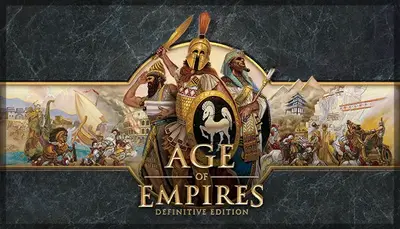
Age of Empires II: Definitive Edition is a remaster of the strategy game released for its anniversary. The campaigns of the original and its expansions cover 1,000 years of human history and provide over 200 hours of gameplay. The updated version features reworked 4K Ultra HD graphics and a fully remastered soundtrack. Beyond single-player, matches are available over the internet and local networks, including co-op, PvP, and cross-platform play. Updates have added a battle royale mode, Quick Play, support for the Scenario Editor, and interface improvements.
Description from Steam
Age of Empires II: Definitive Edition celebrates the 25th anniversary of one of the most popular strategy games ever, now with stunning 4K Ultra HD graphics, a fully remastered soundtrack, and now includes three expansions with the base game: “Lords of the West,” “Dynasties of India,” and “Dawn of the Dukes.” Frequent updates include events, additional content, new game modes, and enhanced features.
Explore all the original Campaigns and the best-selling expansions like never before. With over 200 hours of gameplay and 1,000 years of human history, improved experiences await. Head online to challenge other players in your quest for world domination with more than 45 different Civilizations. Recent updates include ongoing support for the Scenario Editor, Quick Play for easy social games, enhancements to the game UI, and more!
Choose your path to greatness with an eye-catching and engaging remaster to one of the most beloved strategy games of all time.
System requirements
WindowsQuestions and answers
Does Age of Empires II: Definitive Edition have Russian language support?
Voice-over: English, Spanish, French, German, Italian, Korean, Simplified Chinese, Spanish (Latin America), Traditional Chinese, Portuguese (Brazil). Interface and subtitles: Russian, English, Spanish, French, German, Italian, Polish, Turkish, Japanese, Korean, Simplified Chinese, Vietnamese, Spanish (Latin America), Traditional Chinese, Malay, Portuguese (Brazil), Hindi.
Which regions does the key activate in?
The key activates with no regional restrictions — in any country, on a Steam account from any region. Once activated, the game stays on your account for good.
How soon does the code arrive after payment?
Keys are issued automatically, around the clock: the code appears on the order page within 2–3 minutes.
What to do if the key does not activate?
First check your Steam account region: the key activates in the countries of its own region, and a mismatch is the most common reason activation fails. If the region is right, open “Orders” in the site header, pick the order and write in the chat — you can attach a screenshot of the error, and an operator will help you.
Completed orders only
Customer reviews
There are no reviews of Age of Empires II: Definitive Edition yet. The store has 35 reviews of completed orders, 21 of them about Steam products.
Read reviewsSteam · PC
Similar games







Countries where the key activates
Key region: —