


Home · Steam games · The Elder Scrolls IV: Oblivion Remastered
Steam·activation key
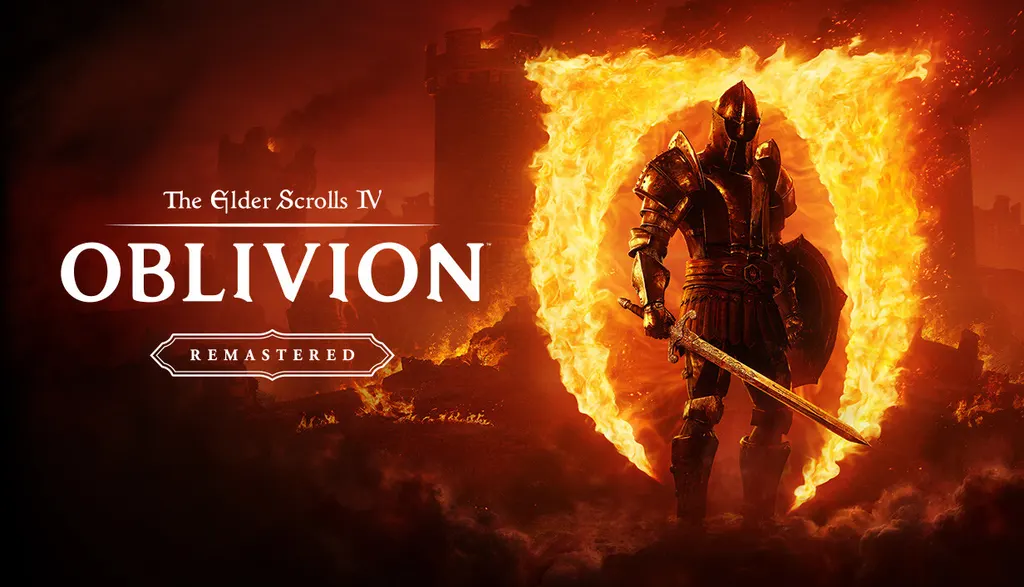
The Elder Scrolls IV: Oblivion Remastered
How to redeem the key
- 1Open Steam and sign in to your account.
- 2In the top menu choose “Games” → “Activate a Product on Steam…”.
- 3Enter the code you received and confirm the activation.
- 4Once activated, the game appears in your library — download it and play.
Before buying, make sure the country of your account is supported by the key region.
Details and languages
- Developer
- Bethesda Game Studios, Virtuos
- Publisher
- Bethesda Softworks
- Release date
- 22 Apr 2025
- Genres
- RPG
- Russian language
- No
- Steam App ID
- 2623190
Voice-over
- English
Interface and subtitles
- English
- Spanish
- French
- German
- Italian
- Polish
- Japanese
- Simplified Chinese
- Portuguese (Brazil)
No information about supported languages.
Languages are listed as reported by Steam. Please check them before buying: a key cannot be refunded once activated.
Before you buy The Elder Scrolls IV: Oblivion Remastered
- Which key
- For an account from Russia, these “The Elder Scrolls IV: Oblivion Remastered” keys work: CIS (2 130 ₽) and Global (3 340 ₽).
- Game modes
- Single-player only.
- Gamepad
- Partial support, including DualSense and DualShock.
- Scores
- 59,595 reviews on Steam.
- Age rating
- 18+
About the game
The Elder Scrolls IV: Oblivion Remastered is a reworked version of the 2006 role-playing game developed by Bethesda Game Studios together with Virtuos. It is set in Cyrodiil and other parts of Tamriel, as well as in the planes of Oblivion, where the hero faces the invaders. Players shape their own character, from warrior and sorcerer to assassin or blacksmith, and develop swordcraft and magical talents to repel the invasion and save Tamriel. The updated version features reworked visuals and refined gameplay, with the world's details recreated by hand. Alongside the main campaign, the Shivering Isles and Knights of the Nine expansions and a set of smaller add-ons are included, and the game is built for single-player only.
Description from Steam
The Elder Scrolls IV: Oblivion™ Remastered modernizes the 2006 Game of the Year with all new stunning visuals and refined gameplay. Explore the vast landscape of Cyrodiil like never before and stop the forces of Oblivion from overtaking the land in one of the greatest RPGs ever from the award-winning Bethesda Game Studios.
Rediscover Cyrodiil
Journey through the rich world of Tamriel and battle across the planes of Oblivion where handcrafted details have been meticulously recreated to ensure each moment of exploration is awe-inspiring.
Navigate Your Own Story
From the noble warrior to the sinister assassin, wizened sorcerer, or scrappy blacksmith, forge your path and play the way you want.
Experience an Epic Adventure
Step inside a universe bursting with captivating stories and encounter an unforgettable cast of characters. Master swordcraft and wield powerful magic as you fight to save Tamriel from the Daedric invasion.
The Complete Story
Experience everything Oblivion has to offer with previously released story expansions Shivering Isles, Knights of the Nine, and additional downloadable content included in The Elder Scrolls IV: Oblivion Remastered.
System requirements
WindowsRequires a 64-bit processor and operating system
Questions and answers
Does The Elder Scrolls IV: Oblivion Remastered have Russian language support?
Voice-over: English. Interface and subtitles: English, Spanish, French, German, Italian, Polish, Japanese, Simplified Chinese, Portuguese (Brazil).
Which regions does the key activate in?
Pick the region that matches your Steam account region — otherwise the code may not activate. Activation countries by region:
CIS — Russia, Ukr. UA, Kazakhstan, Belarus, Armenia and 6 more countries;
Global — in any country in the world.
Once activated, the game stays on your account for good.
How soon does the code arrive after payment?
Keys are issued automatically, around the clock: the code appears on the order page within 2–3 minutes.
What to do if the key does not activate?
First check your Steam account region: the key activates in the countries of its own region, and a mismatch is the most common reason activation fails. If the region is right, open “Orders” in the site header, pick the order and write in the chat — you can attach a screenshot of the error, and an operator will help you.
Completed orders only
Customer reviews
There are no reviews of The Elder Scrolls IV: Oblivion Remastered yet. The store has 35 reviews of completed orders, 21 of them about Steam products.
Read reviewsSteam · PC
Similar games



Countries where the key activates
Key region: —