


Home · Steam games · The Elder Scrolls IV: Oblivion GOTY
Steam·activation key
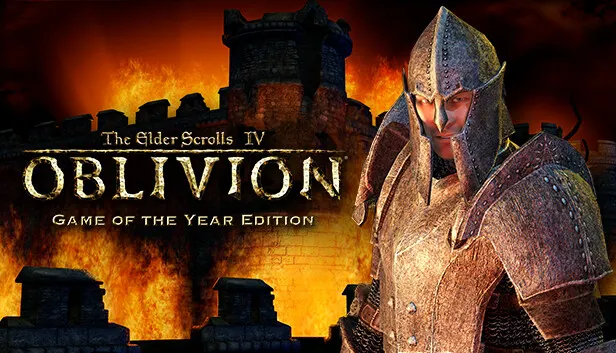
The Elder Scrolls IV: Oblivion GOTY
How to redeem the key
- 1Open Steam and sign in to your account.
- 2In the top menu choose “Games” → “Activate a Product on Steam…”.
- 3Enter the code you received and confirm the activation.
- 4Once activated, the game appears in your library — download it and play.
Before buying, make sure the country of your account is supported by the key region.
Details and languages
- Developer
- Bethesda Game Studios
- Publisher
- Bethesda Softworks
- Release date
- 16 Jun 2009
- Genres
- RPG
- Russian language
- No
- Steam App ID
- 22330
Voice-over
- English
- French
- German
Interface and subtitles
- English
- Spanish
- French
- German
- Italian
No information about supported languages.
Languages are listed as reported by Steam. Please check them before buying: a key cannot be refunded once activated.
Before you buy The Elder Scrolls IV: Oblivion GOTY
- Which key
- The “CIS” region key: 210 ₽, can be activated in Russia.
- Game modes
- Single-player only.
- Scores
- 42,911 reviews on Steam.
About the game
This 2009 edition of the role-playing game includes the Knights of the Nine and Shivering Isles expansions. It is set in a large open world where the hero can follow only the main story or take on a wide range of side quests. Players create a character of their choosing, from a noble knight to an assassin or a mage, and fight in first person using combat and magic. Characters are driven by an advanced AI system: they decide on their own when to eat, sleep, or visit a tavern. In Shivering Isles the hero enters Sheogorath's realm, divided between Mania and Dementia, and faces new foes, while Knights of the Nine tasks the player with restoring the ancient order of the Knights of the Nine.
Description from Steam
PUBLISHER UPDATE - This is the product page for The Elder Scrolls IV: Oblivion Game of the Year Edition, released in 2009.
---
The Elder Scrolls IV: Oblivion® Game of the Year Edition presents one of the best RPGs of all time like never before. Step inside the most richly detailed and vibrant game-world ever created. With a powerful combination of freeform gameplay and unprecedented graphics, you can unravel the main quest at your own pace or explore the vast world and find your own challenges.
Also included in the Game of the Year edition are Knights of the Nine and the Shivering Isles expansion, adding new and unique quests and content to the already massive world of Oblivion. See why critics called Oblivion the Best Game of 2006.
Key features:
- Live Another Life in Another World
Create and play any character you can imagine, from the noble warrior to the sinister assassin to the wizened sorcerer. - First Person Melee and Magic
An all-new combat and magic system brings first person role-playing to a new level of intensity where you feel every blow. - Radiant AI
This groundbreaking AI system gives Oblivion's characters full 24/7 schedules and the ability to make their own choices based on the world around them. Non-player characters eat, sleep, and complete goals all on their own. - New Lands to Explore
In the Shivering Isles expansion, see a world created in Sheogorath's own image, one divided between Mania and Dementia and unlike anything you've experienced in Oblivion. - Challenging new foes
Battle the denizens of Shivering Isles, a land filled with hideous insects, Flesh Atronachs, skeletal Shambles, amphibious Grummites, and many more. - Begin a New Faction
The Knights of the Nine have long been disbanded. Reclaim their former glory as you traverse the far reaches of Cyrodill across an epic quest line.
System requirements
WindowsQuestions and answers
Does The Elder Scrolls IV: Oblivion GOTY have Russian language support?
Voice-over: English, French, German. Interface and subtitles: English, Spanish, French, German, Italian.
Which regions does the key activate in?
Pick the region that matches your Steam account region — otherwise the code may not activate. Activation countries by region:
CIS — Russia, Ukr. UA, Kazakhstan, Belarus, Armenia and 6 more countries.
Once activated, the game stays on your account for good.
How soon does the code arrive after payment?
Keys are issued automatically, around the clock: the code appears on the order page within 2–3 minutes.
What to do if the key does not activate?
First check your Steam account region: the key activates in the countries of its own region, and a mismatch is the most common reason activation fails. If the region is right, open “Orders” in the site header, pick the order and write in the chat — you can attach a screenshot of the error, and an operator will help you.
Completed orders only
Customer reviews
There are no reviews of The Elder Scrolls IV: Oblivion GOTY yet. The store has 35 reviews of completed orders, 21 of them about Steam products.
Read reviewsSteam · PC
Similar games

Countries where the key activates
Key region: —